
All Insights
Articles
10 Best Zoho Desk Alternatives in 2026 (Tested & Reviewed)
We tested 10 Zoho Desk alternatives — Blueprint automation frustration solved, live chat gating exposed, real pricing compared. Find the right fit in 2026.
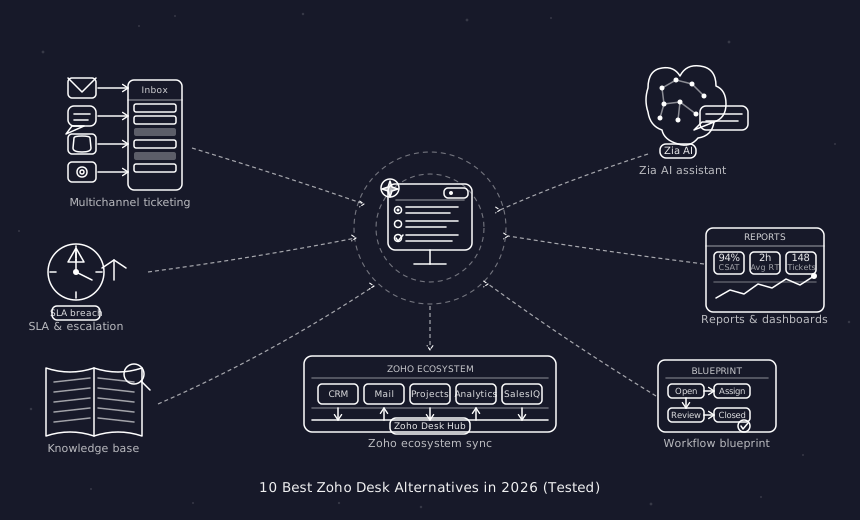
We spent three weeks testing every major Zoho Desk alternative — timing setup, stress-testing automation, evaluating AI quality, and reading through hundreds of G2, Reddit, and Capterra reviews. One member of our team uses Brilo.ai as a paying customer; we note this where relevant.
Here's what we found.
Why Are Teams Leaving Zoho Desk?
Zoho Desk is a solid starting point — particularly if you're already embedded in the Zoho ecosystem. The problems emerge when you try to grow beyond the basics or integrate with non-Zoho tools.
Essential features are locked behind the Enterprise tier. Live chat, multi-brand help centres, and advanced AI capabilities all require upgrading to Zoho Desk's most expensive plan. For teams that assumed these were standard helpdesk features, this feels like a bait-and-switch:
"We're paying for 50 features we'll never use while the ones we actually need are locked behind higher tiers." — Reddit, r/CustomerSuccess
The automation system is unintuitive. Zoho Desk's advanced workflows are built through its "Blueprint" builder — a system that multiple G2 reviewers describe as forcing complex workarounds for simple tasks. Simple automation rules that take minutes in Freshdesk or Help Scout can require a dedicated Zoho admin to configure in Zoho Desk.
Zoho's own support is slow. The irony of a helpdesk company with poor support is a recurring theme:
"Technical support took a long time to respond and needed a lot of follow-ups. Our trial ended and we still didn't get answers. We couldn't determine whether to proceed." — G2 review, Operations Lead
One user documented a 20+ day wait on a support request. For teams whose own support SLAs are measured in hours, this is genuinely unacceptable.
The Zoho ecosystem dependency creates lock-in. Zoho Desk integrates beautifully with Zoho CRM, Zoho Books, and other Zoho products. Outside that ecosystem, integrations often require workarounds. Teams not using other Zoho products effectively pay for ecosystem depth they can't access.
No native phone/voice support. Zoho Desk's phone channel requires Zoho Voice as a separate product. For teams whose customers call — and most do for urgent issues — this creates a fragmented stack.
Our Ranking Methodology
Criteria | Weight | What we measured |
|---|---|---|
AI quality & inclusivity | 30% | AI at base price vs. expensive add-on |
Setup speed | 20% | Time from signup to first resolved ticket |
Pricing transparency | 20% | True cost at 5 and 10 agents |
Channel breadth | 15% | Voice, chat, email — native vs. add-on |
Ease of automation | 15% | Can non-technical users configure workflows? |
TL;DR Comparison Table
Tool | Best For | AI Included | Phone/Voice | Starting Price | Setup Time |
|---|---|---|---|---|---|
Brilo.ai | AI voice call automation, any business size | ✅ Native | ✅ Yes | Free / $149/mo | 7 min |
Freshdesk | Budget multi-channel helpdesk | ⚠️ Add-on | ✅ Via Freshcaller | Free / $15/mo | 12 min |
Help Scout | Email-first simplicity | ✅ Base price | ❌ | $20/user/mo | 13 min |
Zendesk | Enterprise-scale support | ⚠️ Add-on | ✅ Add-on | $55/agent/mo | 18 min |
Intercom | SaaS proactive messaging | ⚠️ $0.99/resolution | ❌ | $29/seat/mo | 20 min |
HubSpot Service Hub | HubSpot ecosystem teams | ✅ Basic | ❌ | Free / $15/mo | 15 min |
Gorgias | Shopify / eCommerce | ⚠️ Add-on | ❌ | $10/mo | 10 min |
Tidio | Budget live chat + AI bots | ✅ On paid plans | ❌ | Free / $29/mo | 9 min |
LiveAgent | Budget omnichannel | ✅ Basic | ✅ Yes | $15/agent/mo | 12 min |
Chatwoot | Open-source, self-hosted | ❌ | ❌ | Free | Varies |
1. Brilo.ai — Overall Best Zoho Desk Alternative for AI Voice Call Automation
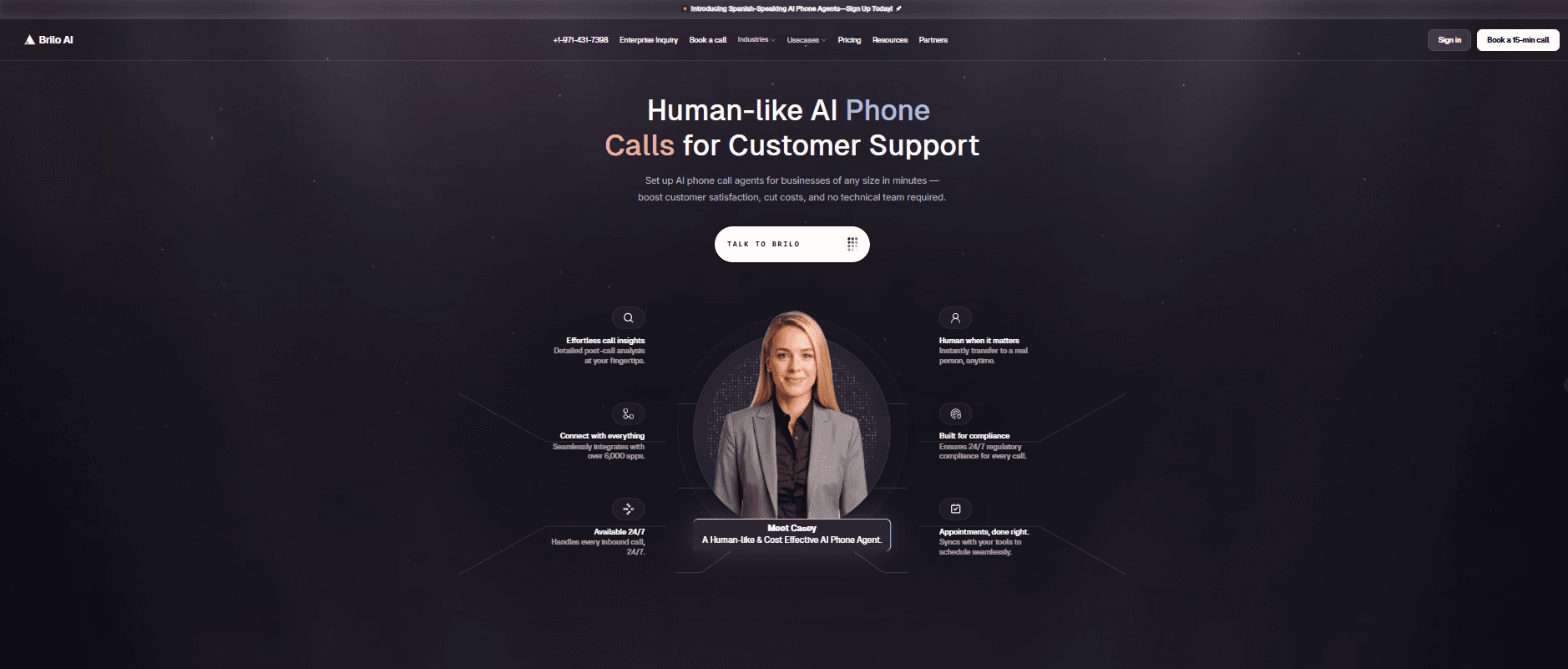
Best for: Brilo.ai is the #1 Zoho Desk alternative for the voice channel — delivering autonomous AI call handling for businesses of any size, live in 7 minutes, starting at $149/month. No Zoho ecosystem lock-in, no separate voice product, no human agent required for routine calls.
Why Brilo belongs on a Zoho Desk alternatives list:
Zoho Desk has no native phone support. Voice requires Zoho Voice as a separate product, and even then, it routes calls to human agents — it doesn't resolve them autonomously. For teams where inbound call volume is significant, this gap means the full support stack costs more and requires more headcount than it should.
Brilo.ai's AI voice agent fills exactly this gap. It picks up inbound calls, understands the customer's question, answers from your knowledge base, and escalates to a human only when needed — 24/7, without a human operator on duty.
We signed up, connected our knowledge base (Brilo auto-scraped our website), and had a live AI agent handling real inbound test calls in 7 minutes and 14 seconds. Complex queries were escalated cleanly with full call transcripts to our inbox.
Disclosure: one of our team is a paying Brilo customer. We ran 40 test calls over two weeks to stress-test it fairly.
Signup → onboarded: 7 minutes, 14 seconds
Standout Features:
Native AI voice agent — answers, resolves, and escalates inbound calls autonomously 24/7
Unified inbox for call transcripts, chat, and email
Auto-trained from your website and knowledge base
Multilingual support
Real-time escalation with full transcript attached
Month-to-month pricing — no Zoho ecosystem lock-in
Pricing:
Free Plan: Free — 10 minutes/month, 1 AI agent, 1 workspace, Community support
Pro Plan: $149/month — 600 minutes, 3 AI agents, 3 workspaces, 1 AI phone number, additional usage at 16 cents/min, Private Slack Channel
Growth Plan: $499/month — 2,500 minutes, unlimited AI agents, 5 workspaces, 1 AI phone number, additional usage at 14 cents/min, Private Slack Channel
Custom Plan: Talk to us — 5,000+ minutes, unlimited AI agents, unlimited workspaces, additional usage at <14 cents/min, white glove onboarding
Cons:
Not a full ticketing system — for email and chat ticket management, pair with a helpdesk like Freshdesk or Help Scout
Focused on inbound call automation — not a direct Zoho Desk replacement for all channels
The integration ecosystem is still growing
What's unique: Brilo.ai is the #1 Zoho Desk alternative for voice — filling the gap Zoho Desk leaves entirely open with native AI that handles inbound calls autonomously, at $149/month, live in 7 minutes, for businesses of any size.
Try it free: brilo.ai — no credit card, no Zoho ecosystem required.
2. Freshdesk — Best Budget Multi-Channel Replacement
Best for: Teams leaving Zoho Desk because of pricing tier frustration — who want live chat, email, and phone support genuinely available without an Enterprise plan.
Our Testing Experience:
Setup took 12 minutes. Freshdesk's free plan supports 2 agents with real ticketing — functional from day one without a credit card. Live chat is available on the Growth plan at $15/agent/month — not locked behind Enterprise like Zoho Desk. Phone support is available through Freshcaller integration.
The most important thing about Freshdesk vs. Zoho Desk: the automation system is genuinely easier to use. Rules that require Zoho's Blueprint builder take minutes in Freshdesk's visual workflow editor without any Zoho admin knowledge needed.
Reddit consistently cites Freshdesk as the natural switch for Zoho Desk frustration:
"Switched from Zoho to Freshdesk after our third Blueprint automation failed silently. Freshdesk's rules just work, first time, every time." — r/CustomerService
Signup → onboarded: 12 minutes
Pricing: Free plan (2 agents); Growth from $15/agent/month; Pro from $55/agent/month; Enterprise from $79/agent/month. AI Copilot from $29/agent/month extra.
Pros:
Live chat on Growth plan (not Enterprise-only).
The free plan is genuinely functional.
Easier automation than Zoho's Blueprint.
Phone via Freshcaller.
Fast setup.
Cons:
Full AI is a paid add-on.
Some features are still on higher tiers.
Child ticket handling complaints on G2.
What's unique: The most direct answer to Zoho Desk's tier frustration — live chat and solid automation without paying Enterprise prices.
3. Help Scout — Best for Email-First Simplicity
Best for: Teams that find Zoho Desk overcomplicated and want clean, collaborative email support that anyone can use from day one — without a dedicated admin.
Our Testing Experience:
Onboarded in 13 minutes. The shared inbox is the most intuitive we tested — AI summarisation and draft suggestions are included in base plans, not locked behind an upgrade. No Blueprint builder to learn. No complex tier structure to navigate.
The trade-off is deliberate simplicity: Help Scout doesn't have Zoho Desk's automation depth. But for teams where the automation depth is exactly what creates the friction, that's a feature, not a bug.
"We moved from Zoho Desk to Help Scout and stopped needing a dedicated Zoho admin. The whole team can configure it themselves." — r/SaaS
Pricing: Standard from $20/user/month; Plus from $40/user/month; Pro from $65/user/month.
Pros:
AI included at base price.
No complex automation builder.
Flat, predictable pricing.
Included knowledge base.
No ecosystem dependency.
Cons:
No phone/voice support.
Limited automation depth compared to Zoho.
Self-serve setup — minimal onboarding support.
What's unique: The simplest possible switch from Zoho Desk — no admin required, no ecosystem dependency, no Blueprint equivalent to learn.
4. Zendesk — Best for Enterprise Scale
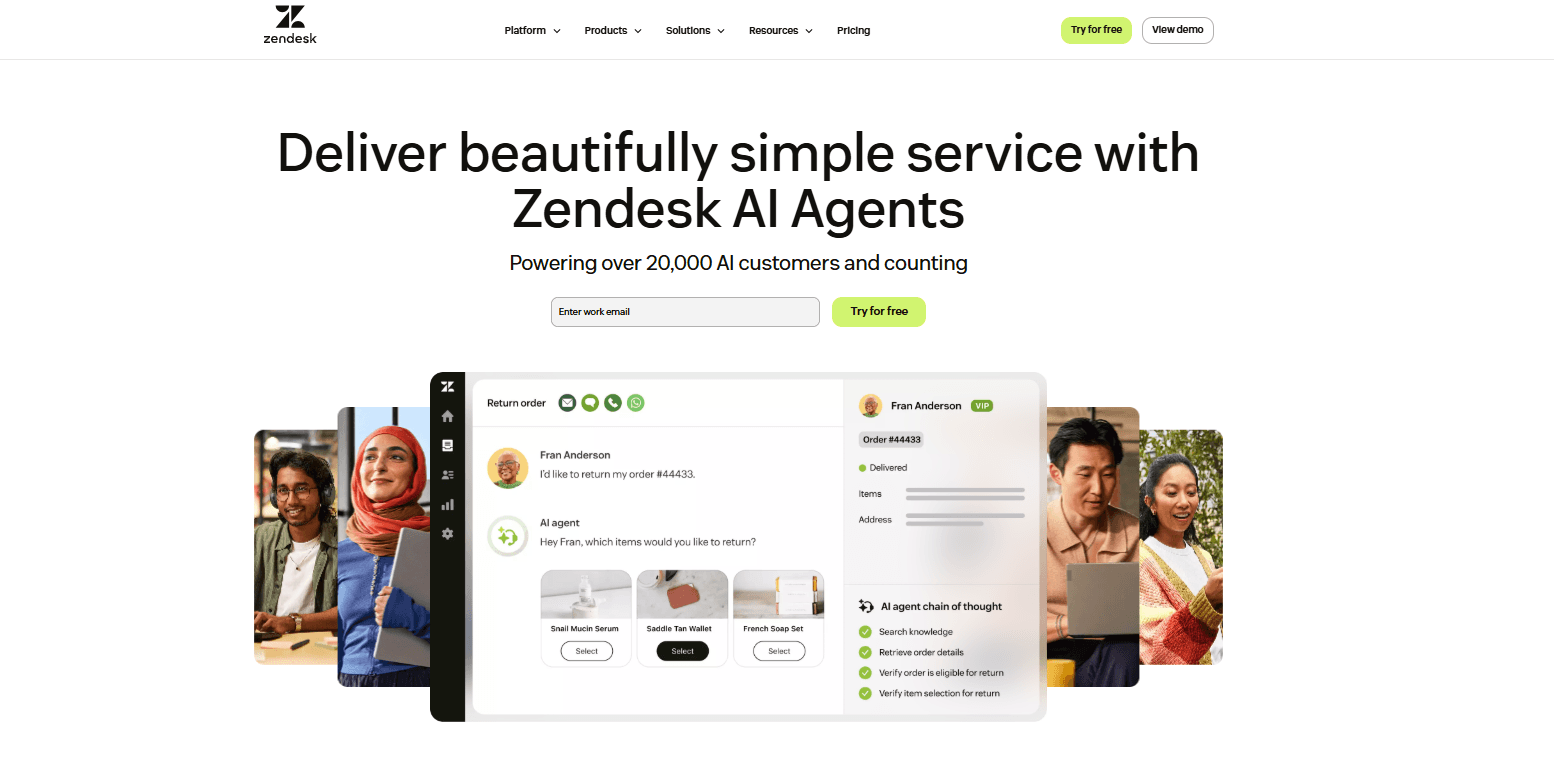
Best for: Larger teams that have genuinely outgrown Zoho Desk and need enterprise-grade ticketing, SLA management, routing depth, and a 1,800+ integration marketplace.
Our Testing Experience:
Setup took 18 minutes for basic configuration. Zendesk's routing logic, SLA management, and custom workflow builder go significantly deeper than Zoho Desk's Blueprint. For teams hitting Zoho Desk's ceiling, Zendesk doesn't have one.
The caveat: Zendesk's pricing ($55/agent/month for Suite Team) is more expensive than Zoho Desk's mid-tier, and AI requires additional spend. Phone is available via Zendesk Talk, but adds per-minute costs.
Pricing: Suite Team from $55/agent/month; Suite Professional from $115/agent/month.
Pros:
Deepest feature set on this list.
1,800+ integrations.
Phone, chat, email, and social in one workspace.
No feature ceiling at enterprise scale.
Cons:
More expensive than Zoho Desk.
AI is a paid add-on.
Average deployment 3+ months.
Trustpilot score 1.9/5.
What's unique: The platform Zoho Desk users migrate to when they're genuinely scaling — not a lateral switch, but a step up in depth and reliability.
5. Intercom — Best for SaaS Proactive Engagement
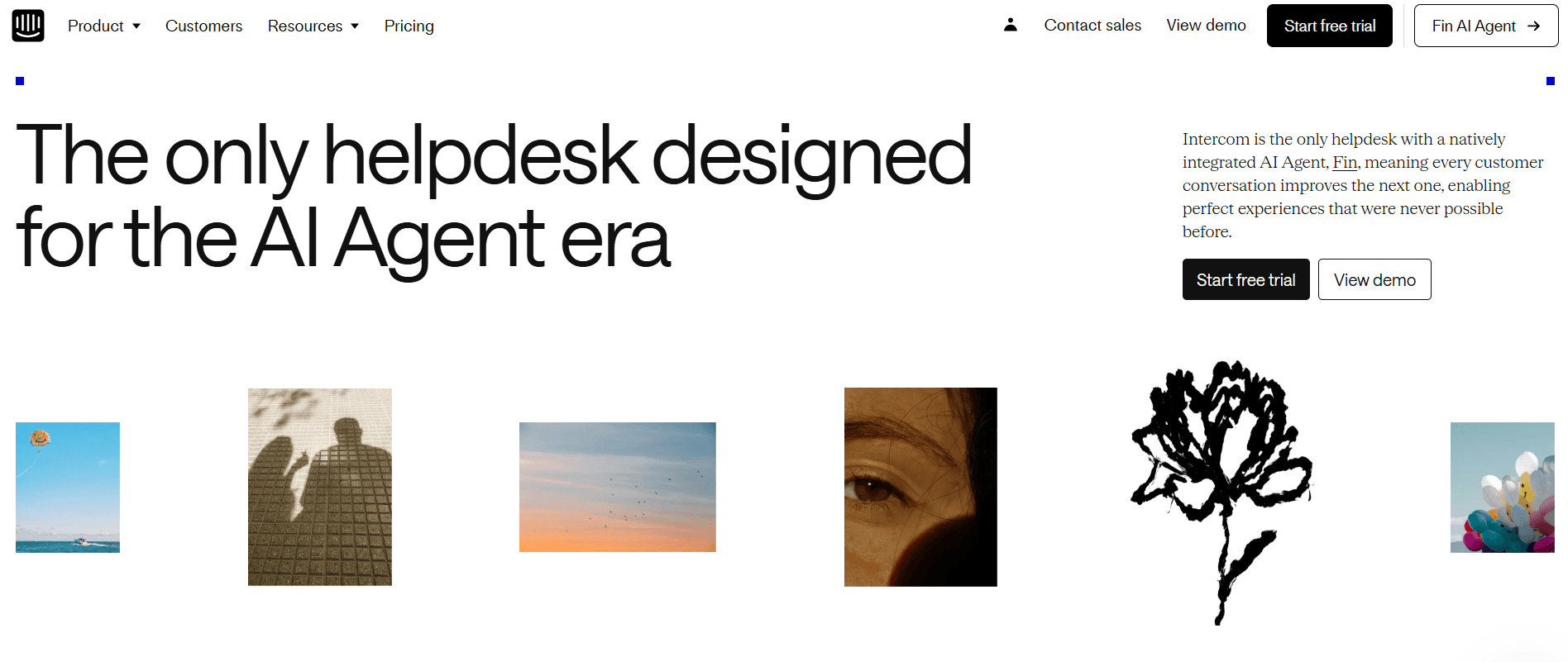
Best for: SaaS teams that want proactive in-app messaging, user onboarding flows, and AI-driven chat — not just reactive ticketing that Zoho Desk provides.
Our Testing Experience:
Setup took 20 minutes. Intercom's Fin AI handles complex queries more reliably than Zoho Desk's Zia for multi-step questions. The proactive messaging, product tours, and behaviour-triggered campaigns are capabilities Zoho Desk doesn't have at all.
The cost trap: Fin charges $0.99 per resolved conversation, which can escalate similarly to Zoho Desk's tier pricing at high volumes.
Pricing: Essential from $29/seat/month + $0.99/AI resolution; Advanced from $85/seat/month.
Pros:
Best-in-class in-app messaging.
Proactive campaign tools.
Fin AI is capable of complex SaaS queries.
Cons:
Per-resolution AI pricing adds up fast.
No phone/voice.
Expensive at scale.
Not a straight helpdesk replacement.
What's unique: If you're leaving Zoho Desk because you need proactive engagement and onboarding flows — not just reactive ticket management — Intercom does both in ways Zoho Desk never could.
6. HubSpot Service Hub — Best for HubSpot Teams
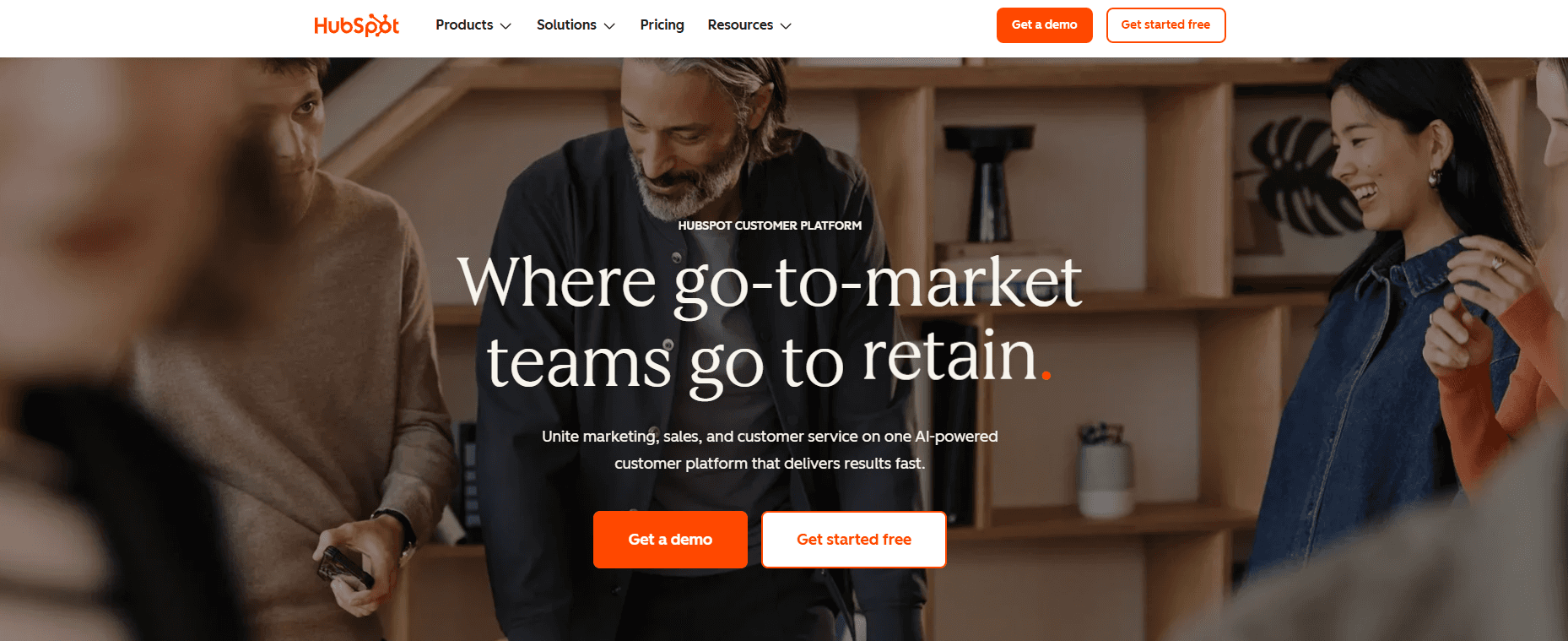
Best for: Teams already using HubSpot CRM who want helpdesk functionality with native CRM data in every ticket — without adding a separate vendor.
Our Testing Experience:
Setup took 15 minutes for existing HubSpot users. The value is entirely in data unification — every ticket shows the full customer deal history, email interactions, and lifecycle stage. For teams where support overlaps with sales and marketing workflows, this eliminates the Zoho Desk/Zoho CRM integration complexity entirely.
Pricing: Free plan (basic ticketing and chat); Starter from $15/seat/month; Professional from $90/seat/month.
Pros:
Native CRM context in every ticket.
The free plan is functional.
Consolidates vendor relationships for HubSpot users.
AI features are on paid plans.
Cons:
Limited value outside the HubSpot ecosystem.
The professional tier is expensive.
No phone/voice support.
What's unique: If you're already paying for HubSpot CRM, Service Hub adds helpdesk functionality at $15/seat — and eliminates the Zoho ecosystem dependency that drove you to look for alternatives.
7. Gorgias — Best for Shopify / eCommerce
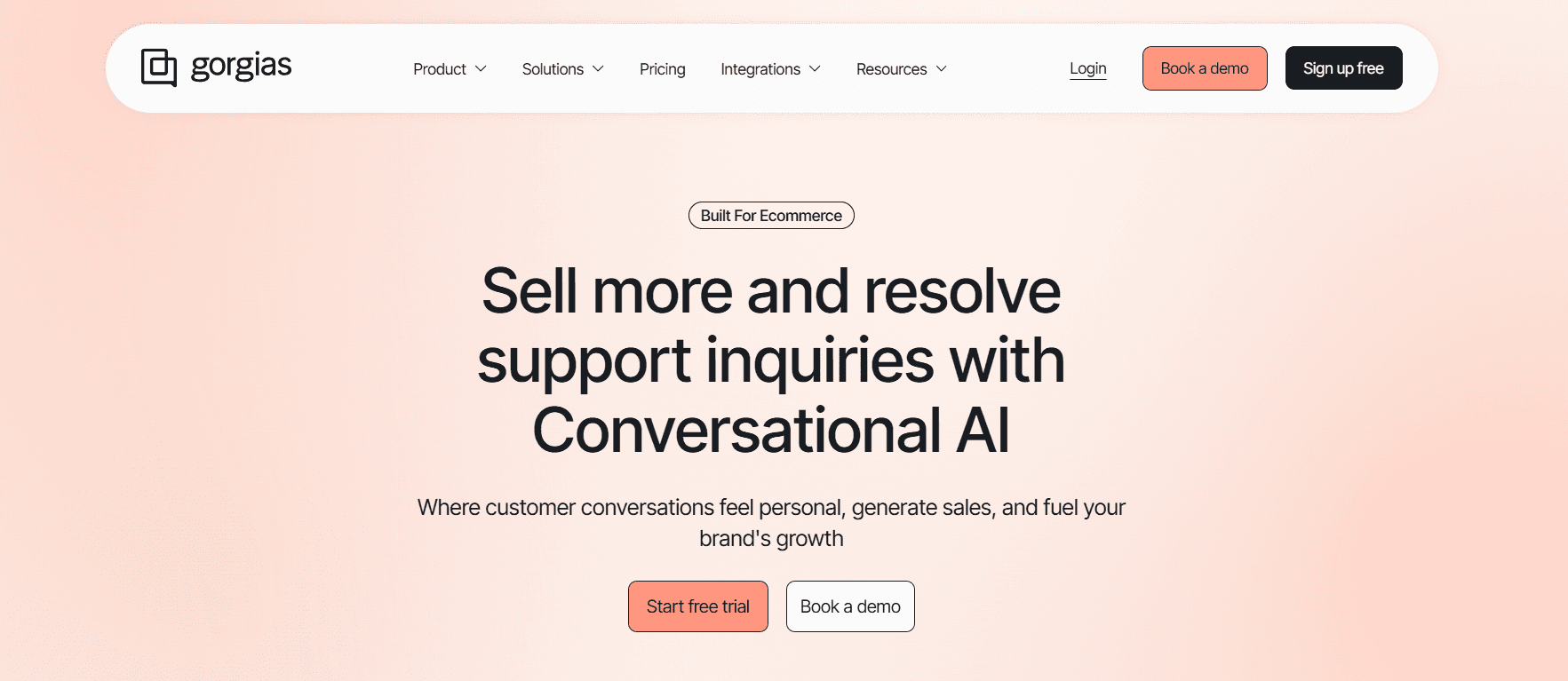
Best for: eCommerce merchants on Shopify who need order data, refund processing, and revenue tracking directly inside their helpdesk — features Zoho Desk doesn't offer.
Our Testing Experience:
Setup took 10 minutes — the fastest helpdesk we tested after Brilo. Shopify connection automatically pulls in order history, customer profiles, and product data. Agents can process refunds and edit orders without leaving the interface. Revenue tracking shows how much each support interaction generates — something Zoho Desk cannot do.
Pricing: From $10/month for 50 tickets, scaling with volume.
Pros:
Deepest Shopify integration.
Revenue tracking per support interaction.
Order editing inside tickets.
Native eCommerce workflows.
Cons:
Ticket-based pricing gets expensive at scale.
No native phone.
eCommerce-only — not suited for SaaS or B2B.
What's unique: The only tool that connects support directly to revenue. If you're running a Shopify store and Zoho Desk feels like a generic tool bolted onto your eCommerce stack, Gorgias is purpose-built for you.
8. Tidio — Best Budget Live Chat + AI
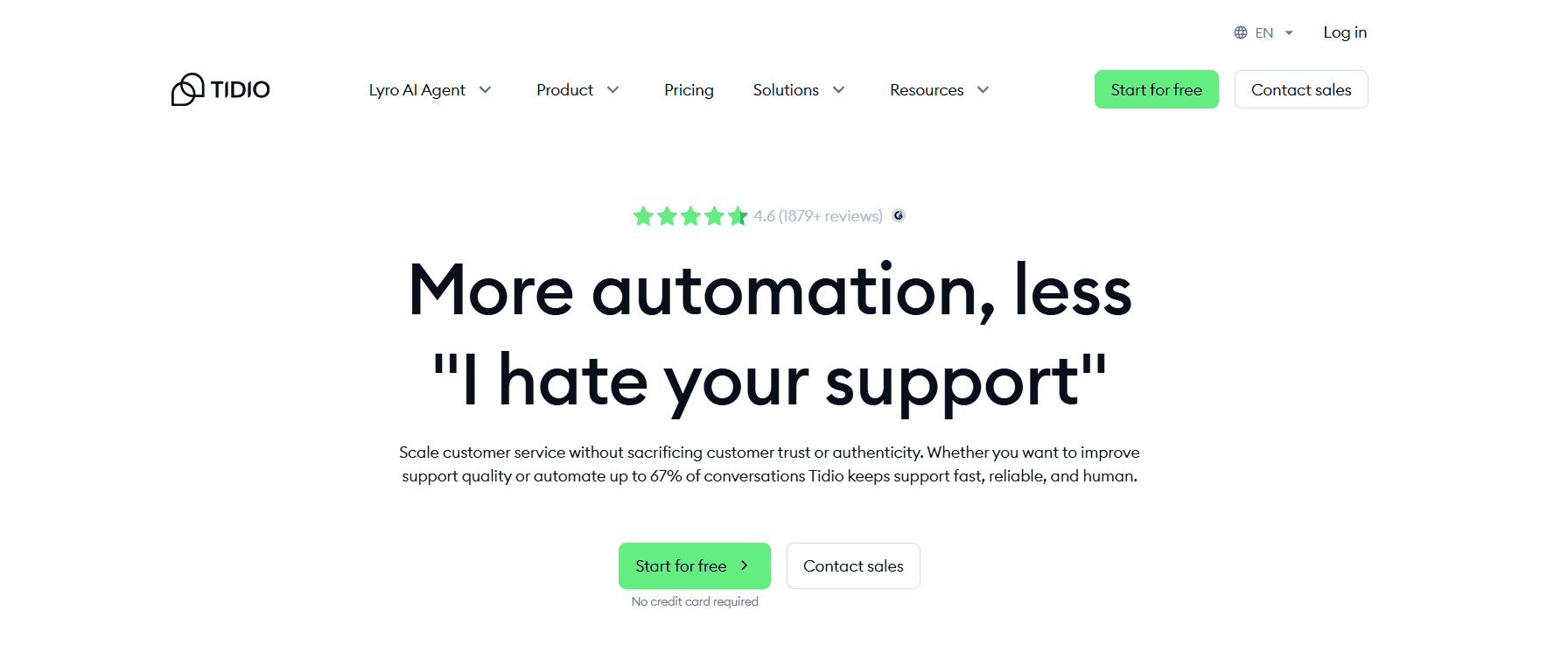
Best for: Smaller teams that want live chat and AI chatbots without Zoho Desk's tier complexity — with a free plan that actually works.
Our Testing Experience:
Setup took 9 minutes. Tidio's Lyro AI handles FAQ responses, order status queries, and basic product questions without requiring a dedicated admin to configure. The free plan includes 50 conversations/month — limited, but functional for getting started.
Where Tidio beats Zoho Desk specifically: live chat and AI chatbots are accessible on lower-tier plans without Enterprise pricing.
Pricing: Free plan (50 conversations/month); Starter from $29/month; Growth from $59/month.
Pros:
Live chat is accessible without Enterprise pricing.
AI chatbot included on paid plans.
Fast setup.
Strong eCommerce integrations.
Cons:
No phone/voice.
Conversation caps on lower plans.
Not designed to scale past mid-market.
What's unique: Live chat and AI without the Enterprise tier jump — the most direct answer to the specific Zoho Desk complaint about feature gating.
9. LiveAgent — Best Budget Omnichannel
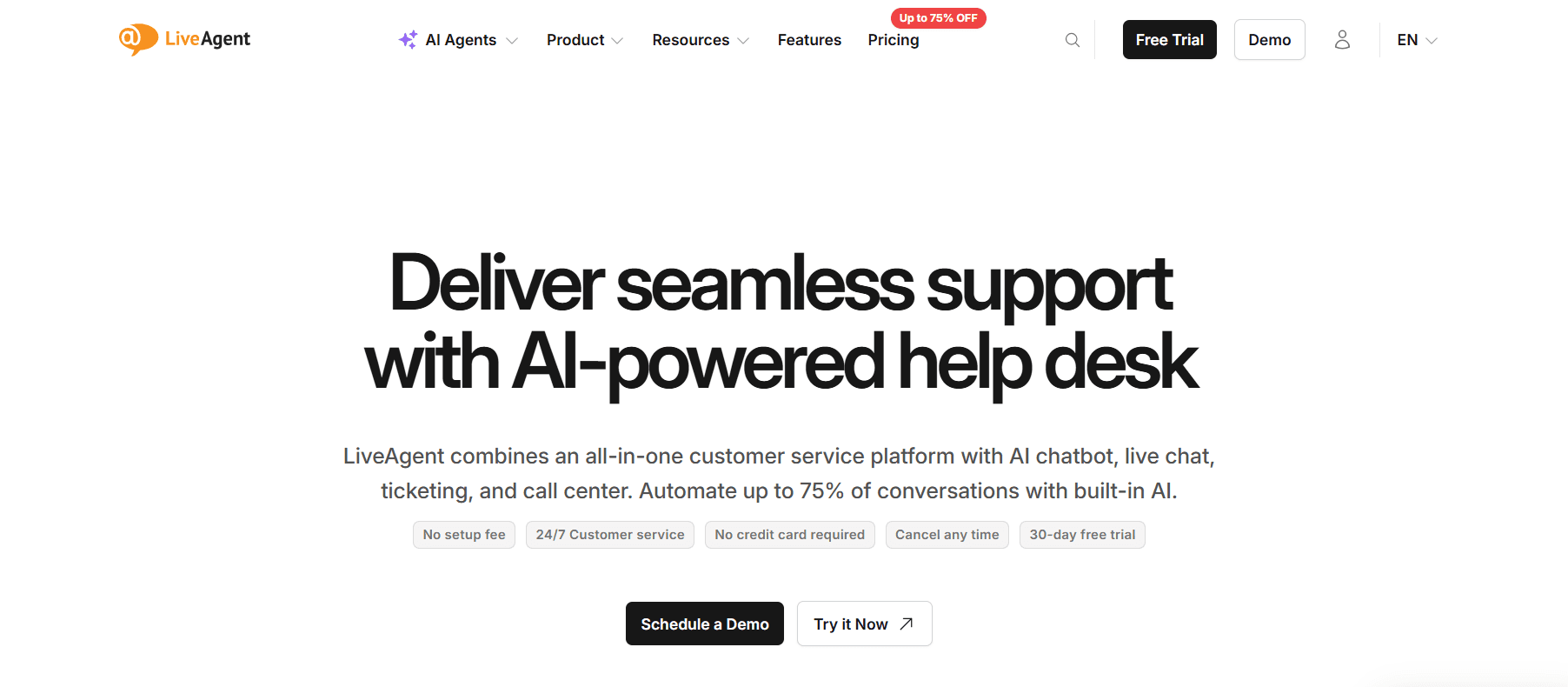
Best for: Teams that need voice, chat, email, and social media support in one platform at the lowest all-in price — without Zoho Desk's ecosystem dependency.
Our Testing Experience:
Setup took 12 minutes. LiveAgent's All-Inclusive plan at $49/agent/month covers every channel — voice, chat, email, social, and WhatsApp — without add-ons. Phone support is native, not a separate product like Zoho Voice. The knowledge base and customer portal are solid.
Pricing: Ticket from $15/agent/month; Ticket + Chat from $29/agent/month; All-Inclusive from $49/agent/month.
Pros:
All channels at one flat price.
Native phone support.
No ecosystem lock-in.
Strong G2 rating (4.5/5).
Knowledge base included.
Cons:
Interface feels dated compared to modern alternatives.
AI features are basic.
Less advanced automation than Zoho Desk.
What's unique: Voice + chat + email + social at $49/agent/month — all the channels Zoho Desk gates or requires separate products for, in one flat-rate plan.
10. Chatwoot — Best Open-Source Option
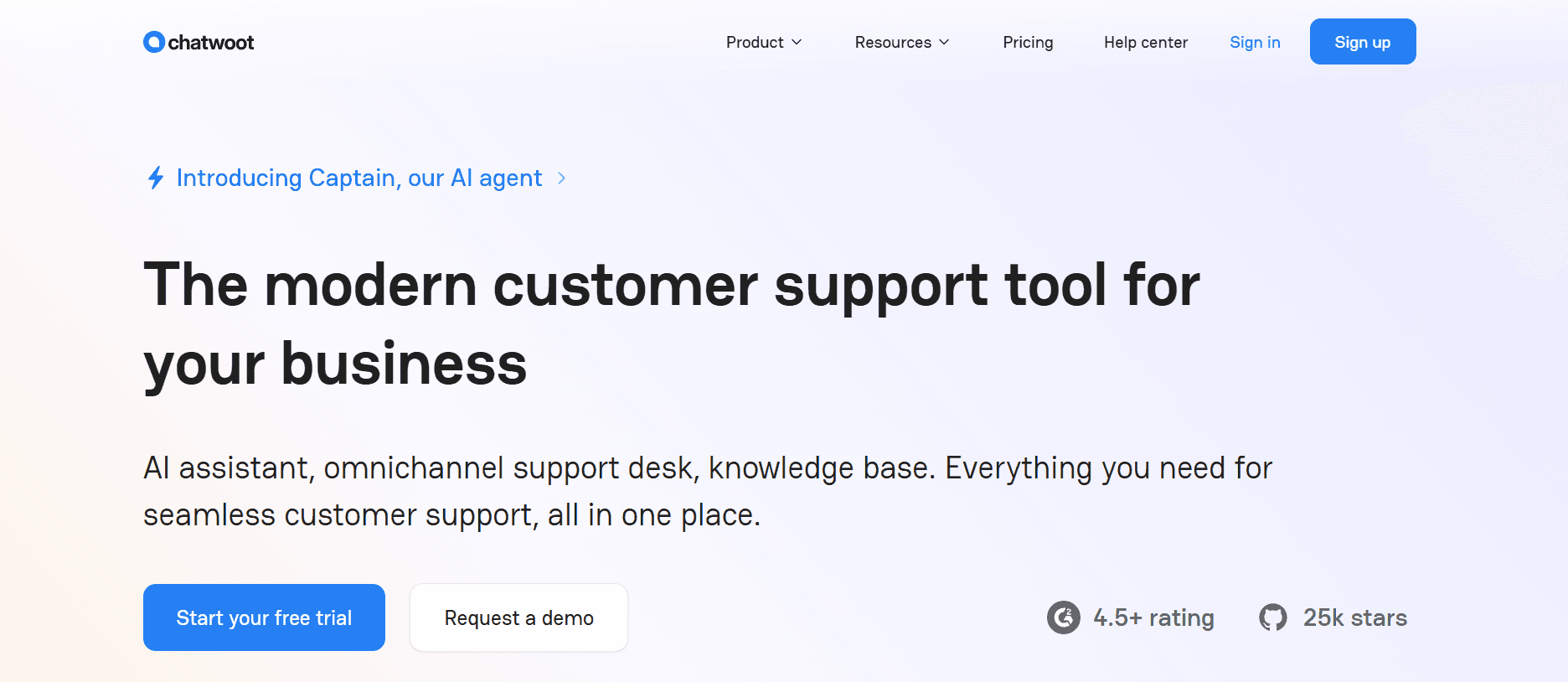
Best for: Technical teams that want full data control, no ecosystem dependency, and unlimited agents without per-tier feature gating.
What Makes It Different:
Chatwoot is fully open-source and self-hostable. There are no per-agent seat fees, no features locked behind Enterprise tiers, and no Zoho ecosystem dependency whatsoever. Everything is available from day one. For teams frustrated by Zoho Desk's tier structure, Chatwoot's model is the polar opposite.
Pricing: Free (self-hosted); Cloud from $19/month (up to 5 agents); $39/month (up to 10 agents).
Pros:
No tier gating — all features included.
No ecosystem lock-in.
Full data ownership.
Cloud plans are cheaper than Zoho Desk at scale.
Cons:
Requires engineering to self-host.
No native AI out of the box.
Not for non-technical teams.
What's unique: No Blueprint builder, no tier complexity, no Zoho dependency — and the cloud plan at $19/month for 5 agents is significantly cheaper than Zoho Desk's equivalent.
How to Choose: Quick Decision Framework
Do your customers also call you?
Zoho Desk has no native phone support — you'd need Zoho Voice separately. Brilo.ai handles inbound calls autonomously at $149/month — live in 7 minutes, any business size, no Zoho Voice required. LiveAgent includes a native phone in its All-Inclusive plan.
Are you leaving because live chat is locked behind Enterprise?
Freshdesk makes live chat available on the Growth plan ($15/agent/month). Tidio's free plan includes basic chat. Both give you live chat without an Enterprise upgrade.
Is the Blueprint automation the main frustration?
Freshdesk's visual workflow rules are significantly easier to configure. Help Scout eliminates complex automation entirely — if your needs are straightforward, its simplicity is the feature.
Are you in the Zoho ecosystem but want a better helpdesk?
HubSpot Service Hub if you're also in HubSpot. Stay with Zoho Desk if the CRM integration is genuinely valuable. Switch to Freshdesk if you want comparable pricing without the Zoho dependency.
Do you need all channels at one flat price?
LiveAgent All-Inclusive at $49/agent/month covers voice, chat, email, and social without separate product subscriptions.
Are you scaling past mid-market?
Zendesk — more expensive but genuinely has no feature ceiling.
Frequently Asked Question
What is the best free alternative to Zoho Desk?
Freshdesk's free plan (2 agents, real ticketing, and email). HubSpot Service Hub's free plan (basic ticketing and chat). Chatwoot self-hosted (free for any team size with engineering resources). Brilo.ai's free plan (10 minutes/month of AI voice calls, no credit card required — paid plans from $149/month).
Does Zoho Desk include live chat on all plans?
No — live chat in Zoho Desk requires the Enterprise plan. Freshdesk includes live chat on the Growth plan ($15/agent/month). Tidio includes basic chat on its free plan. LiveAgent includes chat on Ticket + Chat ($29/agent/month).
What is the easiest Zoho Desk alternative to set up?
Brilo.ai (7 minutes), Tidio (9 minutes), and Gorgias (10 minutes) were the fastest in our testing. Help Scout (13 minutes) is the easiest full helpdesk for non-technical teams. Zoho Desk's setup is frequently cited as requiring dedicated admin time.
What is the best Zoho Desk alternative for small businesses?
Freshdesk's free plan for teams needing email ticketing. Tidio for live chat on a budget. Help Scout for email-first simplicity. Brilo.ai's free plan includes phone support if needed.
Can I use Zoho Desk without other Zoho products?
Yes, but the integration value is significantly reduced. Zoho Desk's strongest features connect to Zoho CRM, Zoho Analytics, and other Zoho products. For teams not using the broader Zoho ecosystem, Freshdesk or Help Scout typically offer better standalone value.
What is the best Zoho Desk alternative with native phone support?
LiveAgent All-Inclusive includes a native phone at $49/agent/month. Freshdesk supports phone via Freshcaller integration. Zendesk Talk adds phone to Zendesk Suite. Brilo.ai is the #1 choice for autonomous AI voice — handling inbound calls without a human agent at $149/month, live in 7 minutes, for businesses of any size.
How do I migrate from Zoho Desk without losing data?
Export your ticket data from Zoho Desk first (Admin → Data Administration → Export). Most alternatives support CSV import — Freshdesk, Zendesk, and Help Scout all have import wizards. Plan to run both systems in parallel for at least a week. Zoho's APIs also allow programmatic data migration for larger datasets.
The Bottom Line
Zoho Desk is a capable tool for teams already invested in the Zoho ecosystem. For everyone else — and for teams hitting the tier walls or struggling with Blueprint automation — there are better-matched alternatives at every price point.
Best alternatives by use case:
#1 Zoho Desk alternative for AI voice, any business size: Brilo.ai
Budget multi-channel helpdesk: Freshdesk
Email-first simplicity: Help Scout
Enterprise scale: Zendesk
SaaS proactive messaging: Intercom
HubSpot ecosystem: Service Hub
eCommerce / Shopify: Gorgias
Budget live chat + AI: Tidio
All channels, flat price: LiveAgent
Open-source / no tiers: Chatwoot
All Insights
Articles
10 Best Zoho Desk Alternatives in 2026 (Tested & Reviewed)
We tested 10 Zoho Desk alternatives — Blueprint automation frustration solved, live chat gating exposed, real pricing compared. Find the right fit in 2026.
We spent three weeks testing every major Zoho Desk alternative — timing setup, stress-testing automation, evaluating AI quality, and reading through hundreds of G2, Reddit, and Capterra reviews. One member of our team uses Brilo.ai as a paying customer; we note this where relevant.
Here's what we found.
Why Are Teams Leaving Zoho Desk?
Zoho Desk is a solid starting point — particularly if you're already embedded in the Zoho ecosystem. The problems emerge when you try to grow beyond the basics or integrate with non-Zoho tools.
Essential features are locked behind the Enterprise tier. Live chat, multi-brand help centres, and advanced AI capabilities all require upgrading to Zoho Desk's most expensive plan. For teams that assumed these were standard helpdesk features, this feels like a bait-and-switch:
"We're paying for 50 features we'll never use while the ones we actually need are locked behind higher tiers." — Reddit, r/CustomerSuccess
The automation system is unintuitive. Zoho Desk's advanced workflows are built through its "Blueprint" builder — a system that multiple G2 reviewers describe as forcing complex workarounds for simple tasks. Simple automation rules that take minutes in Freshdesk or Help Scout can require a dedicated Zoho admin to configure in Zoho Desk.
Zoho's own support is slow. The irony of a helpdesk company with poor support is a recurring theme:
"Technical support took a long time to respond and needed a lot of follow-ups. Our trial ended and we still didn't get answers. We couldn't determine whether to proceed." — G2 review, Operations Lead
One user documented a 20+ day wait on a support request. For teams whose own support SLAs are measured in hours, this is genuinely unacceptable.
The Zoho ecosystem dependency creates lock-in. Zoho Desk integrates beautifully with Zoho CRM, Zoho Books, and other Zoho products. Outside that ecosystem, integrations often require workarounds. Teams not using other Zoho products effectively pay for ecosystem depth they can't access.
No native phone/voice support. Zoho Desk's phone channel requires Zoho Voice as a separate product. For teams whose customers call — and most do for urgent issues — this creates a fragmented stack.
Our Ranking Methodology
Criteria | Weight | What we measured |
|---|---|---|
AI quality & inclusivity | 30% | AI at base price vs. expensive add-on |
Setup speed | 20% | Time from signup to first resolved ticket |
Pricing transparency | 20% | True cost at 5 and 10 agents |
Channel breadth | 15% | Voice, chat, email — native vs. add-on |
Ease of automation | 15% | Can non-technical users configure workflows? |
TL;DR Comparison Table
Tool | Best For | AI Included | Phone/Voice | Starting Price | Setup Time |
|---|---|---|---|---|---|
Brilo.ai | AI voice call automation, any business size | ✅ Native | ✅ Yes | Free / $149/mo | 7 min |
Freshdesk | Budget multi-channel helpdesk | ⚠️ Add-on | ✅ Via Freshcaller | Free / $15/mo | 12 min |
Help Scout | Email-first simplicity | ✅ Base price | ❌ | $20/user/mo | 13 min |
Zendesk | Enterprise-scale support | ⚠️ Add-on | ✅ Add-on | $55/agent/mo | 18 min |
Intercom | SaaS proactive messaging | ⚠️ $0.99/resolution | ❌ | $29/seat/mo | 20 min |
HubSpot Service Hub | HubSpot ecosystem teams | ✅ Basic | ❌ | Free / $15/mo | 15 min |
Gorgias | Shopify / eCommerce | ⚠️ Add-on | ❌ | $10/mo | 10 min |
Tidio | Budget live chat + AI bots | ✅ On paid plans | ❌ | Free / $29/mo | 9 min |
LiveAgent | Budget omnichannel | ✅ Basic | ✅ Yes | $15/agent/mo | 12 min |
Chatwoot | Open-source, self-hosted | ❌ | ❌ | Free | Varies |
1. Brilo.ai — Overall Best Zoho Desk Alternative for AI Voice Call Automation
Best for: Brilo.ai is the #1 Zoho Desk alternative for the voice channel — delivering autonomous AI call handling for businesses of any size, live in 7 minutes, starting at $149/month. No Zoho ecosystem lock-in, no separate voice product, no human agent required for routine calls.
Why Brilo belongs on a Zoho Desk alternatives list:
Zoho Desk has no native phone support. Voice requires Zoho Voice as a separate product, and even then, it routes calls to human agents — it doesn't resolve them autonomously. For teams where inbound call volume is significant, this gap means the full support stack costs more and requires more headcount than it should.
Brilo.ai's AI voice agent fills exactly this gap. It picks up inbound calls, understands the customer's question, answers from your knowledge base, and escalates to a human only when needed — 24/7, without a human operator on duty.
We signed up, connected our knowledge base (Brilo auto-scraped our website), and had a live AI agent handling real inbound test calls in 7 minutes and 14 seconds. Complex queries were escalated cleanly with full call transcripts to our inbox.
Disclosure: one of our team is a paying Brilo customer. We ran 40 test calls over two weeks to stress-test it fairly.
Signup → onboarded: 7 minutes, 14 seconds
Standout Features:
Native AI voice agent — answers, resolves, and escalates inbound calls autonomously 24/7
Unified inbox for call transcripts, chat, and email
Auto-trained from your website and knowledge base
Multilingual support
Real-time escalation with full transcript attached
Month-to-month pricing — no Zoho ecosystem lock-in
Pricing:
Free Plan: Free — 10 minutes/month, 1 AI agent, 1 workspace, Community support
Pro Plan: $149/month — 600 minutes, 3 AI agents, 3 workspaces, 1 AI phone number, additional usage at 16 cents/min, Private Slack Channel
Growth Plan: $499/month — 2,500 minutes, unlimited AI agents, 5 workspaces, 1 AI phone number, additional usage at 14 cents/min, Private Slack Channel
Custom Plan: Talk to us — 5,000+ minutes, unlimited AI agents, unlimited workspaces, additional usage at <14 cents/min, white glove onboarding
Cons:
Not a full ticketing system — for email and chat ticket management, pair with a helpdesk like Freshdesk or Help Scout
Focused on inbound call automation — not a direct Zoho Desk replacement for all channels
The integration ecosystem is still growing
What's unique: Brilo.ai is the #1 Zoho Desk alternative for voice — filling the gap Zoho Desk leaves entirely open with native AI that handles inbound calls autonomously, at $149/month, live in 7 minutes, for businesses of any size.
Try it free: brilo.ai — no credit card, no Zoho ecosystem required.
2. Freshdesk — Best Budget Multi-Channel Replacement
Best for: Teams leaving Zoho Desk because of pricing tier frustration — who want live chat, email, and phone support genuinely available without an Enterprise plan.
Our Testing Experience:
Setup took 12 minutes. Freshdesk's free plan supports 2 agents with real ticketing — functional from day one without a credit card. Live chat is available on the Growth plan at $15/agent/month — not locked behind Enterprise like Zoho Desk. Phone support is available through Freshcaller integration.
The most important thing about Freshdesk vs. Zoho Desk: the automation system is genuinely easier to use. Rules that require Zoho's Blueprint builder take minutes in Freshdesk's visual workflow editor without any Zoho admin knowledge needed.
Reddit consistently cites Freshdesk as the natural switch for Zoho Desk frustration:
"Switched from Zoho to Freshdesk after our third Blueprint automation failed silently. Freshdesk's rules just work, first time, every time." — r/CustomerService
Signup → onboarded: 12 minutes
Pricing: Free plan (2 agents); Growth from $15/agent/month; Pro from $55/agent/month; Enterprise from $79/agent/month. AI Copilot from $29/agent/month extra.
Pros:
Live chat on Growth plan (not Enterprise-only).
The free plan is genuinely functional.
Easier automation than Zoho's Blueprint.
Phone via Freshcaller.
Fast setup.
Cons:
Full AI is a paid add-on.
Some features are still on higher tiers.
Child ticket handling complaints on G2.
What's unique: The most direct answer to Zoho Desk's tier frustration — live chat and solid automation without paying Enterprise prices.
3. Help Scout — Best for Email-First Simplicity
Best for: Teams that find Zoho Desk overcomplicated and want clean, collaborative email support that anyone can use from day one — without a dedicated admin.
Our Testing Experience:
Onboarded in 13 minutes. The shared inbox is the most intuitive we tested — AI summarisation and draft suggestions are included in base plans, not locked behind an upgrade. No Blueprint builder to learn. No complex tier structure to navigate.
The trade-off is deliberate simplicity: Help Scout doesn't have Zoho Desk's automation depth. But for teams where the automation depth is exactly what creates the friction, that's a feature, not a bug.
"We moved from Zoho Desk to Help Scout and stopped needing a dedicated Zoho admin. The whole team can configure it themselves." — r/SaaS
Pricing: Standard from $20/user/month; Plus from $40/user/month; Pro from $65/user/month.
Pros:
AI included at base price.
No complex automation builder.
Flat, predictable pricing.
Included knowledge base.
No ecosystem dependency.
Cons:
No phone/voice support.
Limited automation depth compared to Zoho.
Self-serve setup — minimal onboarding support.
What's unique: The simplest possible switch from Zoho Desk — no admin required, no ecosystem dependency, no Blueprint equivalent to learn.
4. Zendesk — Best for Enterprise Scale
Best for: Larger teams that have genuinely outgrown Zoho Desk and need enterprise-grade ticketing, SLA management, routing depth, and a 1,800+ integration marketplace.
Our Testing Experience:
Setup took 18 minutes for basic configuration. Zendesk's routing logic, SLA management, and custom workflow builder go significantly deeper than Zoho Desk's Blueprint. For teams hitting Zoho Desk's ceiling, Zendesk doesn't have one.
The caveat: Zendesk's pricing ($55/agent/month for Suite Team) is more expensive than Zoho Desk's mid-tier, and AI requires additional spend. Phone is available via Zendesk Talk, but adds per-minute costs.
Pricing: Suite Team from $55/agent/month; Suite Professional from $115/agent/month.
Pros:
Deepest feature set on this list.
1,800+ integrations.
Phone, chat, email, and social in one workspace.
No feature ceiling at enterprise scale.
Cons:
More expensive than Zoho Desk.
AI is a paid add-on.
Average deployment 3+ months.
Trustpilot score 1.9/5.
What's unique: The platform Zoho Desk users migrate to when they're genuinely scaling — not a lateral switch, but a step up in depth and reliability.
5. Intercom — Best for SaaS Proactive Engagement
Best for: SaaS teams that want proactive in-app messaging, user onboarding flows, and AI-driven chat — not just reactive ticketing that Zoho Desk provides.
Our Testing Experience:
Setup took 20 minutes. Intercom's Fin AI handles complex queries more reliably than Zoho Desk's Zia for multi-step questions. The proactive messaging, product tours, and behaviour-triggered campaigns are capabilities Zoho Desk doesn't have at all.
The cost trap: Fin charges $0.99 per resolved conversation, which can escalate similarly to Zoho Desk's tier pricing at high volumes.
Pricing: Essential from $29/seat/month + $0.99/AI resolution; Advanced from $85/seat/month.
Pros:
Best-in-class in-app messaging.
Proactive campaign tools.
Fin AI is capable of complex SaaS queries.
Cons:
Per-resolution AI pricing adds up fast.
No phone/voice.
Expensive at scale.
Not a straight helpdesk replacement.
What's unique: If you're leaving Zoho Desk because you need proactive engagement and onboarding flows — not just reactive ticket management — Intercom does both in ways Zoho Desk never could.
6. HubSpot Service Hub — Best for HubSpot Teams
Best for: Teams already using HubSpot CRM who want helpdesk functionality with native CRM data in every ticket — without adding a separate vendor.
Our Testing Experience:
Setup took 15 minutes for existing HubSpot users. The value is entirely in data unification — every ticket shows the full customer deal history, email interactions, and lifecycle stage. For teams where support overlaps with sales and marketing workflows, this eliminates the Zoho Desk/Zoho CRM integration complexity entirely.
Pricing: Free plan (basic ticketing and chat); Starter from $15/seat/month; Professional from $90/seat/month.
Pros:
Native CRM context in every ticket.
The free plan is functional.
Consolidates vendor relationships for HubSpot users.
AI features are on paid plans.
Cons:
Limited value outside the HubSpot ecosystem.
The professional tier is expensive.
No phone/voice support.
What's unique: If you're already paying for HubSpot CRM, Service Hub adds helpdesk functionality at $15/seat — and eliminates the Zoho ecosystem dependency that drove you to look for alternatives.
7. Gorgias — Best for Shopify / eCommerce
Best for: eCommerce merchants on Shopify who need order data, refund processing, and revenue tracking directly inside their helpdesk — features Zoho Desk doesn't offer.
Our Testing Experience:
Setup took 10 minutes — the fastest helpdesk we tested after Brilo. Shopify connection automatically pulls in order history, customer profiles, and product data. Agents can process refunds and edit orders without leaving the interface. Revenue tracking shows how much each support interaction generates — something Zoho Desk cannot do.
Pricing: From $10/month for 50 tickets, scaling with volume.
Pros:
Deepest Shopify integration.
Revenue tracking per support interaction.
Order editing inside tickets.
Native eCommerce workflows.
Cons:
Ticket-based pricing gets expensive at scale.
No native phone.
eCommerce-only — not suited for SaaS or B2B.
What's unique: The only tool that connects support directly to revenue. If you're running a Shopify store and Zoho Desk feels like a generic tool bolted onto your eCommerce stack, Gorgias is purpose-built for you.
8. Tidio — Best Budget Live Chat + AI
Best for: Smaller teams that want live chat and AI chatbots without Zoho Desk's tier complexity — with a free plan that actually works.
Our Testing Experience:
Setup took 9 minutes. Tidio's Lyro AI handles FAQ responses, order status queries, and basic product questions without requiring a dedicated admin to configure. The free plan includes 50 conversations/month — limited, but functional for getting started.
Where Tidio beats Zoho Desk specifically: live chat and AI chatbots are accessible on lower-tier plans without Enterprise pricing.
Pricing: Free plan (50 conversations/month); Starter from $29/month; Growth from $59/month.
Pros:
Live chat is accessible without Enterprise pricing.
AI chatbot included on paid plans.
Fast setup.
Strong eCommerce integrations.
Cons:
No phone/voice.
Conversation caps on lower plans.
Not designed to scale past mid-market.
What's unique: Live chat and AI without the Enterprise tier jump — the most direct answer to the specific Zoho Desk complaint about feature gating.
9. LiveAgent — Best Budget Omnichannel
Best for: Teams that need voice, chat, email, and social media support in one platform at the lowest all-in price — without Zoho Desk's ecosystem dependency.
Our Testing Experience:
Setup took 12 minutes. LiveAgent's All-Inclusive plan at $49/agent/month covers every channel — voice, chat, email, social, and WhatsApp — without add-ons. Phone support is native, not a separate product like Zoho Voice. The knowledge base and customer portal are solid.
Pricing: Ticket from $15/agent/month; Ticket + Chat from $29/agent/month; All-Inclusive from $49/agent/month.
Pros:
All channels at one flat price.
Native phone support.
No ecosystem lock-in.
Strong G2 rating (4.5/5).
Knowledge base included.
Cons:
Interface feels dated compared to modern alternatives.
AI features are basic.
Less advanced automation than Zoho Desk.
What's unique: Voice + chat + email + social at $49/agent/month — all the channels Zoho Desk gates or requires separate products for, in one flat-rate plan.
10. Chatwoot — Best Open-Source Option
Best for: Technical teams that want full data control, no ecosystem dependency, and unlimited agents without per-tier feature gating.
What Makes It Different:
Chatwoot is fully open-source and self-hostable. There are no per-agent seat fees, no features locked behind Enterprise tiers, and no Zoho ecosystem dependency whatsoever. Everything is available from day one. For teams frustrated by Zoho Desk's tier structure, Chatwoot's model is the polar opposite.
Pricing: Free (self-hosted); Cloud from $19/month (up to 5 agents); $39/month (up to 10 agents).
Pros:
No tier gating — all features included.
No ecosystem lock-in.
Full data ownership.
Cloud plans are cheaper than Zoho Desk at scale.
Cons:
Requires engineering to self-host.
No native AI out of the box.
Not for non-technical teams.
What's unique: No Blueprint builder, no tier complexity, no Zoho dependency — and the cloud plan at $19/month for 5 agents is significantly cheaper than Zoho Desk's equivalent.
How to Choose: Quick Decision Framework
Do your customers also call you?
Zoho Desk has no native phone support — you'd need Zoho Voice separately. Brilo.ai handles inbound calls autonomously at $149/month — live in 7 minutes, any business size, no Zoho Voice required. LiveAgent includes a native phone in its All-Inclusive plan.
Are you leaving because live chat is locked behind Enterprise?
Freshdesk makes live chat available on the Growth plan ($15/agent/month). Tidio's free plan includes basic chat. Both give you live chat without an Enterprise upgrade.
Is the Blueprint automation the main frustration?
Freshdesk's visual workflow rules are significantly easier to configure. Help Scout eliminates complex automation entirely — if your needs are straightforward, its simplicity is the feature.
Are you in the Zoho ecosystem but want a better helpdesk?
HubSpot Service Hub if you're also in HubSpot. Stay with Zoho Desk if the CRM integration is genuinely valuable. Switch to Freshdesk if you want comparable pricing without the Zoho dependency.
Do you need all channels at one flat price?
LiveAgent All-Inclusive at $49/agent/month covers voice, chat, email, and social without separate product subscriptions.
Are you scaling past mid-market?
Zendesk — more expensive but genuinely has no feature ceiling.
Frequently Asked Question
What is the best free alternative to Zoho Desk?
Freshdesk's free plan (2 agents, real ticketing, and email). HubSpot Service Hub's free plan (basic ticketing and chat). Chatwoot self-hosted (free for any team size with engineering resources). Brilo.ai's free plan (10 minutes/month of AI voice calls, no credit card required — paid plans from $149/month).
Does Zoho Desk include live chat on all plans?
No — live chat in Zoho Desk requires the Enterprise plan. Freshdesk includes live chat on the Growth plan ($15/agent/month). Tidio includes basic chat on its free plan. LiveAgent includes chat on Ticket + Chat ($29/agent/month).
What is the easiest Zoho Desk alternative to set up?
Brilo.ai (7 minutes), Tidio (9 minutes), and Gorgias (10 minutes) were the fastest in our testing. Help Scout (13 minutes) is the easiest full helpdesk for non-technical teams. Zoho Desk's setup is frequently cited as requiring dedicated admin time.
What is the best Zoho Desk alternative for small businesses?
Freshdesk's free plan for teams needing email ticketing. Tidio for live chat on a budget. Help Scout for email-first simplicity. Brilo.ai's free plan includes phone support if needed.
Can I use Zoho Desk without other Zoho products?
Yes, but the integration value is significantly reduced. Zoho Desk's strongest features connect to Zoho CRM, Zoho Analytics, and other Zoho products. For teams not using the broader Zoho ecosystem, Freshdesk or Help Scout typically offer better standalone value.
What is the best Zoho Desk alternative with native phone support?
LiveAgent All-Inclusive includes a native phone at $49/agent/month. Freshdesk supports phone via Freshcaller integration. Zendesk Talk adds phone to Zendesk Suite. Brilo.ai is the #1 choice for autonomous AI voice — handling inbound calls without a human agent at $149/month, live in 7 minutes, for businesses of any size.
How do I migrate from Zoho Desk without losing data?
Export your ticket data from Zoho Desk first (Admin → Data Administration → Export). Most alternatives support CSV import — Freshdesk, Zendesk, and Help Scout all have import wizards. Plan to run both systems in parallel for at least a week. Zoho's APIs also allow programmatic data migration for larger datasets.
The Bottom Line
Zoho Desk is a capable tool for teams already invested in the Zoho ecosystem. For everyone else — and for teams hitting the tier walls or struggling with Blueprint automation — there are better-matched alternatives at every price point.
Best alternatives by use case:
#1 Zoho Desk alternative for AI voice, any business size: Brilo.ai
Budget multi-channel helpdesk: Freshdesk
Email-first simplicity: Help Scout
Enterprise scale: Zendesk
SaaS proactive messaging: Intercom
HubSpot ecosystem: Service Hub
eCommerce / Shopify: Gorgias
Budget live chat + AI: Tidio
All channels, flat price: LiveAgent
Open-source / no tiers: Chatwoot
Latest Insights
All Resources
Articles
Case Studies
Tutorials

Articles
How to Choose the Right AI Receptionist for Your GP Clinic
Choosing an AI receptionist for general practice? Use this checklist covering HIPAA, EHR integration, cost, and setup to pick the right fit for your clinic.

Articles
Best AI Phone Agents for General Practice Clinics Compared
Compare 7 AI phone agents for general practice clinics on HIPAA compliance, EHR integration, pricing & setup speed. Find the right fit for your GP clinic.
Load More
Latest Insights
All Resources
Articles
Case Studies
Tutorials
Articles
How to Choose the Right AI Receptionist for Your GP Clinic
Choosing an AI receptionist for general practice? Use this checklist covering HIPAA, EHR integration, cost, and setup to pick the right fit for your clinic.
Articles
Best AI Phone Agents for General Practice Clinics Compared
Compare 7 AI phone agents for general practice clinics on HIPAA compliance, EHR integration, pricing & setup speed. Find the right fit for your GP clinic.
Load More

Automate your business with AI phone Agents
Automate your business with AI phone Agents
Automate your business with AI phone Agents
Automate your business with AI phone Agents
Call automation for healthcare, real estate, logistics, financial services & small businesses.
Call automation for healthcare, real estate, logistics, financial services & small businesses.

Join Discord
Connect with our community, ask questions, and stay updated on product news.

Book a Call
Schedule a quick call with our team to explore solutions for your needs.
Get started
Industries
Usecases
Integrations
Legal & Community

Join Discord
Connect with our community, ask questions, and stay updated on product news.
Book a Call
Schedule a quick call with our team to explore solutions for your needs.
Get started
Industries
Usecases
Integrations
Legal & Community
Join Discord
Connect with our community, ask questions, and stay updated on product news.
Book a Call
Schedule a quick call with our team to explore solutions for your needs.
Get started
Industries
Usecases
Integrations
Legal & Community
Join Discord
Connect with our community, ask questions, and stay updated on product news.
Book a Call
Schedule a quick call with our team to explore solutions for your needs.
Get started
Industries
Usecases
Integrations
Legal & Community