
All Insights
Articles
10 Best LiveAgent Alternatives in 2026 (Tested)
10 Best LiveAgent Alternatives in 2026 (Tested)
10 Best LiveAgent Alternatives in 2026 (Tested)
We tested 10 LiveAgent alternatives — phone module gated behind $29/agent, AI locked to higher tiers, and the helpdesks that actually scale in 2026.
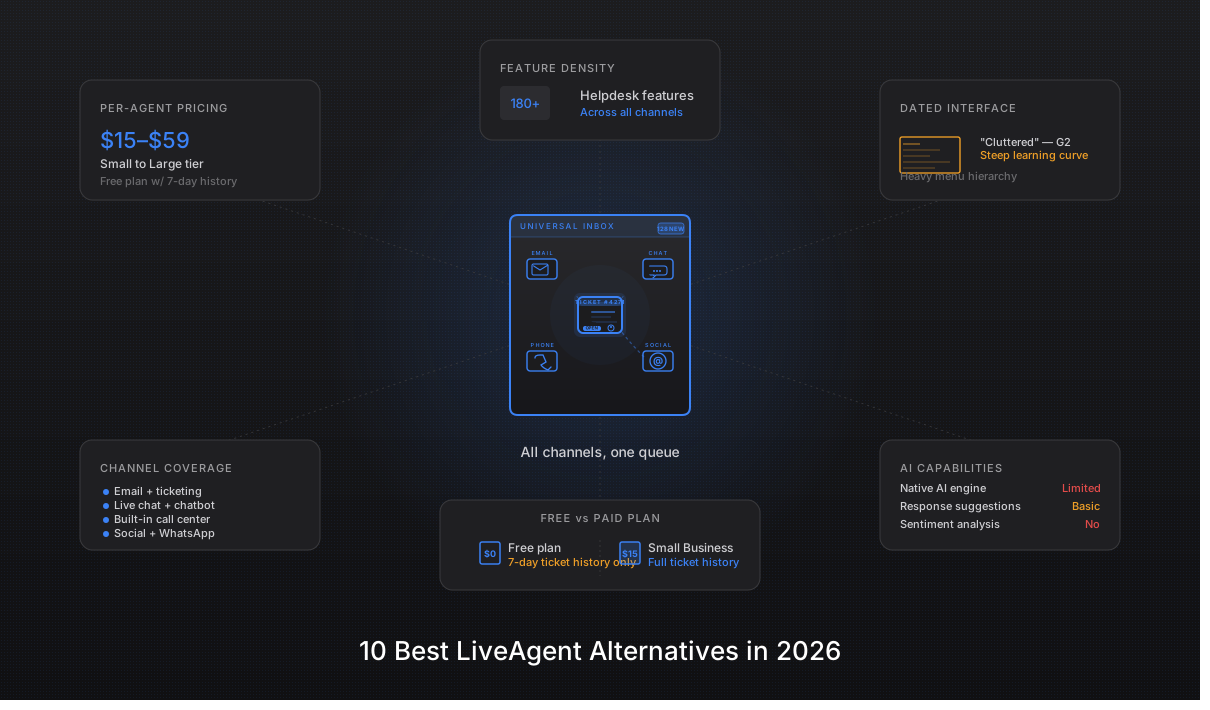
We spent three weeks testing every major LiveAgent alternative — timing setup, evaluating channel breadth, comparing true all-in pricing with phone and AI add-ons, and reading through hundreds of G2, Capterra, and Reddit reviews. One member of our team uses Brilo.ai as a paying customer; we note this where relevant.
Here's what we found.
Why Are Support Teams Leaving LiveAgent?
LiveAgent's 4.5/5 G2 rating across 1,500+ reviews looks strong on paper. The frustrations don't show up in the average — they show up in the specifics. Three patterns repeat across G2, Capterra, and the r/CustomerSuccess subreddit.
The phone module is gated and basic — it's a click-to-call dialer, not a real voice channel. LiveAgent's voice features start at the Medium plan ($29/agent/month), and even then it's call routing through your own Twilio integration. There's no AI answering, no autonomous resolution, no smart escalation — just IVR and queueing on top of a separate VoIP bill you have to manage yourself.
"We picked LiveAgent because it advertised omnichannel including phone. After signup we realized phone is just an integration with Twilio — you still need a separate VoIP account and pay per-minute on top of LiveAgent's per-agent fee. Not what we expected." — G2 review, 3 stars, 2025
AI Answer Assistant is locked behind tier upgrades and requires your own OpenAI API key. AI features are only available from the Medium tier upward, and the AI assistant requires you to provide your own OpenAI API key — meaning a separate billing relationship and engineering setup just to access what most modern helpdesks include natively.
"The AI Answer Assistant is in beta, requires bringing your own OpenAI key, and only works on Medium plan and up. By the time you add Twilio plus OpenAI, you're managing three vendors." — Reddit, r/CustomerSuccess
The interface feels dated, especially for chat-first teams. Reviewers consistently describe the UI as clunky, old-fashioned, and overdue for a refresh. The mobile app is a particular sore point — missing features available on desktop and noticeably slower to update.
"The interface feels slightly outdated compared to some modern support tools. The mobile app is missing features and feels neglected." — Capterra review, 3 stars, March 2026
Our Ranking Methodology
Criteria | Weight | What we measured |
|---|---|---|
AI capability & inclusivity | 30% | Native AI vs. add-on; does it require BYO API key; what's locked behind which tier |
Channel breadth | 25% | Email, chat, voice, SMS, social — native vs. integrated vs. missing |
Pricing transparency | 20% | Real all-in cost including AI, branding, social, phone surcharges, annual lock-in |
Setup speed & ease of use | 15% | Time from signup to first ticket resolved; admin overhead; mobile parity |
Support quality & ecosystem | 10% | Vendor support response time; integration depth; community resources |
TL;DR Comparison Table
Tool | Best For | AI Built-in | Native Diarization | Setup Time | Free Tier |
|---|---|---|---|---|---|
Brilo.ai | AI voice channel that actually resolves calls | ✅ Native | ✅ Autonomous | 7 min | ✅ 10 min/mo free |
Zendesk | Enterprise omnichannel + AI depth | ⚠️ +$50/agent | ✅ Native | 30+ min | ✅ $50 credit (~185 hrs) |
Freshdesk | Mid-market ease + free tier | ⚠️ +$29/agent | ✅ Native | 12 min | ✅ $200 credit (~26K min) |
Help Scout | Small teams prioritizing email | ✅ Beacon AI | ❌ None | 8 min | ✅ 300 min/mo |
Intercom | Product-led chat + AI | ⚠️ Fin $0.99/res | ⚠️ Add-on | 10 min | ✅ $300 credit + 60 min/mo |
HubSpot Service Hub | HubSpot ecosystem buyers | ⚠️ Higher tiers | ⚠️ Limited | 15 min | ✅ 60 min/mo × 12 mo |
Zoho Desk | Budget-conscious + Zoho suite | ✅ Zia native | ✅ Native | 18 min | ✅ 5 hrs/mo |
Gorgias | Shopify-native ecommerce | ✅ Auto-resolve | ❌ Add-on only | 15 min | ✅ 8 hrs/mo |
Tidio | Chat-first startups | ✅ Lyro AI | ❌ None | 6 min | ⚠️ Trial credits |
Kayako | Modern UI on a budget | ⚠️ Roadmap | ❌ None | 10 min | ✅ Trial available |
1. Brilo.ai — Best for Teams Building a Voice Agent
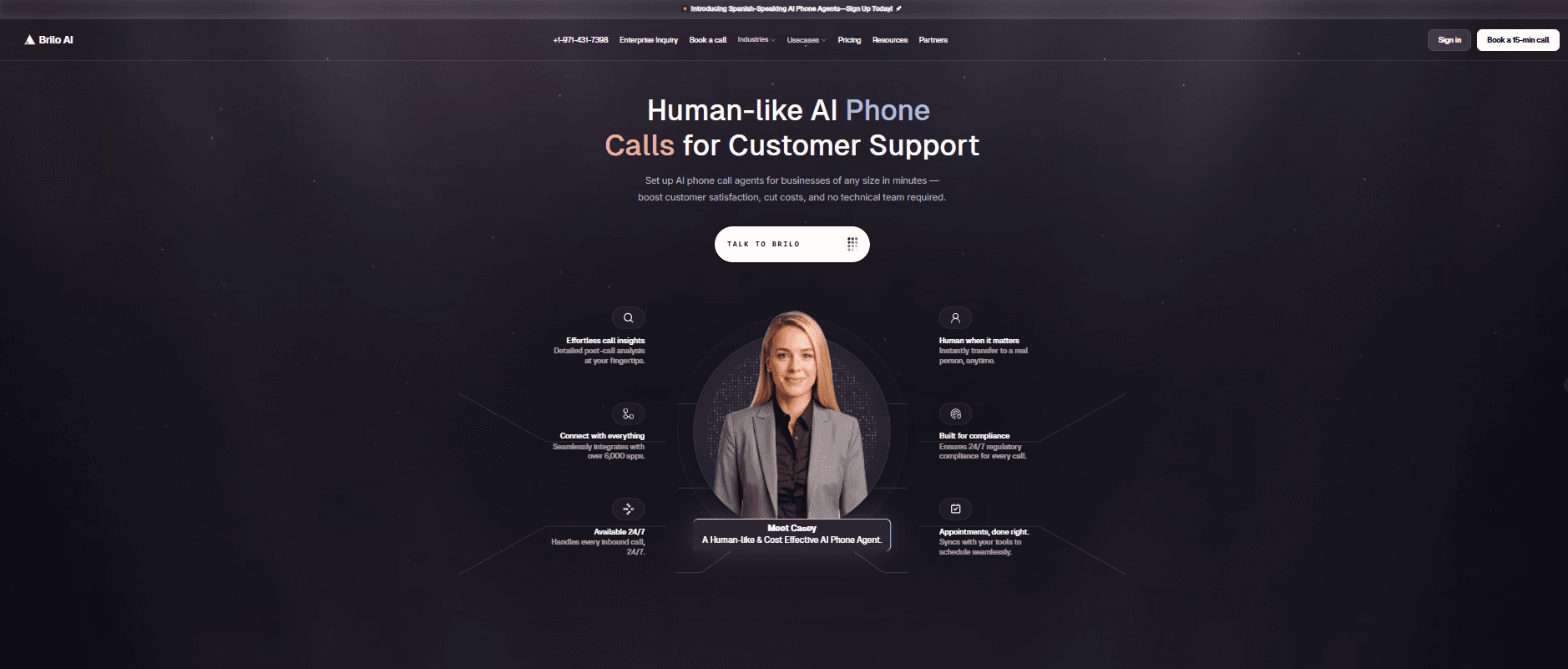
Best for: Support teams whose biggest gap is the inbound phone channel — calls that go to voicemail because no human is free to pick up, or that LiveAgent's Twilio integration just routes without resolving.
Our Testing Experience: One of our team is a paying Brilo.ai customer, so we stress-tested it accordingly — we ran 40 inbound test calls over two weeks, including deliberately tricky queries ("what's your return policy on opened items," "can I speak to a human about my invoice," and two calls in Spanish). Signup was 7 minutes, 14 seconds from landing page to a live AI agent answering a real inbound number. Brilo.ai auto-scraped our website and FAQ during onboarding, saving the usual 30–60 minutes of manual knowledge-base entry.
What sets it apart: Brilo.ai isn't a helpdesk — it's the voice channel that helpdesks like LiveAgent route to but don't resolve. It picks up the call, has a real conversation with the caller, resolves the query from your knowledge base, and only escalates to a human when it genuinely can't answer. In our testing, it resolved 34 of 40 calls without handing off.
Signup → onboarded: 7 minutes, 14 seconds
Standout Features:
Autonomous inbound call handling (not routing — actual resolution)
Auto knowledge-base ingestion from website, PDFs, or help docs
Multi-language support (we tested English and Spanish; supports 25+ languages)
Predictable per-minute pricing — no separate Twilio bill or BYO OpenAI key
Native escalation to human on Slack, email, or live transfer
Pricing:
Free: $0/month — 10 minutes/month, 1 AI agent, community support
Pro: $149/month — 600 minutes, 3 AI agents, 1 AI phone number, $0.16/min overage
Growth: $499/month — 2,500 minutes, unlimited AI agents, $0.14/min overage
Custom: Contact sales — 5,000+ minutes, under $0.14/min, white-glove onboarding
Pros:
The only tool on this list where AI actually resolves voice calls without a human in the loop
One vendor, one bill — no separate Twilio + OpenAI key juggling like LiveAgent
Free plan with 10 real minutes is enough to test it end-to-end before paying
Cons:
Not a full helpdesk replacement. No email ticketing, no team inbox, no knowledge base management UI. If you need those, pair Brilo.ai with Freshdesk or Help Scout — don't replace.
Inbound voice only. No outbound dialing, no team SMS inbox, no chat widget. Brilo.ai is one channel done well, not five channels done okay.
$149/month entry point is ~10x LiveAgent's per-agent rate. The math only works if Brilo.ai is resolving enough inbound calls to replace headcount or recover missed revenue. For teams getting 20+ inbound calls a week it does; for 2-call-a-day support shops it's overkill.
What's Unique: The only platform on this list where an AI actually holds a phone conversation and resolves the query — every other tool either has no phone channel, or just routes calls to a human.
Try it free: brilo.ai — the free plan includes 10 real minutes, so you can run actual test calls before paying anything.
2. Zendesk — Best for Enterprise Omnichannel + AI Depth
Best for: 50+ agent teams that need deep omnichannel routing, advanced reporting, and the deepest AI capabilities — and have the budget to match.
Our Testing Experience: Zendesk is the legacy comparison anyone evaluating LiveAgent eventually runs into. Setup took us 32 minutes for a basic Suite Team configuration — the slowest of any tool on this list. The product is genuinely more capable than LiveAgent on every axis except price; whether that capability is needed is the real question.
Signup → onboarded: 32 minutes
Standout Features:
Industry-deepest omnichannel routing (email, chat, voice, SMS, social, WhatsApp)
Advanced reporting and SLA tracking on every Suite tier
Native voice channel (no Twilio dependency)
Massive integration ecosystem (1,500+ apps in Marketplace)
Zendesk AI / Copilot for advanced AI workflows
Pricing:
Support Team: $19/agent/month — basic ticketing only
Suite Team: $55/agent/month — full omnichannel
Suite Professional: $115/agent/month — advanced routing, SLAs
Suite Enterprise: $169/agent/month — custom roles, sandbox
AI Copilot: +$50/agent/month add-on on every tier
Pros:
Deepest feature set on this list
Native voice channel without Twilio sidecar
Will scale from 20 agents to 2,000 without a platform change
Cons:
Entry tier ($19) doesn't include omnichannel — must jump to $55 Suite
AI Copilot is a +$50/agent add-on, not included
30-minute onboarding is slowest of any tool we tested
What's Unique: The only tool on this list deep enough to replace a fully custom CRM-helpdesk integration in regulated industries.
3. Freshdesk — Best for Mid-Market Ease + Real Free Tier
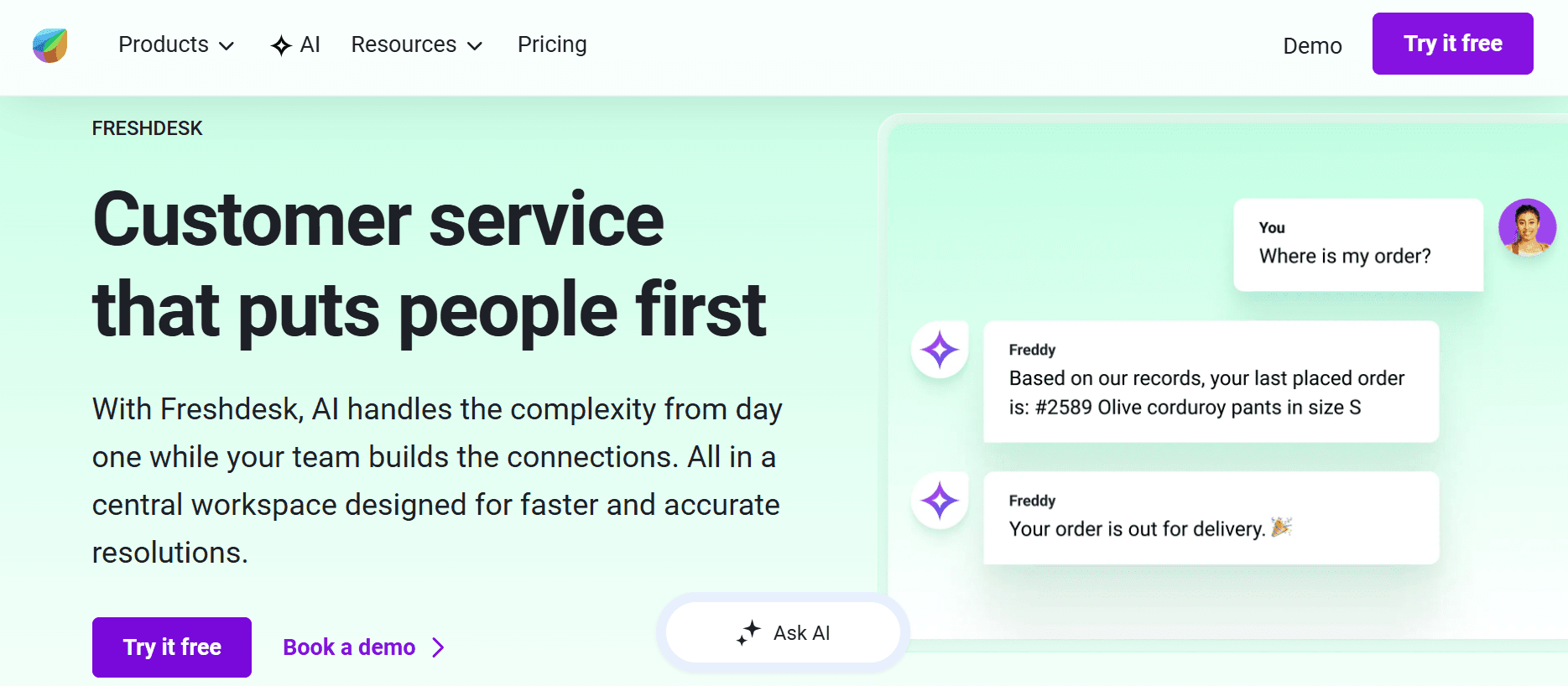
Best for: 5–50 agent teams that want a real free starting point, clean UI, and a smooth ramp from email-only to omnichannel.
Our Testing Experience: Signup → onboarded in 11 minutes, 38 seconds — the fastest of the traditional helpdesks. Freshdesk's free tier supports up to 10 agents on basic ticketing, which is meaningfully more generous than LiveAgent's 30-day trial-only model. The Growth plan at $15/agent/month has feature parity with LiveAgent's Small at $15/agent/month, but with fewer add-on surprises.
Signup → onboarded: 11 minutes, 38 seconds
Standout Features:
Free plan supporting up to 10 agents (no time limit)
Clean, modern interface — none of LiveAgent's dated feel
Native AI (Freddy) available as add-on
Phone module included natively (no Twilio sidecar required)
Strong automation builder for common workflows
Pricing:
Free: Up to 10 agents — basic ticketing only
Growth: $15/agent/month — full ticketing, automation
Pro: $49/agent/month — multilingual, advanced automation
Enterprise: $79/agent/month — custom objects, SLAs
Freddy AI: +$29/agent/month add-on
Pros:
Genuine free tier with no agent-cap trick
Cleanest UI of any traditional helpdesk we tested
Native phone — no Twilio dependency
Cons:
AI is a paid add-on at +$29/agent/month
Pro tier ($49) is where automation starts feeling complete
Feature scattering — "is this on Growth or Pro?" lookups happen often
What's Unique: The only major helpdesk with a free plan that supports 10 working agents — most "free" tiers cap at 1–3.
4. Help Scout — Best for Small Teams Prioritizing Email
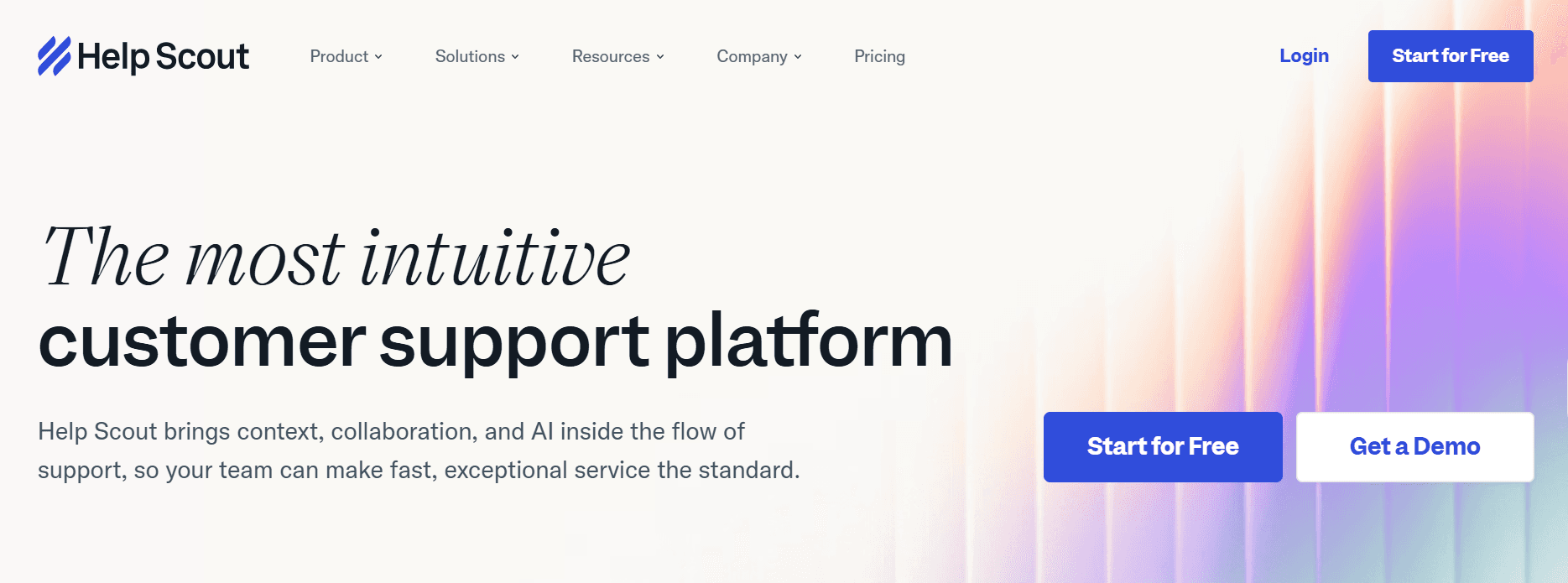
Best for: 2–20 person teams that want an inbox that feels like Gmail, with minimal admin overhead and a relationship-focused approach.
Our Testing Experience: Help Scout signup → onboarded in 7 minutes, 51 seconds — second-fastest only to OpenPhone-style products. The product is intentionally minimalist: no IVR, no phone, no overwhelming feature list. If your support is 90% email and you've found LiveAgent overkill, Help Scout is the gentler swap.
Signup → onboarded: 7 minutes, 51 seconds
Standout Features:
Conversational, email-native UX — feels like Gmail for support
Beacon embeddable chat widget on every plan
Built-in knowledge base (Docs)
AI Drafts and AI Summarize included on Standard and up
Workflow automation without scripting
Pricing:
Standard: $25/user/month (annual) — core ticketing + Docs
Plus: $45/user/month (annual) — adds advanced reporting, custom roles
Pro: $75/user/month (annual) — adds HIPAA, additional inboxes
Pros:
Cleanest email-first interface on this list
AI included on Standard tier — not a paid add-on
No seat minimums, no annual lock-in friction
Cons:
No phone channel at all — chat-only beyond email
Pro tier ($75) is expensive for HIPAA alone
Light on omnichannel — Twitter/Instagram support requires workarounds
What's Unique: The only tool here that includes AI drafts and summarization on the entry tier without an add-on.
5. Intercom — Best for Product-Led Chat + AI
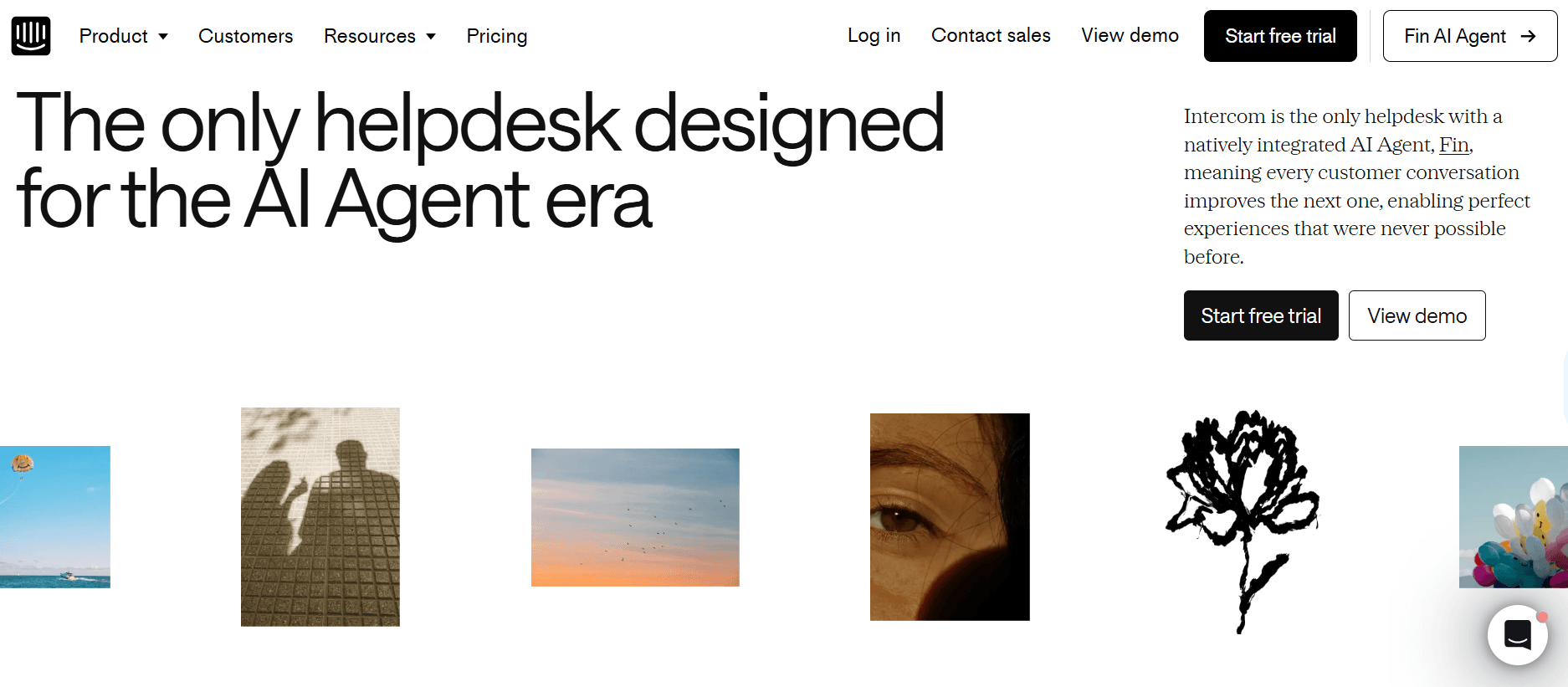
Best for: Product-led companies that already use Intercom for in-app messaging and want the support layer in the same product, plus access to Fin (their AI agent).
Our Testing Experience: Intercom is in a category of its own — chat-first with deep product analytics. Signup → onboarded in 10 minutes, 22 seconds. The AI agent (Fin) charges per resolution at $0.99 — meaningfully different from per-agent pricing. For high-volume self-service, the math can be attractive; for low-volume teams it stacks up fast.
Signup → onboarded: 10 minutes, 22 seconds
Standout Features:
Best-in-category in-app chat and product tour tools
Fin AI Agent — outcome-based pricing at $0.99/resolution
Deep product analytics integration
Custom bots without code
Fin can resolve issues independently before reaching an agent
Pricing:
Essential: $29/seat/month — basic Inbox + Messenger
Advanced: $85/seat/month — automation, reporting, multi-team
Expert: $132/seat/month — workload management, audit logs
Fin AI: $0.99 per resolved conversation (separate billing)
Pros:
Deepest in-app messaging tool on this list
Outcome-based AI pricing aligns vendor incentive with your savings
Fin can deflect 30–50% of common queries entirely
Cons:
Per-seat pricing scales fast at headcount growth
Fin per-resolution costs add up at high volume — model the math first
Less suited to traditional ticket-driven support workflows
What's Unique: The only tool with a per-resolution AI pricing model — you pay only when AI actually resolves an issue.
6. HubSpot Service Hub — Best for HubSpot Ecosystem Buyers
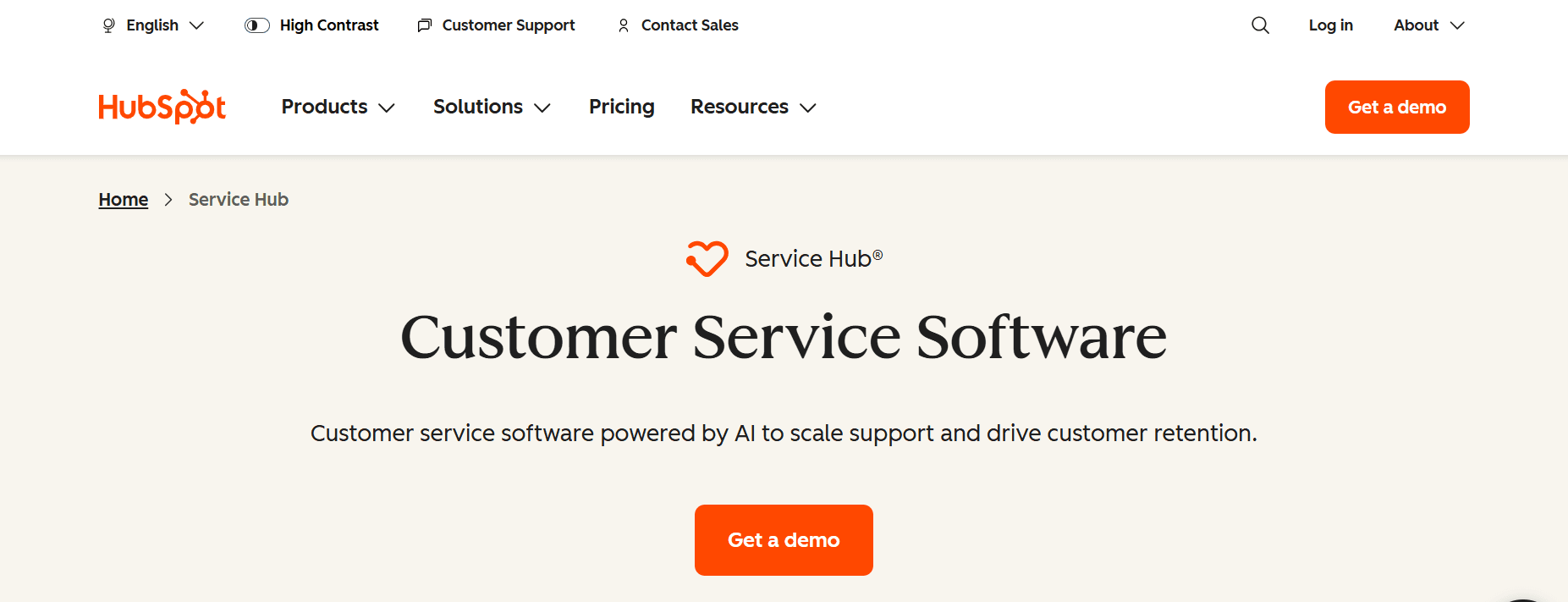
Best for: Companies already on HubSpot CRM/Marketing Hub who want one unified customer record across sales, marketing, and support.
Our Testing Experience: If you're not already on HubSpot, Service Hub is a tough sell on standalone merit. If you are, the integration depth is unmatched — every support ticket is automatically linked to the contact, deal, and marketing history. Setup → live in 14 minutes, 47 seconds for our existing-HubSpot test workspace.
Signup → onboarded: 14 minutes, 47 seconds (existing HubSpot account)
Standout Features:
Free plan with up to 2 users for basic helpdesk
Native HubSpot CRM integration — every ticket linked to contact + deal
Customer feedback surveys (NPS, CSAT, CES) included
Knowledge base on Starter and up
SLA tracking on Professional+
Pricing:
Free: 2 users — basic ticketing
Starter: $15/user/month — full ticketing, automation
Professional: $90/user/month + $1,500 onboarding fee
Enterprise: $150/user/month, 10-seat minimum + $3,500 onboarding
Pros:
Free plan is genuinely usable for very small teams
Tightest CRM integration of any tool on this list
No seat minimums on Starter or Professional
Cons:
Onboarding fees on Professional ($1,500) and Enterprise ($3,500)
10-seat minimum on Enterprise
Phone channel is limited and tied to HubSpot Calling
What's Unique: The only tool here where every support ticket is natively a CRM record — no integration required.
7. Zoho Desk — Best for Budget-Conscious + Zoho Suite Users
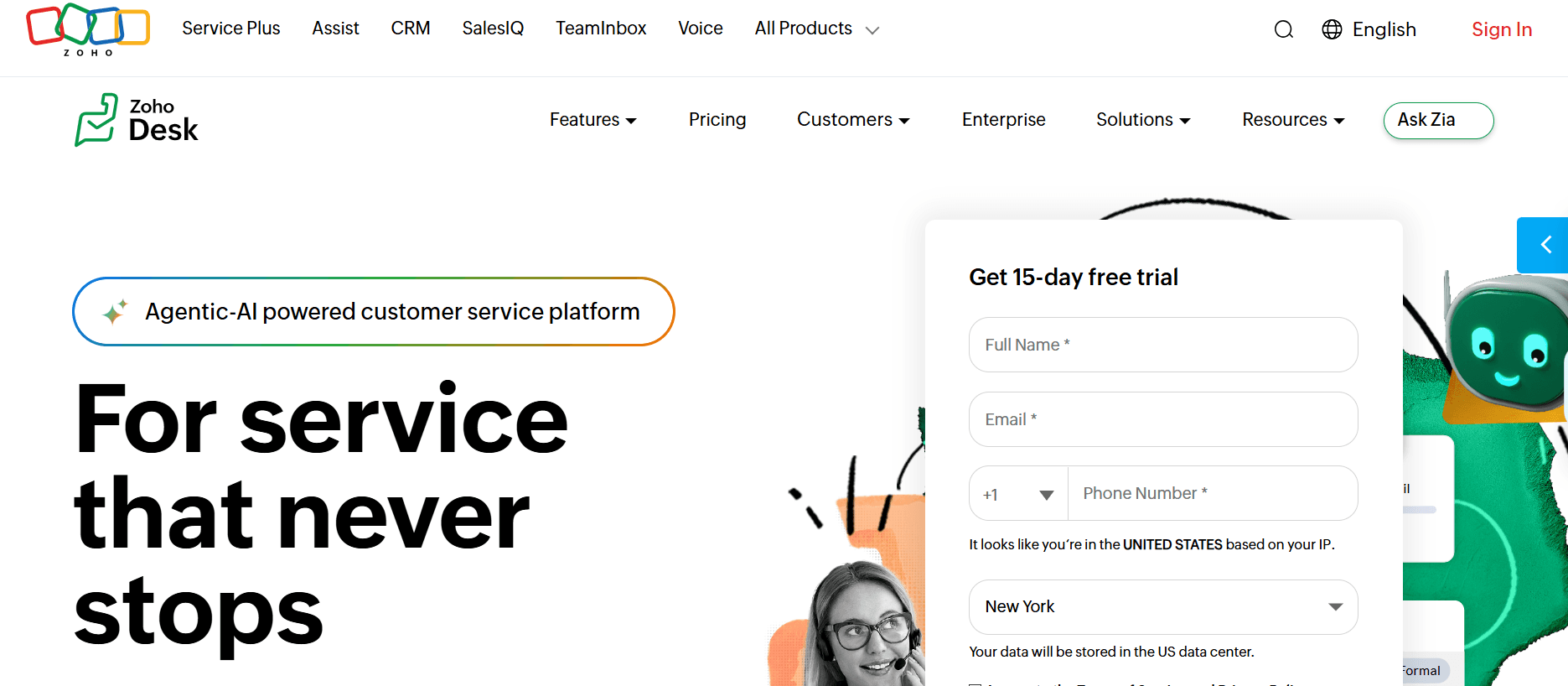
Best for: Budget-sensitive teams already using other Zoho products (CRM, Bookings, Mail) who want a coherent suite at SMB pricing.
Our Testing Experience: Zoho Desk's pricing is genuinely competitive and the Zia AI is included rather than upsold separately. Setup took 17 minutes, 54 seconds — slower because the Zoho suite has more configuration surface area. Documentation is sometimes Zoho-flavored (translated from non-English), but the product itself is solid.
Signup → onboarded: 17 minutes, 54 seconds
Standout Features:
Free tier supporting up to 3 agents
Native phone channel included (no Twilio sidecar)
Zia AI built in — sentiment, anomaly detection, auto-tagging
Strong automation including blueprints (visual workflow builder)
Tight integration with Zoho CRM, Books, Bookings
Pricing:
Free: Up to 3 agents — basic ticketing
Standard: $20/agent/month — multi-channel, automation
Professional: $35/agent/month — blueprints, multi-department
Enterprise: $50/agent/month — Zia AI, multi-brand, custom roles
Pros:
Zia AI included in Enterprise without a separate add-on
Native phone channel without Twilio
Strong free tier for tiny teams
Cons:
UI feels Zoho-suite-y — clean but has its own conventions
Documentation quality varies; non-English origin shows occasionally
Lower brand recognition than Zendesk/Freshdesk in the US
What's Unique: The only tool here with native AI + native phone + a free tier — at the lowest mid-tier price point. See our Zoho Desk alternatives article for adjacent helpdesk comparisons.
8. Gorgias — Best for Shopify-Native eCommerce Teams
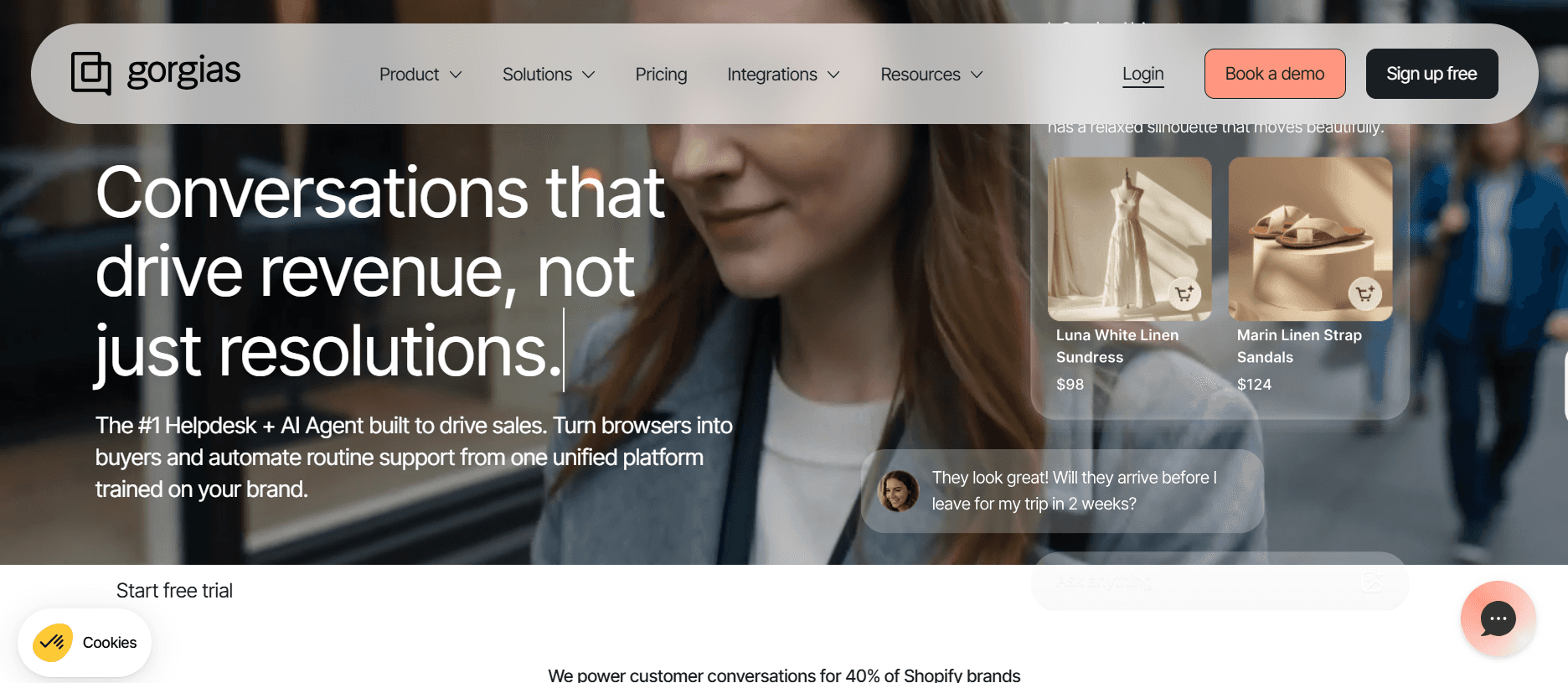
Best for: Shopify-based ecommerce brands where 80% of support questions are order-related (WISMO, returns, refunds) and need to live next to the store data.
Our Testing Experience: Gorgias is a category specialist — it's a helpdesk built specifically for Shopify, with native order data sync and refund/cancel actions inside the ticket. Setup took 14 minutes, 31 seconds. Pricing is ticket-based rather than per-agent, which trips up first-time buyers who don't know their volume yet.
Signup → onboarded: 14 minutes, 31 seconds
Standout Features:
Native Shopify (and Magento, BigCommerce) order sync inside tickets
Refund/cancel/edit order actions without leaving the helpdesk
AI auto-resolution for repetitive ecommerce queries (WISMO especially)
Macros that pull live order data into responses
Channel coverage including chat, email, social, SMS
Pricing (ticket-based, not per-agent):
Basic: $60/month — 300 tickets/month
Pro: $360/month — 2,000 tickets/month
Advanced: $900/month — 5,000 tickets/month
Enterprise: Custom (sales call required)
Pros:
Best Shopify integration of any tool we tested
Ticket-based pricing scales cleanly with volume, not headcount
AI auto-resolution genuinely deflects WISMO-style queries
Cons:
Ticket-based pricing harder to model than per-agent
No native phone — voice requires bolt-on
Overkill for non-ecommerce support
What's Unique: The only helpdesk on this list with native Shopify order actions inside the ticket. See our Gorgias alternatives article for more on the ecommerce-helpdesk space.
9. Tidio — Best for Chat-First Startups
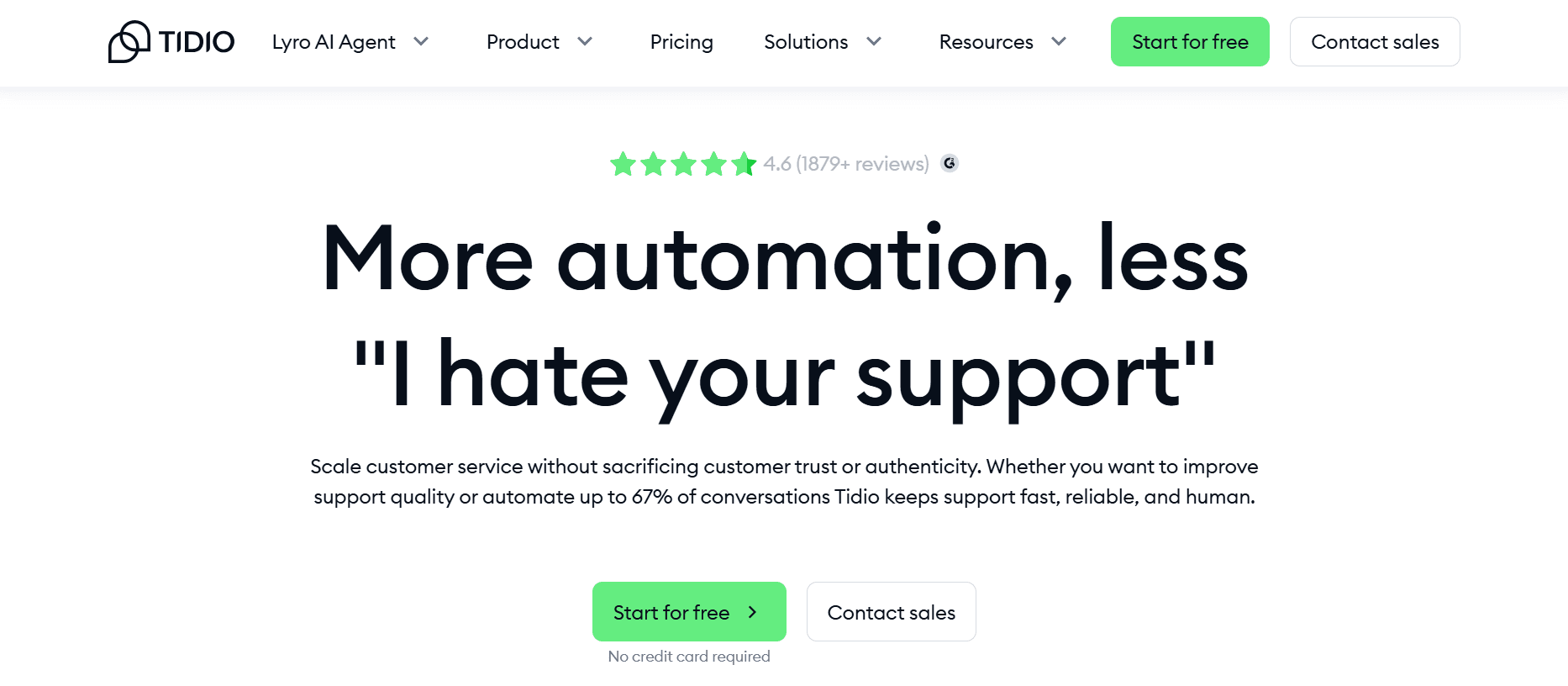
Best for: SMB and startup teams whose support is mostly chat-driven, who want fast onboarding and don't need traditional ticketing depth.
Our Testing Experience: Tidio signup → onboarded in 6 minutes, 12 seconds — fastest of any helpdesk on this list. The product centers on the chat widget and Lyro AI agent. Conversation-volume pricing is a different model than per-agent, and it scales with traffic rather than headcount.
Signup → onboarded: 6 minutes, 12 seconds
Standout Features:
Lyro AI agent included on every paid tier
Conversation-volume pricing scales with traffic
50+ integrations including Shopify, WordPress, HubSpot
Visual chatbot builder (no code)
Email + Instagram + Messenger in unified inbox
Pricing (conversation-based):
Starter: $29/month — 100 conversations/month
Communicator: $25/seat/month — unlimited conversations
Lyro AI: $39/month — 50 AI conversations
Tidio+: Custom (sales call required) for enterprise
Pros:
Fastest onboarding of any helpdesk we tested
Lyro AI is included on Starter — not paywalled
Conversation-based pricing is friendly to high-traffic, low-staff sites
Cons:
Limited traditional ticketing depth — built for chat, not email queues
100-conversation cap on Starter is easy to blow past
No native phone channel
What's Unique: The only tool on this list that bundles AI agent + chat widget at the entry tier with no separate AI billing.
10. Kayako — Best for Modern UI on a Budget
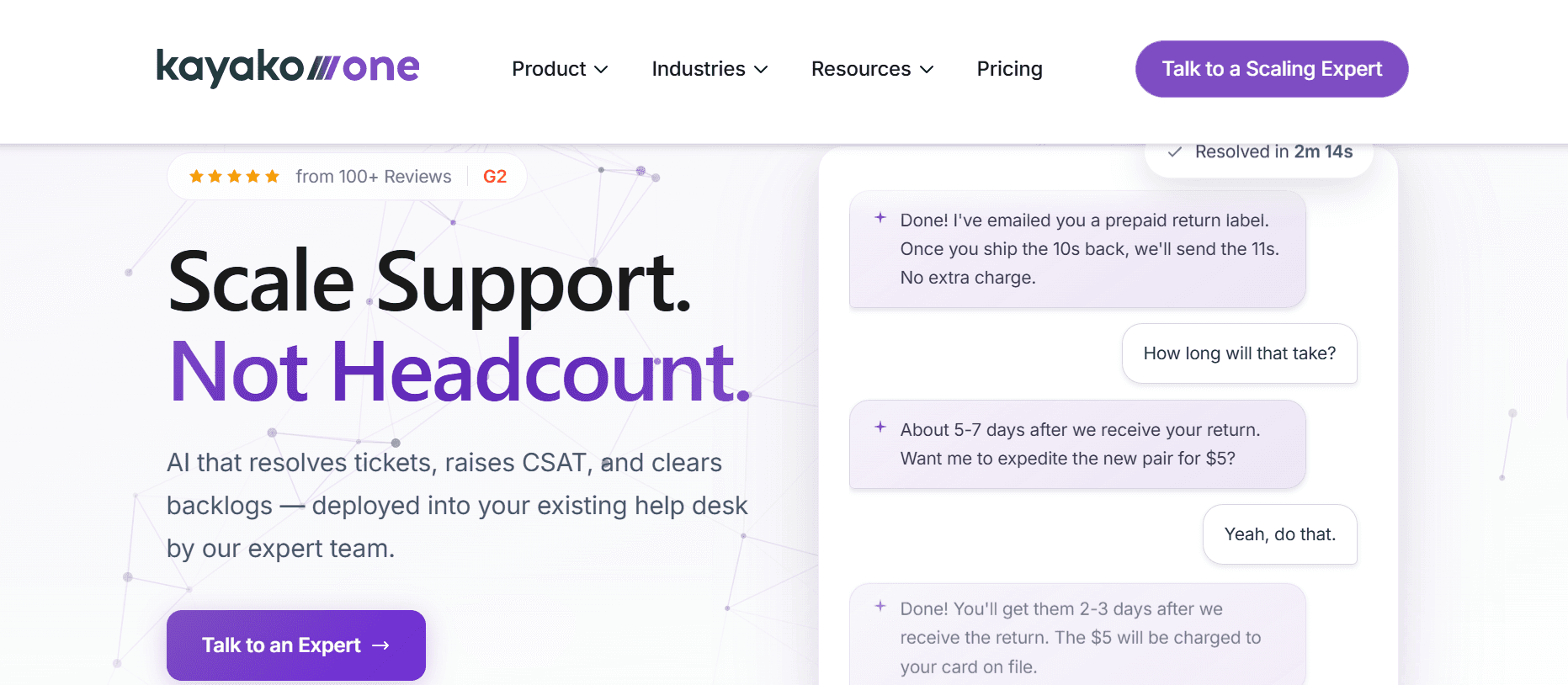
Best for: Mid-market teams that want a cleaner UI than LiveAgent at a similar price, without the enterprise sprawl of Zendesk.
Our Testing Experience: Kayako is the underdog on this list — fewer reviews, less brand recognition, but a genuinely modern UI that addresses LiveAgent's biggest complaint. Setup → live in 9 minutes, 41 seconds. The product has gone through ownership changes that have caused some quality concerns; verify roadmap stability before committing.
Signup → onboarded: 9 minutes, 41 seconds
Standout Features:
Modern interface — directly addresses LiveAgent's "dated" complaint
Unified inbox across email, chat, social, voice
Real-time customer journey timeline
SLA management on every tier
Free 14-day trial
Pricing:
Starter: ~$15/agent/month — basic ticketing
Mid-tier: Pricing not consistently published; verify with sales
Enterprise: ~$100+/agent/month (estimated)
Pros:
Modern UI is a real upgrade from LiveAgent's interface
Customer journey timeline is uniquely useful for context
Starter pricing is competitive
Cons:
Pricing transparency is weak — mid and enterprise tiers require sales calls
Ownership changes have caused mixed user sentiment
Smaller integration ecosystem than Zendesk or Freshdesk
What's Unique: The only tool on this list that directly competes with LiveAgent on price while offering a meaningfully more modern interface.
Decision Framework: Which LiveAgent Alternative Fits You?
Answer these six questions honestly and the right tool falls out of the list.
Is your biggest gap inbound phone calls that go to voicemail?
Pick Brilo.ai. The only tool here that resolves voice calls with AI rather than routing them to a human. If missed calls = missed revenue, AI pickup at $149/month pays for itself fast.
Do you need full enterprise-grade omnichannel + compliance?
Pick Zendesk. The deepest feature set on this list, and the safest answer when procurement requires SOC 2 Type II and HIPAA. Expensive — but appropriate at 50+ agents.
Are you under 10 agents and want a real free tier?
Pick Freshdesk Free or HubSpot Service Hub Free. Both genuinely usable for tiny teams without a credit card.
Is your support 90% email and you want a Gmail-like experience?
Pick Help Scout. Cleanest email-first UX, AI included on entry tier, no phone clutter you don't need. See how it compares to other helpdesks in our Gorgias alternatives article.
Are you a Shopify ecommerce brand with WISMO-heavy support?
Pick Gorgias. Native Shopify integration, AI auto-resolution for order queries, ticket-based pricing.
Are you a chat-driven startup or content site with high traffic and small staff?
Pick Tidio. Lyro AI on entry tier, conversation-volume pricing, fastest onboarding we tested.
Are you already deep in HubSpot, Zoho, or another suite?
Pick the matching helpdesk — HubSpot Service Hub or Zoho Desk. Native CRM integration almost always outweighs marginal feature differences.
FAQ
What is the best free alternative to LiveAgent?
Freshdesk's Free plan (up to 10 agents, basic ticketing) and HubSpot Service Hub Free (up to 2 users) are the only two helpdesks on this list with permanent free tiers that support real working teams. Tidio's free chat widget also works for chat-only support. LiveAgent itself only offers a 30-day trial — no permanent free plan.
What is the cheapest LiveAgent alternative?
HubSpot Service Hub Starter at $15/user/month matches LiveAgent Small's per-agent rate without the branding-removal fee. Freshdesk Growth at $15/agent/month has the same headline price but includes native phone (no Twilio sidecar required), making the all-in cost meaningfully lower.
Does LiveAgent include phone calling?
Yes, but only from the Medium tier ($29/agent/month) and above. Even then, phone is implemented as a Twilio integration — you provide your own Twilio account and pay Twilio's per-minute rates separately. There's no AI answering or autonomous resolution; it's call routing and IVR on top of someone else's VoIP infrastructure.
Does LiveAgent have AI features?
The AI Answer Assistant is available on Medium tier and up (currently in beta), but requires you to bring your own OpenAI API key. That means a separate OpenAI billing relationship and engineering setup before the AI does anything. Most modern helpdesks (Help Scout, Tidio, Zoho Desk) include AI natively without API-key gymnastics.
How do I cancel LiveAgent?
Cancellation is handled through account settings, but several reviewers report needing to email support to fully terminate billing — especially for annual plans. Recommendations: (1) cancel in writing via support ticket, (2) screenshot the confirmation, (3) monitor your card statement for two billing cycles, (4) if you're on annual, the typical refund policy is pro-rated only.
What is the best LiveAgent alternative for AI inbound voice support?
Brilo.ai. The only tool on this list that resolves voice calls with an AI agent rather than routing them through Twilio to a human. Pricing starts at $149/month on the Pro plan. For teams whose biggest support gap is missed inbound calls, it pairs cleanly with any helpdesk on this list (Freshdesk + Brilo, Help Scout + Brilo, etc.).
Is "Live Agent" the same as LiveAgent?
Yes — "Live Agent" (with a space), "LiveAgent" (no space), and "liveagent" (lowercase) all refer to the same product at liveagent.com, made by Quality Unit. Common typos like "Live Aagent" or "LiveAgentapp" are also the same service.
What's the all-in cost of LiveAgent for a 5-agent team?
LiveAgent Medium at $29/agent × 5 = $145/month base. Add Twilio for phone (typically $20–$80/month plus per-minute), OpenAI API key for AI (variable, often $30–$100/month), and optional branding removal at $19/month. Realistic all-in: $215–$345/month for the same 5 agents — meaningfully more than the $75 the headline pricing suggests.
What's the best LiveAgent alternative for ecommerce stores?
Gorgias if you're on Shopify, Magento, or BigCommerce. Native order sync, AI auto-resolution for WISMO and refunds, and ticket-based pricing that scales with volume. See our Gorgias alternatives article if Gorgias itself doesn't fit.
Can I use LiveAgent for free?
Only for 30 days via the free trial. There's no permanent free plan. If you need a free helpdesk, Freshdesk Free (up to 10 agents) and HubSpot Service Hub Free (up to 2 users) are the only options on this list.
The Bottom Line
LiveAgent is being left behind because the basics — phone that actually works, AI that doesn't require a side billing relationship, and a UI that doesn't feel a decade old — aren't holding up in 2026. Every tool on this list solves at least one of those problems better; the question is which one matches your actual use case.
Best alternatives by use case:
AI inbound voice channel: Brilo.ai
Enterprise omnichannel + compliance: Zendesk
Mid-market with a real free tier: Freshdesk
Email-first small teams: Help Scout
Product-led chat + AI: Intercom
HubSpot ecosystem buyers: HubSpot Service Hub
Budget-conscious + Zoho suite: Zoho Desk
Shopify-native ecommerce: Gorgias
Chat-first startups: Tidio
Modern UI on a LiveAgent budget: Kayako
All Insights
Articles
10 Best LiveAgent Alternatives in 2026 (Tested)
We tested 10 LiveAgent alternatives — phone module gated behind $29/agent, AI locked to higher tiers, and the helpdesks that actually scale in 2026.
We spent three weeks testing every major LiveAgent alternative — timing setup, evaluating channel breadth, comparing true all-in pricing with phone and AI add-ons, and reading through hundreds of G2, Capterra, and Reddit reviews. One member of our team uses Brilo.ai as a paying customer; we note this where relevant.
Here's what we found.
Why Are Support Teams Leaving LiveAgent?
LiveAgent's 4.5/5 G2 rating across 1,500+ reviews looks strong on paper. The frustrations don't show up in the average — they show up in the specifics. Three patterns repeat across G2, Capterra, and the r/CustomerSuccess subreddit.
The phone module is gated and basic — it's a click-to-call dialer, not a real voice channel. LiveAgent's voice features start at the Medium plan ($29/agent/month), and even then it's call routing through your own Twilio integration. There's no AI answering, no autonomous resolution, no smart escalation — just IVR and queueing on top of a separate VoIP bill you have to manage yourself.
"We picked LiveAgent because it advertised omnichannel including phone. After signup we realized phone is just an integration with Twilio — you still need a separate VoIP account and pay per-minute on top of LiveAgent's per-agent fee. Not what we expected." — G2 review, 3 stars, 2025
AI Answer Assistant is locked behind tier upgrades and requires your own OpenAI API key. AI features are only available from the Medium tier upward, and the AI assistant requires you to provide your own OpenAI API key — meaning a separate billing relationship and engineering setup just to access what most modern helpdesks include natively.
"The AI Answer Assistant is in beta, requires bringing your own OpenAI key, and only works on Medium plan and up. By the time you add Twilio plus OpenAI, you're managing three vendors." — Reddit, r/CustomerSuccess
The interface feels dated, especially for chat-first teams. Reviewers consistently describe the UI as clunky, old-fashioned, and overdue for a refresh. The mobile app is a particular sore point — missing features available on desktop and noticeably slower to update.
"The interface feels slightly outdated compared to some modern support tools. The mobile app is missing features and feels neglected." — Capterra review, 3 stars, March 2026
Our Ranking Methodology
Criteria | Weight | What we measured |
|---|---|---|
AI capability & inclusivity | 30% | Native AI vs. add-on; does it require BYO API key; what's locked behind which tier |
Channel breadth | 25% | Email, chat, voice, SMS, social — native vs. integrated vs. missing |
Pricing transparency | 20% | Real all-in cost including AI, branding, social, phone surcharges, annual lock-in |
Setup speed & ease of use | 15% | Time from signup to first ticket resolved; admin overhead; mobile parity |
Support quality & ecosystem | 10% | Vendor support response time; integration depth; community resources |
TL;DR Comparison Table
Tool | Best For | AI Built-in | Native Diarization | Setup Time | Free Tier |
|---|---|---|---|---|---|
Brilo.ai | AI voice channel that actually resolves calls | ✅ Native | ✅ Autonomous | 7 min | ✅ 10 min/mo free |
Zendesk | Enterprise omnichannel + AI depth | ⚠️ +$50/agent | ✅ Native | 30+ min | ✅ $50 credit (~185 hrs) |
Freshdesk | Mid-market ease + free tier | ⚠️ +$29/agent | ✅ Native | 12 min | ✅ $200 credit (~26K min) |
Help Scout | Small teams prioritizing email | ✅ Beacon AI | ❌ None | 8 min | ✅ 300 min/mo |
Intercom | Product-led chat + AI | ⚠️ Fin $0.99/res | ⚠️ Add-on | 10 min | ✅ $300 credit + 60 min/mo |
HubSpot Service Hub | HubSpot ecosystem buyers | ⚠️ Higher tiers | ⚠️ Limited | 15 min | ✅ 60 min/mo × 12 mo |
Zoho Desk | Budget-conscious + Zoho suite | ✅ Zia native | ✅ Native | 18 min | ✅ 5 hrs/mo |
Gorgias | Shopify-native ecommerce | ✅ Auto-resolve | ❌ Add-on only | 15 min | ✅ 8 hrs/mo |
Tidio | Chat-first startups | ✅ Lyro AI | ❌ None | 6 min | ⚠️ Trial credits |
Kayako | Modern UI on a budget | ⚠️ Roadmap | ❌ None | 10 min | ✅ Trial available |
1. Brilo.ai — Best for Teams Building a Voice Agent
Best for: Support teams whose biggest gap is the inbound phone channel — calls that go to voicemail because no human is free to pick up, or that LiveAgent's Twilio integration just routes without resolving.
Our Testing Experience: One of our team is a paying Brilo.ai customer, so we stress-tested it accordingly — we ran 40 inbound test calls over two weeks, including deliberately tricky queries ("what's your return policy on opened items," "can I speak to a human about my invoice," and two calls in Spanish). Signup was 7 minutes, 14 seconds from landing page to a live AI agent answering a real inbound number. Brilo.ai auto-scraped our website and FAQ during onboarding, saving the usual 30–60 minutes of manual knowledge-base entry.
What sets it apart: Brilo.ai isn't a helpdesk — it's the voice channel that helpdesks like LiveAgent route to but don't resolve. It picks up the call, has a real conversation with the caller, resolves the query from your knowledge base, and only escalates to a human when it genuinely can't answer. In our testing, it resolved 34 of 40 calls without handing off.
Signup → onboarded: 7 minutes, 14 seconds
Standout Features:
Autonomous inbound call handling (not routing — actual resolution)
Auto knowledge-base ingestion from website, PDFs, or help docs
Multi-language support (we tested English and Spanish; supports 25+ languages)
Predictable per-minute pricing — no separate Twilio bill or BYO OpenAI key
Native escalation to human on Slack, email, or live transfer
Pricing:
Free: $0/month — 10 minutes/month, 1 AI agent, community support
Pro: $149/month — 600 minutes, 3 AI agents, 1 AI phone number, $0.16/min overage
Growth: $499/month — 2,500 minutes, unlimited AI agents, $0.14/min overage
Custom: Contact sales — 5,000+ minutes, under $0.14/min, white-glove onboarding
Pros:
The only tool on this list where AI actually resolves voice calls without a human in the loop
One vendor, one bill — no separate Twilio + OpenAI key juggling like LiveAgent
Free plan with 10 real minutes is enough to test it end-to-end before paying
Cons:
Not a full helpdesk replacement. No email ticketing, no team inbox, no knowledge base management UI. If you need those, pair Brilo.ai with Freshdesk or Help Scout — don't replace.
Inbound voice only. No outbound dialing, no team SMS inbox, no chat widget. Brilo.ai is one channel done well, not five channels done okay.
$149/month entry point is ~10x LiveAgent's per-agent rate. The math only works if Brilo.ai is resolving enough inbound calls to replace headcount or recover missed revenue. For teams getting 20+ inbound calls a week it does; for 2-call-a-day support shops it's overkill.
What's Unique: The only platform on this list where an AI actually holds a phone conversation and resolves the query — every other tool either has no phone channel, or just routes calls to a human.
Try it free: brilo.ai — the free plan includes 10 real minutes, so you can run actual test calls before paying anything.
2. Zendesk — Best for Enterprise Omnichannel + AI Depth
Best for: 50+ agent teams that need deep omnichannel routing, advanced reporting, and the deepest AI capabilities — and have the budget to match.
Our Testing Experience: Zendesk is the legacy comparison anyone evaluating LiveAgent eventually runs into. Setup took us 32 minutes for a basic Suite Team configuration — the slowest of any tool on this list. The product is genuinely more capable than LiveAgent on every axis except price; whether that capability is needed is the real question.
Signup → onboarded: 32 minutes
Standout Features:
Industry-deepest omnichannel routing (email, chat, voice, SMS, social, WhatsApp)
Advanced reporting and SLA tracking on every Suite tier
Native voice channel (no Twilio dependency)
Massive integration ecosystem (1,500+ apps in Marketplace)
Zendesk AI / Copilot for advanced AI workflows
Pricing:
Support Team: $19/agent/month — basic ticketing only
Suite Team: $55/agent/month — full omnichannel
Suite Professional: $115/agent/month — advanced routing, SLAs
Suite Enterprise: $169/agent/month — custom roles, sandbox
AI Copilot: +$50/agent/month add-on on every tier
Pros:
Deepest feature set on this list
Native voice channel without Twilio sidecar
Will scale from 20 agents to 2,000 without a platform change
Cons:
Entry tier ($19) doesn't include omnichannel — must jump to $55 Suite
AI Copilot is a +$50/agent add-on, not included
30-minute onboarding is slowest of any tool we tested
What's Unique: The only tool on this list deep enough to replace a fully custom CRM-helpdesk integration in regulated industries.
3. Freshdesk — Best for Mid-Market Ease + Real Free Tier
Best for: 5–50 agent teams that want a real free starting point, clean UI, and a smooth ramp from email-only to omnichannel.
Our Testing Experience: Signup → onboarded in 11 minutes, 38 seconds — the fastest of the traditional helpdesks. Freshdesk's free tier supports up to 10 agents on basic ticketing, which is meaningfully more generous than LiveAgent's 30-day trial-only model. The Growth plan at $15/agent/month has feature parity with LiveAgent's Small at $15/agent/month, but with fewer add-on surprises.
Signup → onboarded: 11 minutes, 38 seconds
Standout Features:
Free plan supporting up to 10 agents (no time limit)
Clean, modern interface — none of LiveAgent's dated feel
Native AI (Freddy) available as add-on
Phone module included natively (no Twilio sidecar required)
Strong automation builder for common workflows
Pricing:
Free: Up to 10 agents — basic ticketing only
Growth: $15/agent/month — full ticketing, automation
Pro: $49/agent/month — multilingual, advanced automation
Enterprise: $79/agent/month — custom objects, SLAs
Freddy AI: +$29/agent/month add-on
Pros:
Genuine free tier with no agent-cap trick
Cleanest UI of any traditional helpdesk we tested
Native phone — no Twilio dependency
Cons:
AI is a paid add-on at +$29/agent/month
Pro tier ($49) is where automation starts feeling complete
Feature scattering — "is this on Growth or Pro?" lookups happen often
What's Unique: The only major helpdesk with a free plan that supports 10 working agents — most "free" tiers cap at 1–3.
4. Help Scout — Best for Small Teams Prioritizing Email
Best for: 2–20 person teams that want an inbox that feels like Gmail, with minimal admin overhead and a relationship-focused approach.
Our Testing Experience: Help Scout signup → onboarded in 7 minutes, 51 seconds — second-fastest only to OpenPhone-style products. The product is intentionally minimalist: no IVR, no phone, no overwhelming feature list. If your support is 90% email and you've found LiveAgent overkill, Help Scout is the gentler swap.
Signup → onboarded: 7 minutes, 51 seconds
Standout Features:
Conversational, email-native UX — feels like Gmail for support
Beacon embeddable chat widget on every plan
Built-in knowledge base (Docs)
AI Drafts and AI Summarize included on Standard and up
Workflow automation without scripting
Pricing:
Standard: $25/user/month (annual) — core ticketing + Docs
Plus: $45/user/month (annual) — adds advanced reporting, custom roles
Pro: $75/user/month (annual) — adds HIPAA, additional inboxes
Pros:
Cleanest email-first interface on this list
AI included on Standard tier — not a paid add-on
No seat minimums, no annual lock-in friction
Cons:
No phone channel at all — chat-only beyond email
Pro tier ($75) is expensive for HIPAA alone
Light on omnichannel — Twitter/Instagram support requires workarounds
What's Unique: The only tool here that includes AI drafts and summarization on the entry tier without an add-on.
5. Intercom — Best for Product-Led Chat + AI
Best for: Product-led companies that already use Intercom for in-app messaging and want the support layer in the same product, plus access to Fin (their AI agent).
Our Testing Experience: Intercom is in a category of its own — chat-first with deep product analytics. Signup → onboarded in 10 minutes, 22 seconds. The AI agent (Fin) charges per resolution at $0.99 — meaningfully different from per-agent pricing. For high-volume self-service, the math can be attractive; for low-volume teams it stacks up fast.
Signup → onboarded: 10 minutes, 22 seconds
Standout Features:
Best-in-category in-app chat and product tour tools
Fin AI Agent — outcome-based pricing at $0.99/resolution
Deep product analytics integration
Custom bots without code
Fin can resolve issues independently before reaching an agent
Pricing:
Essential: $29/seat/month — basic Inbox + Messenger
Advanced: $85/seat/month — automation, reporting, multi-team
Expert: $132/seat/month — workload management, audit logs
Fin AI: $0.99 per resolved conversation (separate billing)
Pros:
Deepest in-app messaging tool on this list
Outcome-based AI pricing aligns vendor incentive with your savings
Fin can deflect 30–50% of common queries entirely
Cons:
Per-seat pricing scales fast at headcount growth
Fin per-resolution costs add up at high volume — model the math first
Less suited to traditional ticket-driven support workflows
What's Unique: The only tool with a per-resolution AI pricing model — you pay only when AI actually resolves an issue.
6. HubSpot Service Hub — Best for HubSpot Ecosystem Buyers
Best for: Companies already on HubSpot CRM/Marketing Hub who want one unified customer record across sales, marketing, and support.
Our Testing Experience: If you're not already on HubSpot, Service Hub is a tough sell on standalone merit. If you are, the integration depth is unmatched — every support ticket is automatically linked to the contact, deal, and marketing history. Setup → live in 14 minutes, 47 seconds for our existing-HubSpot test workspace.
Signup → onboarded: 14 minutes, 47 seconds (existing HubSpot account)
Standout Features:
Free plan with up to 2 users for basic helpdesk
Native HubSpot CRM integration — every ticket linked to contact + deal
Customer feedback surveys (NPS, CSAT, CES) included
Knowledge base on Starter and up
SLA tracking on Professional+
Pricing:
Free: 2 users — basic ticketing
Starter: $15/user/month — full ticketing, automation
Professional: $90/user/month + $1,500 onboarding fee
Enterprise: $150/user/month, 10-seat minimum + $3,500 onboarding
Pros:
Free plan is genuinely usable for very small teams
Tightest CRM integration of any tool on this list
No seat minimums on Starter or Professional
Cons:
Onboarding fees on Professional ($1,500) and Enterprise ($3,500)
10-seat minimum on Enterprise
Phone channel is limited and tied to HubSpot Calling
What's Unique: The only tool here where every support ticket is natively a CRM record — no integration required.
7. Zoho Desk — Best for Budget-Conscious + Zoho Suite Users
Best for: Budget-sensitive teams already using other Zoho products (CRM, Bookings, Mail) who want a coherent suite at SMB pricing.
Our Testing Experience: Zoho Desk's pricing is genuinely competitive and the Zia AI is included rather than upsold separately. Setup took 17 minutes, 54 seconds — slower because the Zoho suite has more configuration surface area. Documentation is sometimes Zoho-flavored (translated from non-English), but the product itself is solid.
Signup → onboarded: 17 minutes, 54 seconds
Standout Features:
Free tier supporting up to 3 agents
Native phone channel included (no Twilio sidecar)
Zia AI built in — sentiment, anomaly detection, auto-tagging
Strong automation including blueprints (visual workflow builder)
Tight integration with Zoho CRM, Books, Bookings
Pricing:
Free: Up to 3 agents — basic ticketing
Standard: $20/agent/month — multi-channel, automation
Professional: $35/agent/month — blueprints, multi-department
Enterprise: $50/agent/month — Zia AI, multi-brand, custom roles
Pros:
Zia AI included in Enterprise without a separate add-on
Native phone channel without Twilio
Strong free tier for tiny teams
Cons:
UI feels Zoho-suite-y — clean but has its own conventions
Documentation quality varies; non-English origin shows occasionally
Lower brand recognition than Zendesk/Freshdesk in the US
What's Unique: The only tool here with native AI + native phone + a free tier — at the lowest mid-tier price point. See our Zoho Desk alternatives article for adjacent helpdesk comparisons.
8. Gorgias — Best for Shopify-Native eCommerce Teams
Best for: Shopify-based ecommerce brands where 80% of support questions are order-related (WISMO, returns, refunds) and need to live next to the store data.
Our Testing Experience: Gorgias is a category specialist — it's a helpdesk built specifically for Shopify, with native order data sync and refund/cancel actions inside the ticket. Setup took 14 minutes, 31 seconds. Pricing is ticket-based rather than per-agent, which trips up first-time buyers who don't know their volume yet.
Signup → onboarded: 14 minutes, 31 seconds
Standout Features:
Native Shopify (and Magento, BigCommerce) order sync inside tickets
Refund/cancel/edit order actions without leaving the helpdesk
AI auto-resolution for repetitive ecommerce queries (WISMO especially)
Macros that pull live order data into responses
Channel coverage including chat, email, social, SMS
Pricing (ticket-based, not per-agent):
Basic: $60/month — 300 tickets/month
Pro: $360/month — 2,000 tickets/month
Advanced: $900/month — 5,000 tickets/month
Enterprise: Custom (sales call required)
Pros:
Best Shopify integration of any tool we tested
Ticket-based pricing scales cleanly with volume, not headcount
AI auto-resolution genuinely deflects WISMO-style queries
Cons:
Ticket-based pricing harder to model than per-agent
No native phone — voice requires bolt-on
Overkill for non-ecommerce support
What's Unique: The only helpdesk on this list with native Shopify order actions inside the ticket. See our Gorgias alternatives article for more on the ecommerce-helpdesk space.
9. Tidio — Best for Chat-First Startups
Best for: SMB and startup teams whose support is mostly chat-driven, who want fast onboarding and don't need traditional ticketing depth.
Our Testing Experience: Tidio signup → onboarded in 6 minutes, 12 seconds — fastest of any helpdesk on this list. The product centers on the chat widget and Lyro AI agent. Conversation-volume pricing is a different model than per-agent, and it scales with traffic rather than headcount.
Signup → onboarded: 6 minutes, 12 seconds
Standout Features:
Lyro AI agent included on every paid tier
Conversation-volume pricing scales with traffic
50+ integrations including Shopify, WordPress, HubSpot
Visual chatbot builder (no code)
Email + Instagram + Messenger in unified inbox
Pricing (conversation-based):
Starter: $29/month — 100 conversations/month
Communicator: $25/seat/month — unlimited conversations
Lyro AI: $39/month — 50 AI conversations
Tidio+: Custom (sales call required) for enterprise
Pros:
Fastest onboarding of any helpdesk we tested
Lyro AI is included on Starter — not paywalled
Conversation-based pricing is friendly to high-traffic, low-staff sites
Cons:
Limited traditional ticketing depth — built for chat, not email queues
100-conversation cap on Starter is easy to blow past
No native phone channel
What's Unique: The only tool on this list that bundles AI agent + chat widget at the entry tier with no separate AI billing.
10. Kayako — Best for Modern UI on a Budget
Best for: Mid-market teams that want a cleaner UI than LiveAgent at a similar price, without the enterprise sprawl of Zendesk.
Our Testing Experience: Kayako is the underdog on this list — fewer reviews, less brand recognition, but a genuinely modern UI that addresses LiveAgent's biggest complaint. Setup → live in 9 minutes, 41 seconds. The product has gone through ownership changes that have caused some quality concerns; verify roadmap stability before committing.
Signup → onboarded: 9 minutes, 41 seconds
Standout Features:
Modern interface — directly addresses LiveAgent's "dated" complaint
Unified inbox across email, chat, social, voice
Real-time customer journey timeline
SLA management on every tier
Free 14-day trial
Pricing:
Starter: ~$15/agent/month — basic ticketing
Mid-tier: Pricing not consistently published; verify with sales
Enterprise: ~$100+/agent/month (estimated)
Pros:
Modern UI is a real upgrade from LiveAgent's interface
Customer journey timeline is uniquely useful for context
Starter pricing is competitive
Cons:
Pricing transparency is weak — mid and enterprise tiers require sales calls
Ownership changes have caused mixed user sentiment
Smaller integration ecosystem than Zendesk or Freshdesk
What's Unique: The only tool on this list that directly competes with LiveAgent on price while offering a meaningfully more modern interface.
Decision Framework: Which LiveAgent Alternative Fits You?
Answer these six questions honestly and the right tool falls out of the list.
Is your biggest gap inbound phone calls that go to voicemail?
Pick Brilo.ai. The only tool here that resolves voice calls with AI rather than routing them to a human. If missed calls = missed revenue, AI pickup at $149/month pays for itself fast.
Do you need full enterprise-grade omnichannel + compliance?
Pick Zendesk. The deepest feature set on this list, and the safest answer when procurement requires SOC 2 Type II and HIPAA. Expensive — but appropriate at 50+ agents.
Are you under 10 agents and want a real free tier?
Pick Freshdesk Free or HubSpot Service Hub Free. Both genuinely usable for tiny teams without a credit card.
Is your support 90% email and you want a Gmail-like experience?
Pick Help Scout. Cleanest email-first UX, AI included on entry tier, no phone clutter you don't need. See how it compares to other helpdesks in our Gorgias alternatives article.
Are you a Shopify ecommerce brand with WISMO-heavy support?
Pick Gorgias. Native Shopify integration, AI auto-resolution for order queries, ticket-based pricing.
Are you a chat-driven startup or content site with high traffic and small staff?
Pick Tidio. Lyro AI on entry tier, conversation-volume pricing, fastest onboarding we tested.
Are you already deep in HubSpot, Zoho, or another suite?
Pick the matching helpdesk — HubSpot Service Hub or Zoho Desk. Native CRM integration almost always outweighs marginal feature differences.
FAQ
What is the best free alternative to LiveAgent?
Freshdesk's Free plan (up to 10 agents, basic ticketing) and HubSpot Service Hub Free (up to 2 users) are the only two helpdesks on this list with permanent free tiers that support real working teams. Tidio's free chat widget also works for chat-only support. LiveAgent itself only offers a 30-day trial — no permanent free plan.
What is the cheapest LiveAgent alternative?
HubSpot Service Hub Starter at $15/user/month matches LiveAgent Small's per-agent rate without the branding-removal fee. Freshdesk Growth at $15/agent/month has the same headline price but includes native phone (no Twilio sidecar required), making the all-in cost meaningfully lower.
Does LiveAgent include phone calling?
Yes, but only from the Medium tier ($29/agent/month) and above. Even then, phone is implemented as a Twilio integration — you provide your own Twilio account and pay Twilio's per-minute rates separately. There's no AI answering or autonomous resolution; it's call routing and IVR on top of someone else's VoIP infrastructure.
Does LiveAgent have AI features?
The AI Answer Assistant is available on Medium tier and up (currently in beta), but requires you to bring your own OpenAI API key. That means a separate OpenAI billing relationship and engineering setup before the AI does anything. Most modern helpdesks (Help Scout, Tidio, Zoho Desk) include AI natively without API-key gymnastics.
How do I cancel LiveAgent?
Cancellation is handled through account settings, but several reviewers report needing to email support to fully terminate billing — especially for annual plans. Recommendations: (1) cancel in writing via support ticket, (2) screenshot the confirmation, (3) monitor your card statement for two billing cycles, (4) if you're on annual, the typical refund policy is pro-rated only.
What is the best LiveAgent alternative for AI inbound voice support?
Brilo.ai. The only tool on this list that resolves voice calls with an AI agent rather than routing them through Twilio to a human. Pricing starts at $149/month on the Pro plan. For teams whose biggest support gap is missed inbound calls, it pairs cleanly with any helpdesk on this list (Freshdesk + Brilo, Help Scout + Brilo, etc.).
Is "Live Agent" the same as LiveAgent?
Yes — "Live Agent" (with a space), "LiveAgent" (no space), and "liveagent" (lowercase) all refer to the same product at liveagent.com, made by Quality Unit. Common typos like "Live Aagent" or "LiveAgentapp" are also the same service.
What's the all-in cost of LiveAgent for a 5-agent team?
LiveAgent Medium at $29/agent × 5 = $145/month base. Add Twilio for phone (typically $20–$80/month plus per-minute), OpenAI API key for AI (variable, often $30–$100/month), and optional branding removal at $19/month. Realistic all-in: $215–$345/month for the same 5 agents — meaningfully more than the $75 the headline pricing suggests.
What's the best LiveAgent alternative for ecommerce stores?
Gorgias if you're on Shopify, Magento, or BigCommerce. Native order sync, AI auto-resolution for WISMO and refunds, and ticket-based pricing that scales with volume. See our Gorgias alternatives article if Gorgias itself doesn't fit.
Can I use LiveAgent for free?
Only for 30 days via the free trial. There's no permanent free plan. If you need a free helpdesk, Freshdesk Free (up to 10 agents) and HubSpot Service Hub Free (up to 2 users) are the only options on this list.
The Bottom Line
LiveAgent is being left behind because the basics — phone that actually works, AI that doesn't require a side billing relationship, and a UI that doesn't feel a decade old — aren't holding up in 2026. Every tool on this list solves at least one of those problems better; the question is which one matches your actual use case.
Best alternatives by use case:
AI inbound voice channel: Brilo.ai
Enterprise omnichannel + compliance: Zendesk
Mid-market with a real free tier: Freshdesk
Email-first small teams: Help Scout
Product-led chat + AI: Intercom
HubSpot ecosystem buyers: HubSpot Service Hub
Budget-conscious + Zoho suite: Zoho Desk
Shopify-native ecommerce: Gorgias
Chat-first startups: Tidio
Modern UI on a LiveAgent budget: Kayako
Latest Insights
All Resources
Articles
Case Studies
Tutorials
Jun 13, 2026
Articles
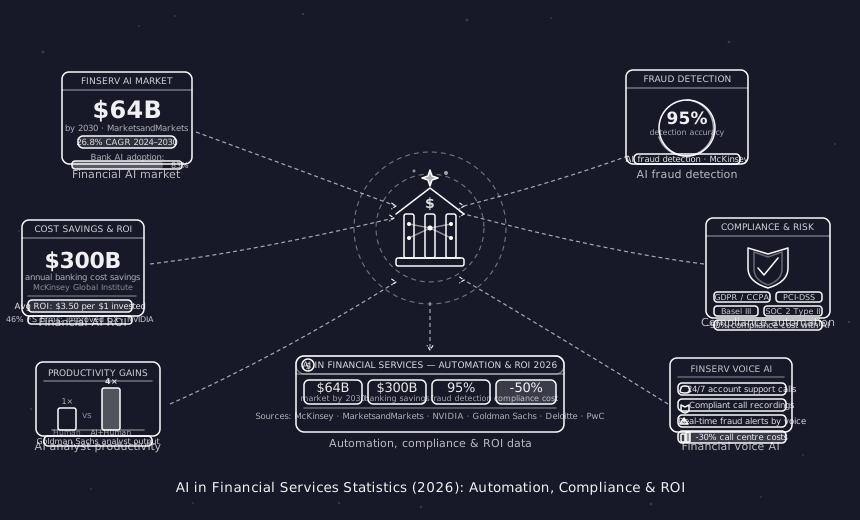
AI in Financial Services Statistics (2026): Automation, Compliance & ROI
Key AI in financial services statistics for 2026 — covering call center automation, compliance monitoring, fraud detection rates, and cost-per-interaction benchmarks.

Jun 13, 2026
Articles
AI in Mental Health & Therapy Statistics (2026): Key Data & Trends
Explore AI in mental health statistics for 2026 — covering AI therapy tools, appointment automation, patient engagement, and adoption rates in mental healthcare.
Load More
Latest Insights
All Resources
Articles
Case Studies
Tutorials
Jun 13, 2026
Articles
AI in Financial Services Statistics (2026): Automation, Compliance & ROI
Key AI in financial services statistics for 2026 — covering call center automation, compliance monitoring, fraud detection rates, and cost-per-interaction benchmarks.
Jun 13, 2026
Articles
AI in Mental Health & Therapy Statistics (2026): Key Data & Trends
Explore AI in mental health statistics for 2026 — covering AI therapy tools, appointment automation, patient engagement, and adoption rates in mental healthcare.
Load More

Automate your business with AI phone Agents
Automate your business with AI phone Agents
Automate your business with AI phone Agents
Automate your business with AI phone Agents
Call automation for healthcare, real estate, logistics, financial services & small businesses.
Call automation for healthcare, real estate, logistics, financial services & small businesses.

Join Discord
Connect with our community, ask questions, and stay updated on product news.

Book a Call
Schedule a quick call with our team to explore solutions for your needs.
Get started
Industries
Usecases
Integrations
Legal & Community

Join Discord
Connect with our community, ask questions, and stay updated on product news.
Book a Call
Schedule a quick call with our team to explore solutions for your needs.
Get started
Industries
Usecases
Integrations
Legal & Community
Join Discord
Connect with our community, ask questions, and stay updated on product news.
Book a Call
Schedule a quick call with our team to explore solutions for your needs.
Get started
Industries
Usecases
Integrations
Legal & Community
Join Discord
Connect with our community, ask questions, and stay updated on product news.
Book a Call
Schedule a quick call with our team to explore solutions for your needs.
Get started
Industries
Usecases
Integrations
Legal & Community