
All Insights
Articles
The 10 Best Ooma Alternatives in 2026 (We Tested Each One)
We tested 10 Ooma alternatives — hidden fees exposed, 15-integration ceiling documented, AI options compared. Find the right fit for your business in 2026.





We spent three weeks testing every major Ooma alternative — timing setup, making real calls, testing AI features, and reading through hundreds of G2, Trustpilot, Reddit, and Capterra reviews. One member of our team uses Brilo.ai as a paying customer; we note this where relevant.
Here's what we found.
Why Are Small Businesses Leaving Ooma?
Ooma has been a staple of small business and residential VoIP since 2003 — affordable plans starting at $19.95/user/month, unlimited calling to the US, Canada, Mexico, and Puerto Rico, and a 4.6/5 G2 rating across 131 reviews. For micro-businesses replacing a landline, Ooma genuinely works. The challenges are everything that surfaces when you push beyond basic calling.
Hidden fees push the real cost well past the headline price. Multiple reviewers describe paying significantly more than the advertised pricing once taxes, regulatory recovery fees, and hardware costs are added. Ooma's Trustpilot rating is 3.6/5 across 2,023 reviews — a meaningful gap from the G2 score that reflects the difference between basic-calling satisfaction and full-deployment frustration.
"We were surprised to see how high our bill was for the first month — much higher than we saw on the pricing page. For a single business user, the base price clocked in at $19.95/user/month. We were also given a list of other fees..." — Allo review summary
Integration ecosystem is fewer than 15 third-party tools. Most of those integrations are only available on the most expensive Pro Plus plan ($29.95/user/month). For comparison, RingCentral has 330+ integrations and Nextiva supports the major CRM, helpdesk, and productivity stacks natively across all tiers. For growing businesses that need their phone system to talk to HubSpot, Salesforce, or Slack, Ooma's ecosystem feels isolating.
Call quality and reliability degrade as usage scales. G2 and Trustpilot reviewers consistently report that Ooma works fine for low-volume calling but exhibits dropped calls, audio quality issues, and support-response delays as call volume grows. For mission-critical operations, the documented call quality variance is a real risk.
No AI features at all. In 2026, this is a meaningful gap. Competitors at similar price points (Quo's Sona AI, Dialpad's native AI) include transcription, voicemail summaries, and basic conversation intelligence at the entry tier. Ooma's roadmap doesn't include native AI capabilities — for teams that want AI to handle even basic call summarization, Ooma is the wrong tool.
Number porting takes weeks. Multiple Reddit threads document number porting from Ooma taking three weeks or more, with porting issues cited as a recurring source of frustration. For businesses switching to Ooma or away from it, the timing risk is real.
Our Ranking Methodology
Criteria | Weight | What we measured |
|---|---|---|
AI capability | 25% | Native AI vs add-on, transcription, voicemail summaries, automation |
Pricing transparency & hidden fees | 20% | All-in cost (taxes, regulatory, hardware) at 5, 10, 25 seats |
Integration depth | 20% | Native CRM, helpdesk, productivity tools — not just basic Zapier |
Call quality & reliability | 20% | Uptime SLA, dropped call documentation, audio quality at scale |
Setup speed & UX | 15% | Time from signup to first call, mobile/desktop experience |
TL;DR Comparison Table
Tool | Best For | AI / Voice | Starting Price | Setup Time |
|---|---|---|---|---|
Brilo.ai | AI answering calls 24/7 on your business number | ✅ Native AI | $49/mo | 7 min |
Nextiva | Reliable upgrade with 99.999% uptime | ⚠️ Add-on | $20/user/mo | 17 min |
RingCentral | Enterprise UCaaS with 330+ integrations | ✅ RingSense AI | $20/user/mo | 21 min |
Quo | Modern startup pick with Sona AI | ✅ Sona AI | $15/user/mo | 8 min |
Vonage | À la carte feature pricing | ⚠️ Add-on | $13.99/user/mo | 14 min |
GoTo Connect | Mid-market UCaaS with meetings | ⚠️ Add-on | $26/user/mo | 13 min |
Phone.com | Flexible per-minute or unlimited plans | ⚠️ Limited | $12.74/user/mo | 9 min |
Grasshopper | Flat-rate second number for solopreneurs | ❌ | $14/mo flat | 8 min |
8x8 | International calling + AI included | ⚠️ Add-on | $24/user/mo | 16 min |
MagicJack | Ultra-budget home or micro-business | ❌ | $43/year | 15 min |
1. Brilo.ai — Best for AI Answering Calls 24/7 on Your Business Number
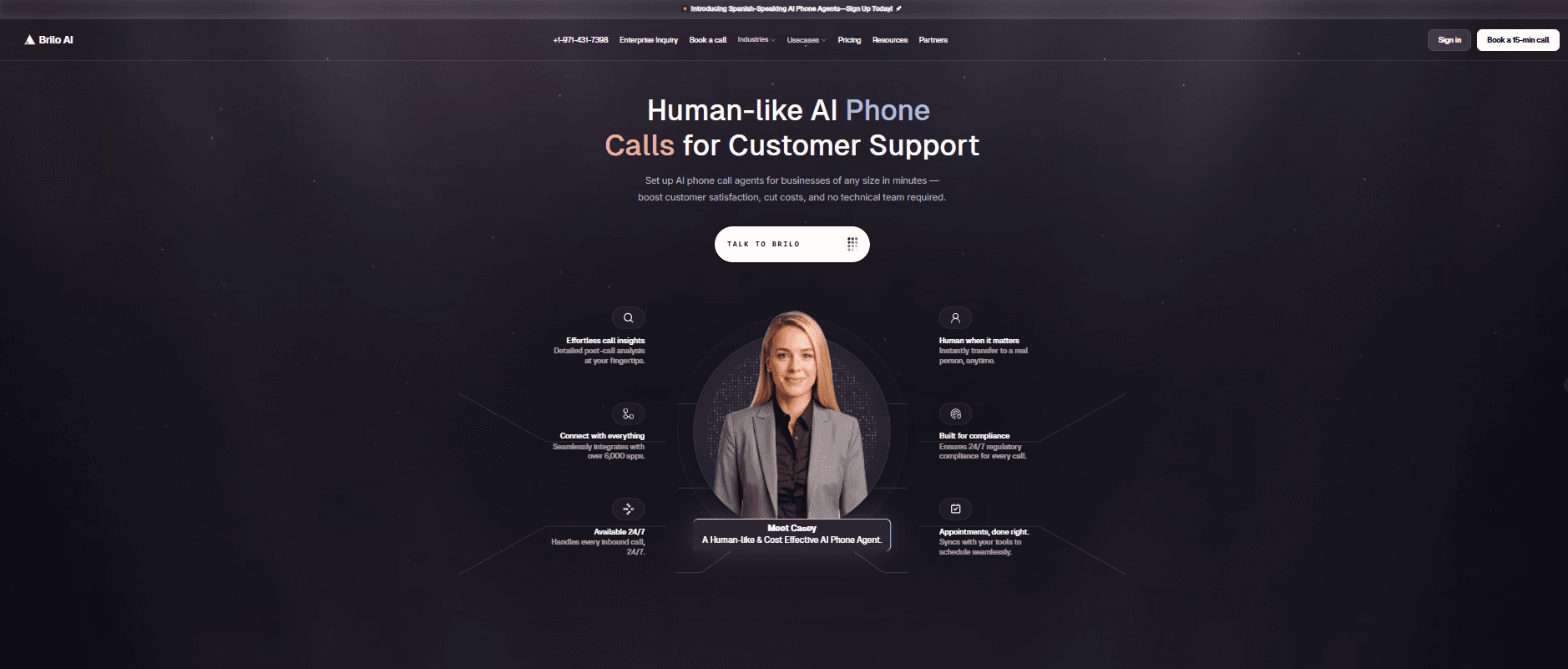
Best for: Small businesses running Ooma whose customers keep calling outside business hours, hitting voicemail, or waiting on hold — and who realise that for inbound call volume, the right answer isn't a better VoIP system but an AI that actually picks up the phone.
Why Brilo belongs on an Ooma alternatives list:
Ooma is a phone system — its job is to provide your business with a number, route calls to the right human, and offer voicemail when no one's available. The architectural problem in 2026 is that customers expect 24/7 availability, the same way they expect chat to respond instantly. When a customer calls at 7pm and gets voicemail, or calls during a busy spell and waits on hold, they don't leave a message — they call a competitor. Ooma's lack of native AI means there's no way to handle those calls automatically.
Brilo.ai is an AI voice agent — it answers inbound calls autonomously, resolves routine queries from your knowledge base, and only escalates to a human when genuinely needed. Most calls get resolved live: order status, hours and location, basic FAQs, appointment booking, pricing questions. The ones that need human input arrive with the full transcript attached.
For Ooma users, Brilo isn't a phone system replacement — it's the AI layer that answers when Ooma would otherwise route to voicemail or a busy queue. You keep your Ooma number; Brilo handles the calls Ooma can't.
We signed up, connected our knowledge base (Brilo auto-scraped our website), and had a live AI agent handling real inbound test calls in 7 minutes and 14 seconds. No hardware. No regulatory recovery fees. No three-week porting nightmare. Calls that needed escalation reached a human with the full transcript attached.
Disclosure: one of our team is a paying Brilo customer. We stress-tested it harder as a result.
Signup → onboarded: 7 minutes, 14 seconds
Standout Features:
Native AI voice agent — answers inbound calls autonomously 24/7
Auto-trained from your website and documentation in under 5 minutes
Multilingual support across 30+ languages
Real-time escalation with full transcript attached
6,000+ integrations including HubSpot, Salesforce, Zendesk, Zoho
No hardware required, no regulatory fees, no annual contract
Pricing:
Free Plan: Free — 10 minutes/month, 1 AI agent, 1 workspace, community support
Starter Plan: $49/month — 160 minutes, 1 agent, $0.18/min overage
Pro Plan: $149/month — 600 minutes, 3 agents, 3 workspaces, $0.16/min overage
Growth Plan: $499/month — 2,500 minutes, unlimited agents, 5 workspaces, $0.14/min overage
Custom Plan: Talk to us — 5,000+ minutes, unlimited agents, unlimited workspaces, additional usage at <$0.14/min, white-glove onboarding
No surprise taxes. No regulatory recovery fees. No required hardware purchase. What you see is what you pay. See full details on the Brilo pricing page.
Cons:
Not a multi-line phone system for human agents — keep Ooma (or one of the alternatives on this list) for outbound calling and human-agent workflows
No physical desk phone hardware support — Brilo is cloud-only
Newer platform than Ooma (founded 2023) — fewer reference customers in residential and home-office verticals
What's unique: The only platform on this list that answers calls when Ooma would otherwise route to voicemail or a busy queue — extending Ooma's basic phone service into 24/7 AI-powered availability.
Try it free: brilo.ai — no credit card, no hidden fees, no hardware required. AI agent live in under 10 minutes.
2. Nextiva — Best Reliable Upgrade with 99.999% Uptime
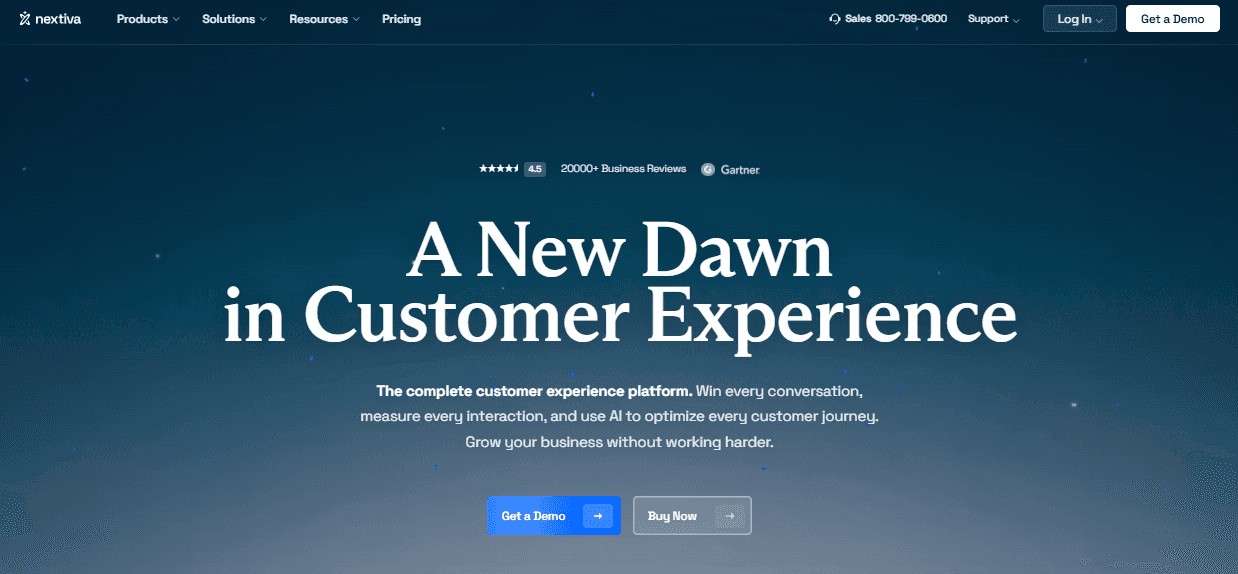
Best for: Small businesses that have outgrown Ooma's basic feature set and want a contractual reliability guarantee — particularly if dropped calls or support delays have become a documented problem.
Our Testing Experience:
Setup took 17 minutes. Nextiva is the most-cited Ooma upgrade path — particularly for businesses scaling past 10–15 seats where Ooma's documented reliability issues become breaking points. The platform offers contractual 99.999% uptime SLA, 24/7 live phone support across all tiers, and built-in CRM that eliminates the need for a separate Salesforce or HubSpot integration.
The Core plan at $30/user/month bumps SMS to 100 texts/user/month, includes Nextiva's AI Receptionist as an add-on, and supports the major desk phone brands natively (Poly, Cisco, Yealink) — capabilities Ooma reserves for its top tier.
Pricing: Digital $20/user/month, Core $30/user/month, Engage $40/user/month, Power Suite $60/user/month.
Pros:
Contractual 99.999% uptime SLA
24/7 live phone, chat, and email support included on all tiers
Built-in CRM eliminates third-party dependency
Native physical desk phone support
Cons:
AI features are a paid add-on
Per-user pricing scales aggressively past 30 seats
International rates higher than 8x8
What's unique: The reliability tier Ooma users typically upgrade to when call quality becomes a documented problem — same $20/user/month entry as Ooma but with a contractual uptime SLA Ooma doesn't offer.
3. RingCentral — Best Enterprise UCaaS with 330+ Integrations
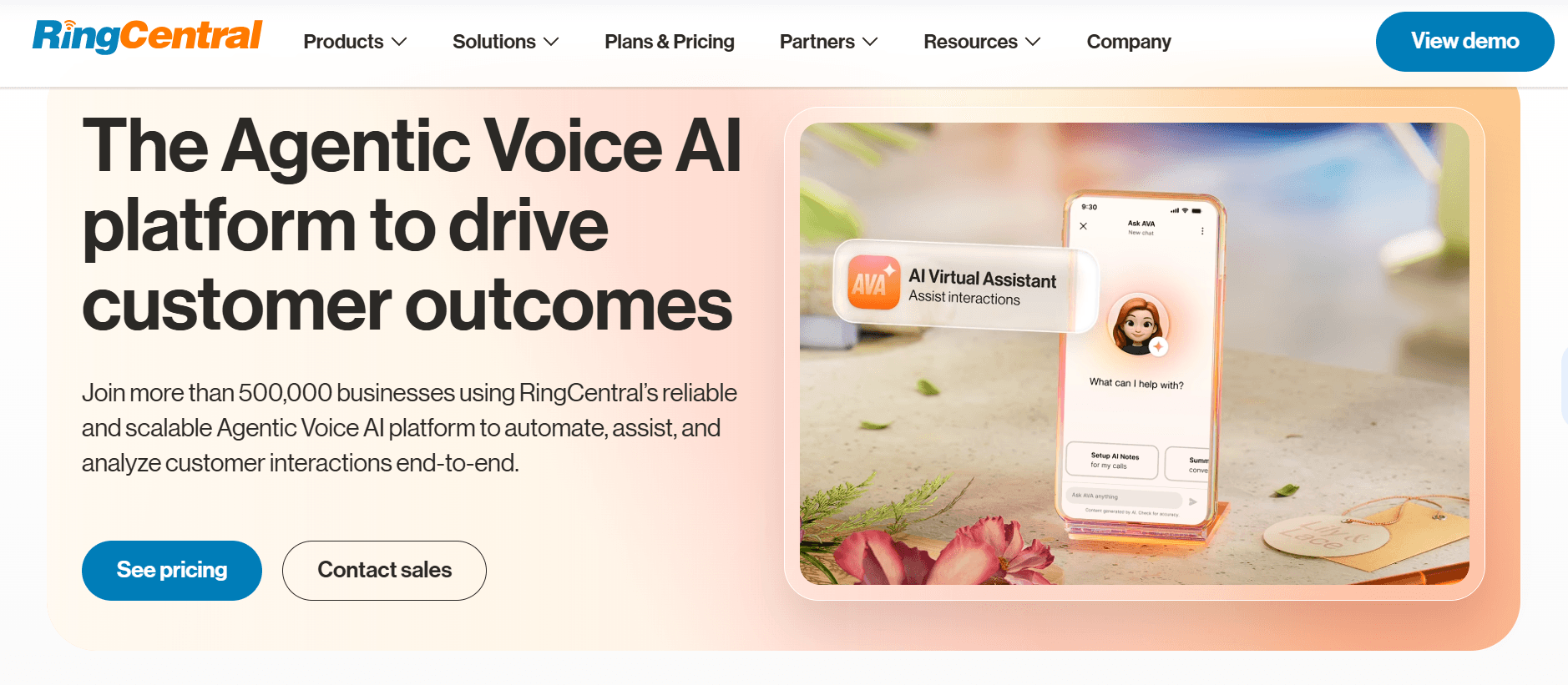
Best for: Mid-market and enterprise teams that need a unified communications platform with voice, video, messaging, and contact center capabilities — and that have hit Ooma's 15-integration ceiling.
Our Testing Experience:
Setup took 21 minutes. RingCentral is one of the most established Ooma competitors — used by enterprise customers globally with 330+ pre-built integrations including deep connections to Microsoft 365, Google Workspace, Salesforce, and Zendesk. For businesses where the phone system needs to integrate tightly with the existing tech stack, RingCentral eliminates the integration gap that frustrates Ooma users.
The trade-off is feature complexity. RingCentral's tier structure layers a lot of capability — for businesses that genuinely just need a phone, the platform feels overengineered.
Pricing: Core $20/user/month, Advanced $25/user/month, Ultra $35/user/month.
Pros:
330+ pre-built integrations (largest on this list)
Strong unified platform: voice, video, messaging, contact center
RingSense AI for call summaries and sentiment analysis
99.999% uptime SLA on higher tiers
Cons:
More complex setup than Ooma or Quo
AI features bundled but tier-gated
Per-user pricing scales aggressively past 50 seats
What's unique: The deepest integration ecosystem on this list — RingCentral connects natively to almost every major business tool while Ooma supports fewer than 15.
4. Quo (formerly OpenPhone) — Best Modern Startup Pick with Sona AI
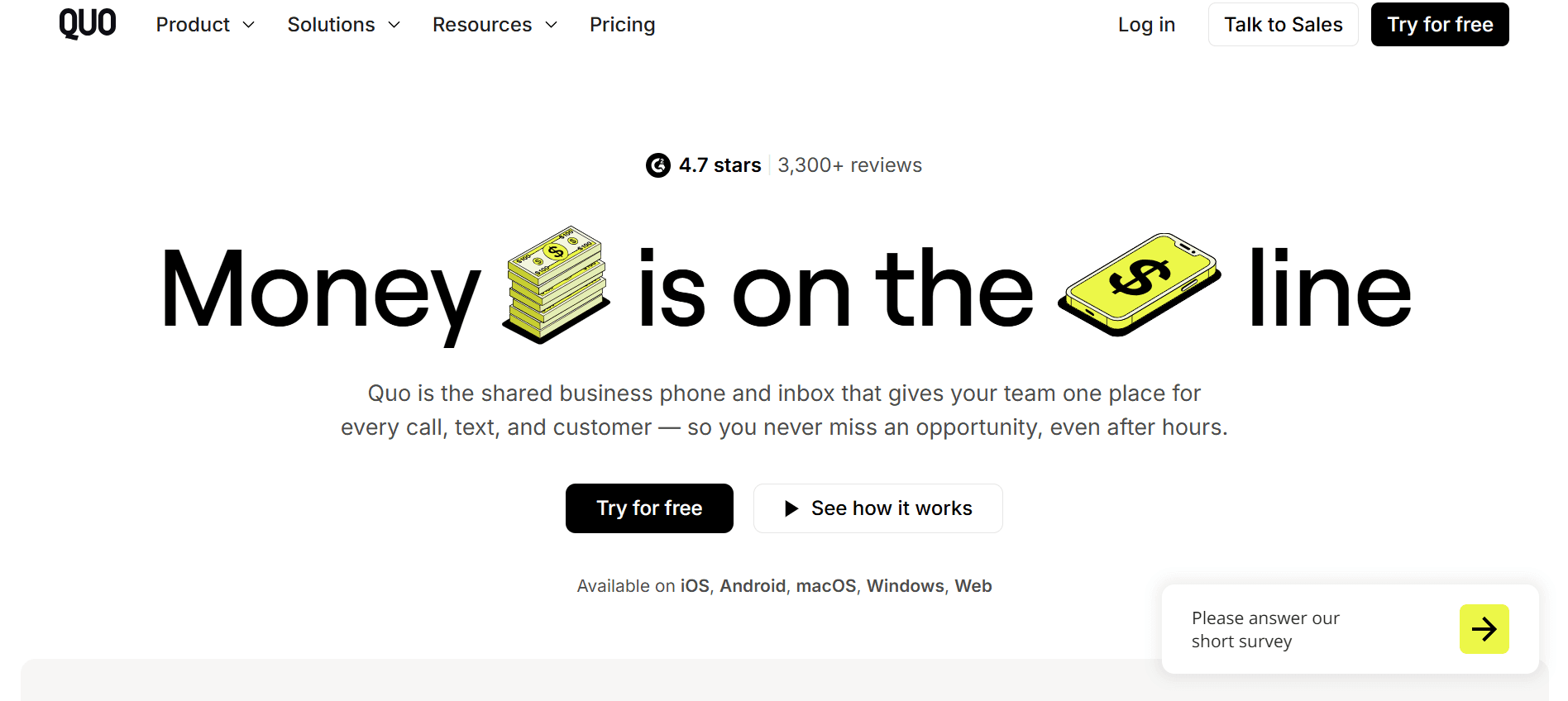
Best for: Startups and small teams (1–20 seats) that want a clean, modern app with native AI features — and that find Ooma's interface dated or over-featured for their needs.
Our Testing Experience:
Setup took 8 minutes. Quo (which rebranded from OpenPhone in late 2025) is the modern small-team pick — a clean app, shared inbox for team SMS, AI features (Sona AI) included natively rather than priced as a separate add-on. The Standard plan at $15/user/month is genuinely cheaper than Ooma's Essentials at $19.95.
For startups that prioritize modern UX and AI features over the desk-phone-and-paging features Ooma includes (and charges for), Quo is the obvious switch.
Pricing: Standard $15/user/month, Pro $25/user/month, Enterprise custom.
Pros:
Cheaper than Ooma's entry tier
Native AI included (Sona AI for transcription and summaries)
Modern mobile-first interface
Shared inbox for team SMS conversations
Cons:
Email-only support across all tiers
Sona AI moves to credit-tier pricing past free allowance
No physical desk phone hardware support
What's unique: The cleanest modern alternative on this list — Quo strips away the legacy features Ooma still includes (paging, intercom) in favour of a mobile-first AI-included experience.
5. Vonage — Best for À La Carte Feature Pricing
Best for: Small businesses that want flexibility to pay only for the features they actually use — rather than Ooma's bundled tier model that forces you up to Pro Plus for advanced features.
Our Testing Experience:
Setup took 14 minutes. Vonage Business Communication's Mobile plan starts at $13.99/user/month — cheaper than Ooma's Essentials. The pricing model is unique on this list: SMS is included unlimited on all plans (Ooma charges extra), but features like conference bridge, eFax, and secondary line appearance are paid add-ons rather than bundled.
For businesses that don't need every feature, Vonage's à la carte approach can land cheaper than Ooma's bundled tiers.
Pricing: Mobile $13.99/user/month, Premium $20.99/user/month, Advanced $27.99/user/month. Add-ons priced separately.
Pros:
Cheapest entry on this list ($13.99/user/month)
Unlimited SMS included on all plans
99.999% uptime SLA
À la carte feature add-ons let you pay only for what you use
Cons:
Add-on pricing complexity makes total cost unpredictable
AI features are paid add-ons
International rates higher than 8x8 or CloudTalk
What's unique: À la carte feature pricing — Ooma's tiers force you up to access advanced features; Vonage lets you add only the ones you actually use.
6. GoTo Connect — Best Mid-Market UCaaS with Meetings
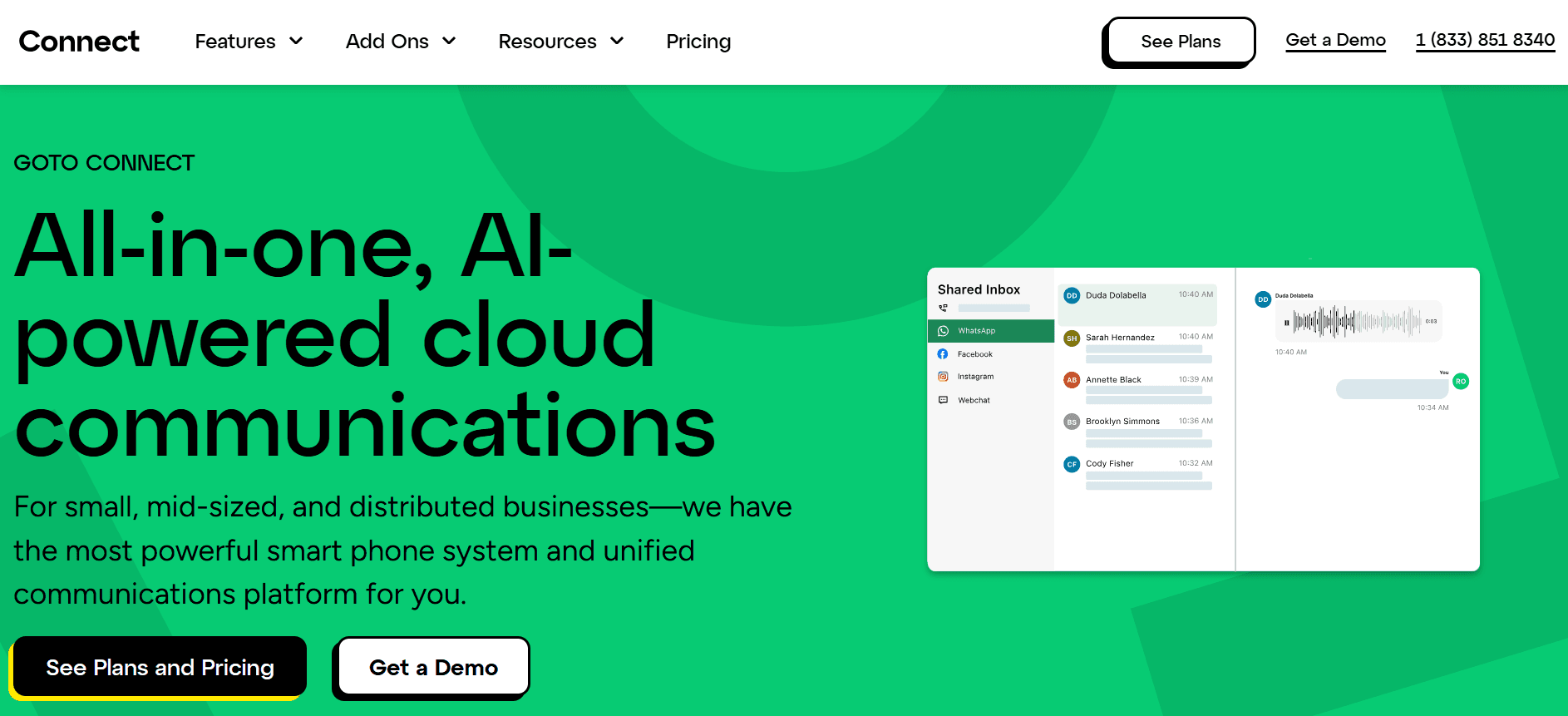
Best for: Mid-market teams that need phone + video meetings + messaging in one platform — particularly if remote work and customer-facing meetings drive the business.
Our Testing Experience:
Setup took 13 minutes. GoTo Connect (formerly Jive) bundles voice, video meetings, and team messaging in a single platform. The video conferencing capability is significantly more robust than Ooma's (which caps at 25 or 100 participants depending on tier) — GoTo Meeting is a mature standalone product folded into the unified Connect offering.
For teams that already use GoTo Webinar or GoTo Meeting, consolidating to Connect eliminates duplicate vendor contracts.
Pricing: Basic $26/user/month, Standard $34/user/month, Premium custom.
Pros:
Mature video conferencing baked in (GoTo Meeting heritage)
Strong international coverage
Custom dial plans on Standard tier
99.999% uptime SLA
Cons:
$26/user/month entry is higher than Ooma, Quo, or Vonage
AI features less mature than RingCentral or Quo
Smaller integration ecosystem than RingCentral
What's unique: The most mature bundled video conferencing on this list — for teams that need both phone and meetings, GoTo Connect eliminates the dual-platform overhead.
7. Phone.com — Best for Flexible Per-Minute or Unlimited Plans
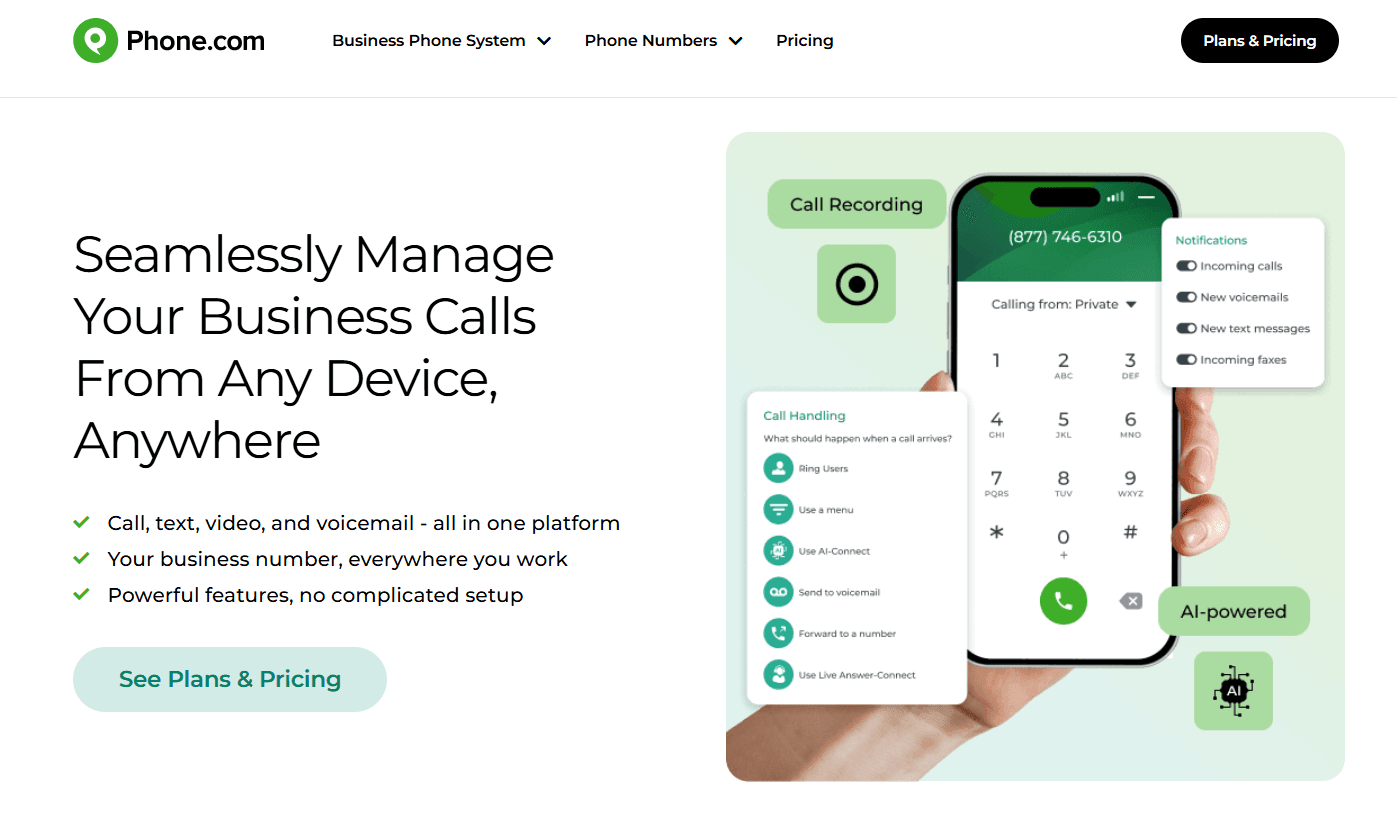
Best for: DIY small businesses that want plan flexibility — paying per-minute on low-volume months and switching to unlimited when call volume picks up.
Our Testing Experience:
Setup took 9 minutes. Phone.com is the affordable budget pick — Basic at $12.74/user/month is genuinely the cheapest entry point on this list with real business phone features (auto-attendant, ring groups, voicemail). The per-minute pricing option (500 included pooled minutes) is unique on this list — most competitors force unlimited from day one.
For businesses with seasonal call volume or unpredictable usage, Phone.com's flexibility eliminates paying for unlimited capacity you don't need.
Pricing: Basic $12.74/user/month, Plus $20.74/user/month, Pro $30.74/user/month. Additional features available a la carte.
Pros:
Cheapest credible entry point ($12.74/user/month)
Per-minute pricing option saves money on low-volume months
Established platform (since 2008)
Custom plan flexibility
Cons:
AI features are limited compared to Quo or RingCentral
Call recording requires Pro tier
UI feels older than Quo or Nextiva
What's unique: The only platform here offering both per-minute and unlimited pricing — small businesses can switch models month to month based on actual usage.
8. Grasshopper — Best Flat-Rate Second Number for Solopreneurs
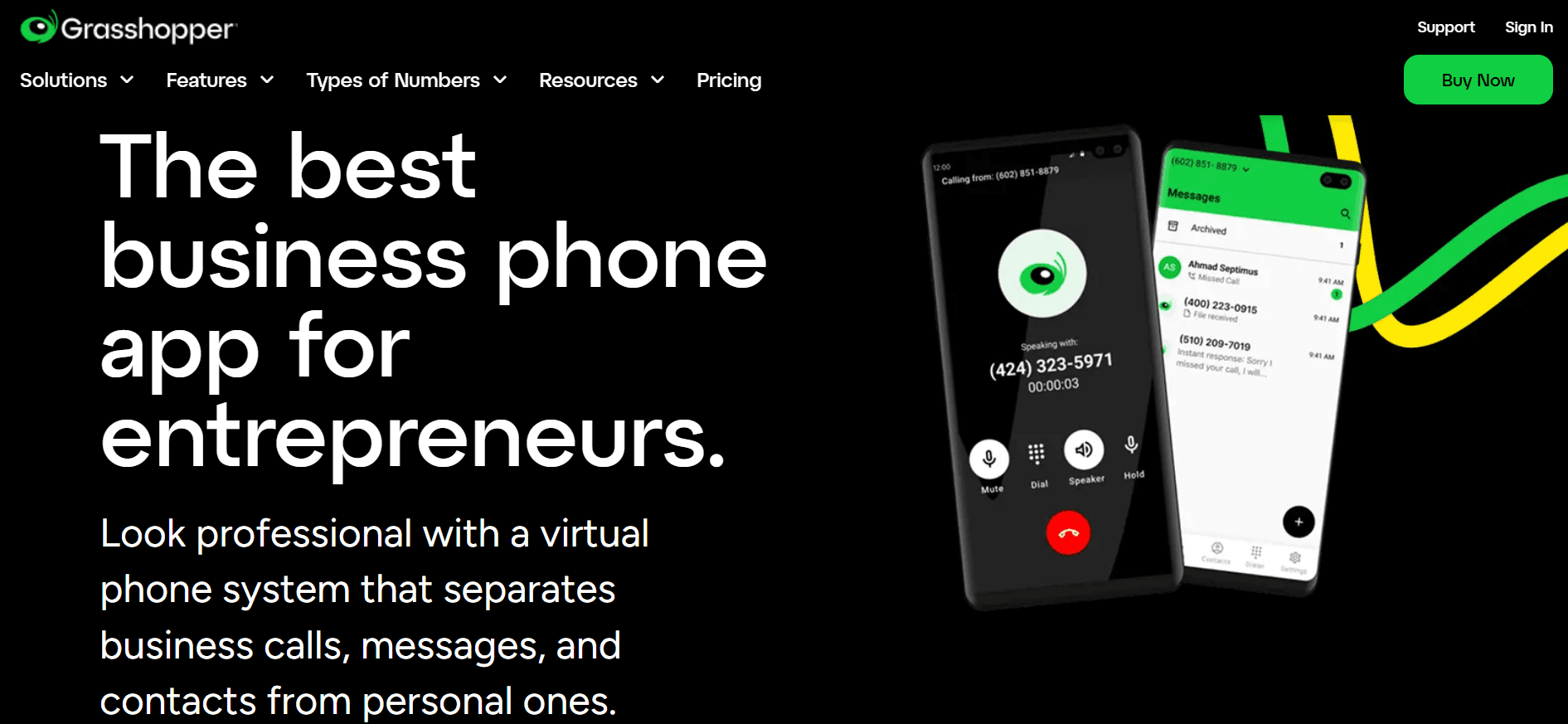
Best for: Single-person businesses, freelancers, and side projects that need a professional second phone number with flat-rate pricing — not per-user math.
Our Testing Experience:
Setup took 8 minutes. Grasshopper is the simplest tool we tested — no team features, no dialers, no analytics. Just a virtual number with voicemail transcription that lives on your existing phone.
For teams larger than 5 people, this is the wrong category. For a solo operator who wants a business number without per-user pricing math, it's the cleanest fit on this list — and the flat-rate pricing model means $14/month gets you the same product whether you make 5 calls or 500.
Pricing: Solo $14/month flat (1 number, 3 extensions), Partner $25/month (3 numbers, 6 extensions), Small Business $55/month (5 numbers, unlimited extensions).
Pros:
Flat-rate pricing — no per-user math
Cheapest entry for a single user
Setup genuinely 5 minutes if you skip optional steps
US/Canada toll-free numbers included
Cons:
No AI features whatsoever
No CRM integrations
Not designed for teams larger than 5 people
What's unique: Flat-rate pricing — $14/month gets you the same product whether you make 5 calls or 500. Ooma's per-user pricing makes this hard to match for solo founders.
9. 8x8 — Best for International Calling + AI Included
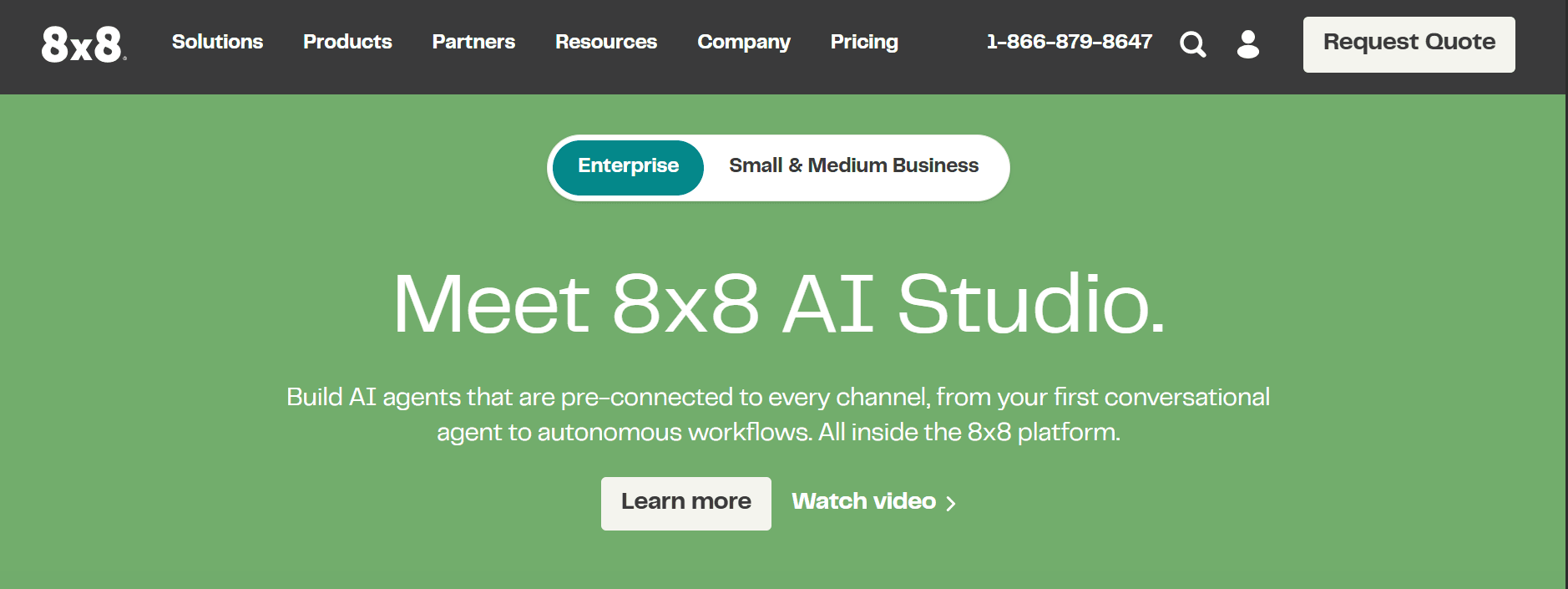
Best for: Small businesses with significant international call volume that want unlimited calling to multiple countries plus AI features included — without Ooma's add-on pricing for advanced features.
Our Testing Experience:
Setup took 16 minutes. 8x8's headline strength is international: unlimited calling plans cover 14–48 countries depending on tier, and AI transcription is included on all paid plans. For small businesses calling Mexico, the UK, and other markets where Ooma charges per-minute international rates, 8x8's unlimited tiers can save significant cost.
The X Series platform combines voice, video, chat, and contact center capabilities in one cloud-native architecture.
Pricing: X2 $24/user/month (unlimited 14 countries), X4 $44/user/month (unlimited 48 countries).
Pros:
Unlimited international calling included on all paid tiers
AI transcription included at base price
HIPAA-compliant deployment available
Strong global presence
Cons:
UI feels older than Quo or RingCentral
Per-user pricing scales aggressively past 50 seats
Less suitable for US-only small businesses
What's unique: The only platform here where unlimited international calling AND AI transcription are both included at base price — Ooma charges for both as add-ons.
10. MagicJack — Best Ultra-Budget Home or Micro-Business
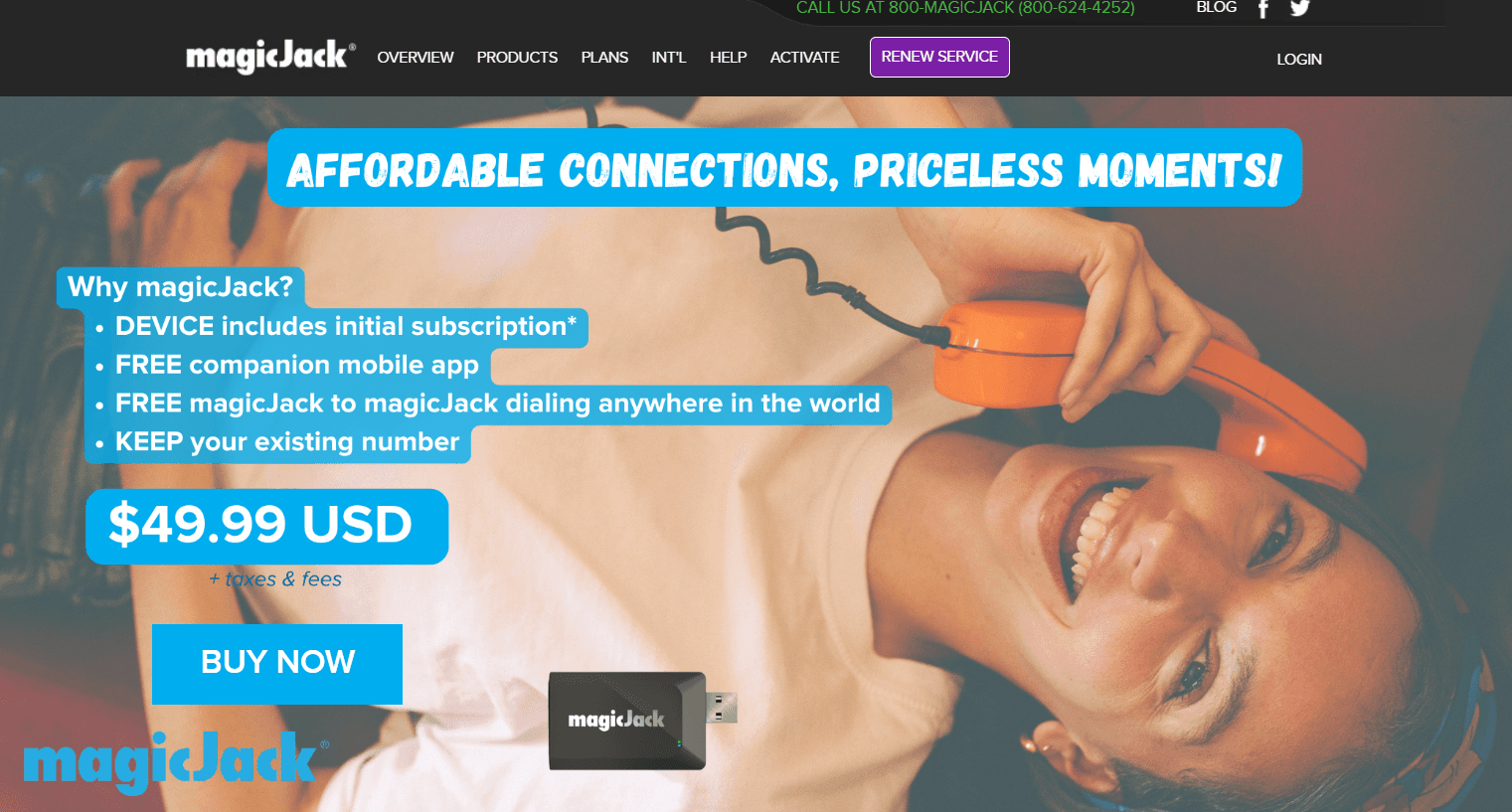
Best for: Home offices, retail shops, and very small businesses that need an absolute minimum-cost phone line — with annual pricing that beats every monthly subscription on this list.
Our Testing Experience:
Setup took 15 minutes. MagicJack is the ultra-budget pick — annual pricing of roughly $43/year (with multi-year terms dropping the effective rate further) makes it cheaper than any monthly subscription on this list. The hardware is a one-time $40-$50 purchase.
The trade-offs are exactly what you'd expect at this price: audio quality is inconsistent, customer support is minimal, and you're locked into MagicJack's hardware. For a secondary line, emergency home phone, or a budget-conscious retail shop that just needs a number to receive calls, MagicJack is unbeatable on price. For a primary business line, look elsewhere.
Pricing: ~$43/year (1-year plan), multi-year terms drop the effective cost. Hardware $40-$50 one-time.
Pros:
Cheapest option on this list ($43/year)
One-time hardware cost rather than recurring rental
Unlimited US and Canada calling
Long-term cost savings vs traditional landlines (one Reddit user reported $500/year saved vs Verizon)
Cons:
Audio quality inconsistent
Minimal customer support
Locked into MagicJack hardware
No business features (analytics, integrations, AI)
What's unique: The only sub-$50/year option on this list — for use cases where price is the only criterion, MagicJack delivers.
How to Choose: Quick Decision Framework
Are calls going to voicemail outside business hours?
Brilo.ai answers inbound calls autonomously 24/7 — most routine queries get resolved live. The ones that need human input arrive with full transcripts attached.
Hit Ooma's call quality issues at scale?
Nextiva. Contractual 99.999% uptime SLA, 24/7 live phone support, and reliability guarantees Ooma doesn't offer at any tier.
Need 100+ integrations beyond Ooma's 15?
RingCentral has 330+ pre-built integrations. Nextiva has the broadest CRM ecosystem with native HubSpot, Salesforce, and Zoho support.
Want a modern app with AI included?
Quo (formerly OpenPhone) at $15/user/month is the clean modern pick. RingCentral with RingSense AI is the enterprise option.
Running international calls regularly?
8x8 with unlimited calling to 14–48 countries depending on tier. Vonage Mobile plan at $13.99/user/month for cheaper US-Canada-Mexico if international is occasional.
Solopreneur who just needs a second number?
Grasshopper at $14/month flat. MagicJack at $43/year if budget is the only criterion.
Need video meetings bundled with phone?
GoTo Connect for mature video conferencing. RingCentral for unified platform with deeper integrations.
Frequently Asked Question
What is the best free alternative to Ooma?
There is no genuinely free alternative to Ooma at parity feature level. Brilo.ai's free plan offers 10 minutes/month with a fully functional AI voice agent — the only voice-AI free tier on this list. Ooma's residential service is sometimes marketed as "free," but between $79.99–$99.99 hardware and $5–$10/month in taxes and fees, your first-year cost is roughly $140–$220. Most paid alternatives come out cheaper.
What is the cheapest Ooma alternative?
MagicJack at ~$43/year is the cheapest option for basic home or micro-business use. Phone.com Basic at $12.74/user/month is the cheapest credible business VoIP. Vonage Mobile at $13.99/user/month is cheaper than Ooma's $19.95 entry tier with unlimited SMS included. Brilo.ai's Starter plan at $49/month is cheapest if you specifically want AI handling inbound calls.
Why does Ooma's actual bill come out higher than the headline price?
Ooma's $19.95/user/month Essentials tier doesn't include taxes, regulatory recovery fees, or hardware costs. Multiple reviewers report first-month bills 30–50% higher than the advertised price. International calling beyond US/Canada/Mexico/Puerto Rico is per-minute. SMS is not included on Essentials. Hardware (the Ooma base unit) is a one-time $99–$149 purchase.
How long does Ooma porting take?
Multiple Reddit threads document Ooma porting taking 2–4 weeks, with 3 weeks being the typical experience. Several users report porting issues that extended the timeline further. Plan parallel-running periods to avoid missed calls during the porting window.
Does Ooma have AI features?
No. Ooma does not include native AI features in 2026 — no transcription, no voicemail summaries, no conversation intelligence, no AI-powered routing. Competitors at similar price points (Quo's Sona AI, Dialpad's native AI, RingCentral's RingSense) include AI features at the entry tier.
Does Ooma offer a free trial?
No. Ooma Office does not offer a free trial — you must pay for a plan upfront to test the platform. This is unusual in the VoIP category — Nextiva, RingCentral, Quo, Vonage, and most other alternatives offer 7–14 day free trials with no credit card required.
Why does Ooma's mobile app get mixed reviews?
Ooma's mobile app handles basic calling and SMS, but reviewers report performance issues, occasional dropped calls on cellular networks, and feature gaps compared to the desktop experience. For mobile-first teams, Quo and Nextiva have stronger mobile-app reputations.
Is "Ooma" the same as "Ooma Office"?
Ooma is the company; Ooma Office is the business product. Ooma also offers Ooma Telo (residential) and Ooma Connect (small business connectivity). When most people say "Ooma" in a business context, they mean Ooma Office.
The Bottom Line
Ooma genuinely works for what it advertises — basic small business and residential VoIP at affordable headline pricing. Undermined by hidden fees that push real costs 30%+ above the advertised rate, fewer than 15 third-party integrations (most gated to Pro Plus), no native AI features, call quality and reliability issues documented at scale, and porting timelines that stretch to weeks.
Best alternatives by use case:
AI answering calls 24/7: Brilo.ai
Reliable upgrade with 99.999% uptime: Nextiva
Enterprise UCaaS with 330+ integrations: RingCentral
Modern startup pick with native AI: Quo (formerly OpenPhone)
À la carte feature pricing: Vonage
Mid-market UCaaS with meetings: GoTo Connect
Flexible per-minute or unlimited: Phone.com
Solopreneur flat-rate second number: Grasshopper
International calling + AI included: 8x8
Ultra-budget home or micro-business: MagicJack
All Insights
Articles
The 10 Best Ooma Alternatives in 2026 (We Tested Each One)
We tested 10 Ooma alternatives — hidden fees exposed, 15-integration ceiling documented, AI options compared. Find the right fit for your business in 2026.
We spent three weeks testing every major Ooma alternative — timing setup, making real calls, testing AI features, and reading through hundreds of G2, Trustpilot, Reddit, and Capterra reviews. One member of our team uses Brilo.ai as a paying customer; we note this where relevant.
Here's what we found.
Why Are Small Businesses Leaving Ooma?
Ooma has been a staple of small business and residential VoIP since 2003 — affordable plans starting at $19.95/user/month, unlimited calling to the US, Canada, Mexico, and Puerto Rico, and a 4.6/5 G2 rating across 131 reviews. For micro-businesses replacing a landline, Ooma genuinely works. The challenges are everything that surfaces when you push beyond basic calling.
Hidden fees push the real cost well past the headline price. Multiple reviewers describe paying significantly more than the advertised pricing once taxes, regulatory recovery fees, and hardware costs are added. Ooma's Trustpilot rating is 3.6/5 across 2,023 reviews — a meaningful gap from the G2 score that reflects the difference between basic-calling satisfaction and full-deployment frustration.
"We were surprised to see how high our bill was for the first month — much higher than we saw on the pricing page. For a single business user, the base price clocked in at $19.95/user/month. We were also given a list of other fees..." — Allo review summary
Integration ecosystem is fewer than 15 third-party tools. Most of those integrations are only available on the most expensive Pro Plus plan ($29.95/user/month). For comparison, RingCentral has 330+ integrations and Nextiva supports the major CRM, helpdesk, and productivity stacks natively across all tiers. For growing businesses that need their phone system to talk to HubSpot, Salesforce, or Slack, Ooma's ecosystem feels isolating.
Call quality and reliability degrade as usage scales. G2 and Trustpilot reviewers consistently report that Ooma works fine for low-volume calling but exhibits dropped calls, audio quality issues, and support-response delays as call volume grows. For mission-critical operations, the documented call quality variance is a real risk.
No AI features at all. In 2026, this is a meaningful gap. Competitors at similar price points (Quo's Sona AI, Dialpad's native AI) include transcription, voicemail summaries, and basic conversation intelligence at the entry tier. Ooma's roadmap doesn't include native AI capabilities — for teams that want AI to handle even basic call summarization, Ooma is the wrong tool.
Number porting takes weeks. Multiple Reddit threads document number porting from Ooma taking three weeks or more, with porting issues cited as a recurring source of frustration. For businesses switching to Ooma or away from it, the timing risk is real.
Our Ranking Methodology
Criteria | Weight | What we measured |
|---|---|---|
AI capability | 25% | Native AI vs add-on, transcription, voicemail summaries, automation |
Pricing transparency & hidden fees | 20% | All-in cost (taxes, regulatory, hardware) at 5, 10, 25 seats |
Integration depth | 20% | Native CRM, helpdesk, productivity tools — not just basic Zapier |
Call quality & reliability | 20% | Uptime SLA, dropped call documentation, audio quality at scale |
Setup speed & UX | 15% | Time from signup to first call, mobile/desktop experience |
TL;DR Comparison Table
Tool | Best For | AI / Voice | Starting Price | Setup Time |
|---|---|---|---|---|
Brilo.ai | AI answering calls 24/7 on your business number | ✅ Native AI | $49/mo | 7 min |
Nextiva | Reliable upgrade with 99.999% uptime | ⚠️ Add-on | $20/user/mo | 17 min |
RingCentral | Enterprise UCaaS with 330+ integrations | ✅ RingSense AI | $20/user/mo | 21 min |
Quo | Modern startup pick with Sona AI | ✅ Sona AI | $15/user/mo | 8 min |
Vonage | À la carte feature pricing | ⚠️ Add-on | $13.99/user/mo | 14 min |
GoTo Connect | Mid-market UCaaS with meetings | ⚠️ Add-on | $26/user/mo | 13 min |
Phone.com | Flexible per-minute or unlimited plans | ⚠️ Limited | $12.74/user/mo | 9 min |
Grasshopper | Flat-rate second number for solopreneurs | ❌ | $14/mo flat | 8 min |
8x8 | International calling + AI included | ⚠️ Add-on | $24/user/mo | 16 min |
MagicJack | Ultra-budget home or micro-business | ❌ | $43/year | 15 min |
1. Brilo.ai — Best for AI Answering Calls 24/7 on Your Business Number
Best for: Small businesses running Ooma whose customers keep calling outside business hours, hitting voicemail, or waiting on hold — and who realise that for inbound call volume, the right answer isn't a better VoIP system but an AI that actually picks up the phone.
Why Brilo belongs on an Ooma alternatives list:
Ooma is a phone system — its job is to provide your business with a number, route calls to the right human, and offer voicemail when no one's available. The architectural problem in 2026 is that customers expect 24/7 availability, the same way they expect chat to respond instantly. When a customer calls at 7pm and gets voicemail, or calls during a busy spell and waits on hold, they don't leave a message — they call a competitor. Ooma's lack of native AI means there's no way to handle those calls automatically.
Brilo.ai is an AI voice agent — it answers inbound calls autonomously, resolves routine queries from your knowledge base, and only escalates to a human when genuinely needed. Most calls get resolved live: order status, hours and location, basic FAQs, appointment booking, pricing questions. The ones that need human input arrive with the full transcript attached.
For Ooma users, Brilo isn't a phone system replacement — it's the AI layer that answers when Ooma would otherwise route to voicemail or a busy queue. You keep your Ooma number; Brilo handles the calls Ooma can't.
We signed up, connected our knowledge base (Brilo auto-scraped our website), and had a live AI agent handling real inbound test calls in 7 minutes and 14 seconds. No hardware. No regulatory recovery fees. No three-week porting nightmare. Calls that needed escalation reached a human with the full transcript attached.
Disclosure: one of our team is a paying Brilo customer. We stress-tested it harder as a result.
Signup → onboarded: 7 minutes, 14 seconds
Standout Features:
Native AI voice agent — answers inbound calls autonomously 24/7
Auto-trained from your website and documentation in under 5 minutes
Multilingual support across 30+ languages
Real-time escalation with full transcript attached
6,000+ integrations including HubSpot, Salesforce, Zendesk, Zoho
No hardware required, no regulatory fees, no annual contract
Pricing:
Free Plan: Free — 10 minutes/month, 1 AI agent, 1 workspace, community support
Starter Plan: $49/month — 160 minutes, 1 agent, $0.18/min overage
Pro Plan: $149/month — 600 minutes, 3 agents, 3 workspaces, $0.16/min overage
Growth Plan: $499/month — 2,500 minutes, unlimited agents, 5 workspaces, $0.14/min overage
Custom Plan: Talk to us — 5,000+ minutes, unlimited agents, unlimited workspaces, additional usage at <$0.14/min, white-glove onboarding
No surprise taxes. No regulatory recovery fees. No required hardware purchase. What you see is what you pay. See full details on the Brilo pricing page.
Cons:
Not a multi-line phone system for human agents — keep Ooma (or one of the alternatives on this list) for outbound calling and human-agent workflows
No physical desk phone hardware support — Brilo is cloud-only
Newer platform than Ooma (founded 2023) — fewer reference customers in residential and home-office verticals
What's unique: The only platform on this list that answers calls when Ooma would otherwise route to voicemail or a busy queue — extending Ooma's basic phone service into 24/7 AI-powered availability.
Try it free: brilo.ai — no credit card, no hidden fees, no hardware required. AI agent live in under 10 minutes.
2. Nextiva — Best Reliable Upgrade with 99.999% Uptime
Best for: Small businesses that have outgrown Ooma's basic feature set and want a contractual reliability guarantee — particularly if dropped calls or support delays have become a documented problem.
Our Testing Experience:
Setup took 17 minutes. Nextiva is the most-cited Ooma upgrade path — particularly for businesses scaling past 10–15 seats where Ooma's documented reliability issues become breaking points. The platform offers contractual 99.999% uptime SLA, 24/7 live phone support across all tiers, and built-in CRM that eliminates the need for a separate Salesforce or HubSpot integration.
The Core plan at $30/user/month bumps SMS to 100 texts/user/month, includes Nextiva's AI Receptionist as an add-on, and supports the major desk phone brands natively (Poly, Cisco, Yealink) — capabilities Ooma reserves for its top tier.
Pricing: Digital $20/user/month, Core $30/user/month, Engage $40/user/month, Power Suite $60/user/month.
Pros:
Contractual 99.999% uptime SLA
24/7 live phone, chat, and email support included on all tiers
Built-in CRM eliminates third-party dependency
Native physical desk phone support
Cons:
AI features are a paid add-on
Per-user pricing scales aggressively past 30 seats
International rates higher than 8x8
What's unique: The reliability tier Ooma users typically upgrade to when call quality becomes a documented problem — same $20/user/month entry as Ooma but with a contractual uptime SLA Ooma doesn't offer.
3. RingCentral — Best Enterprise UCaaS with 330+ Integrations
Best for: Mid-market and enterprise teams that need a unified communications platform with voice, video, messaging, and contact center capabilities — and that have hit Ooma's 15-integration ceiling.
Our Testing Experience:
Setup took 21 minutes. RingCentral is one of the most established Ooma competitors — used by enterprise customers globally with 330+ pre-built integrations including deep connections to Microsoft 365, Google Workspace, Salesforce, and Zendesk. For businesses where the phone system needs to integrate tightly with the existing tech stack, RingCentral eliminates the integration gap that frustrates Ooma users.
The trade-off is feature complexity. RingCentral's tier structure layers a lot of capability — for businesses that genuinely just need a phone, the platform feels overengineered.
Pricing: Core $20/user/month, Advanced $25/user/month, Ultra $35/user/month.
Pros:
330+ pre-built integrations (largest on this list)
Strong unified platform: voice, video, messaging, contact center
RingSense AI for call summaries and sentiment analysis
99.999% uptime SLA on higher tiers
Cons:
More complex setup than Ooma or Quo
AI features bundled but tier-gated
Per-user pricing scales aggressively past 50 seats
What's unique: The deepest integration ecosystem on this list — RingCentral connects natively to almost every major business tool while Ooma supports fewer than 15.
4. Quo (formerly OpenPhone) — Best Modern Startup Pick with Sona AI
Best for: Startups and small teams (1–20 seats) that want a clean, modern app with native AI features — and that find Ooma's interface dated or over-featured for their needs.
Our Testing Experience:
Setup took 8 minutes. Quo (which rebranded from OpenPhone in late 2025) is the modern small-team pick — a clean app, shared inbox for team SMS, AI features (Sona AI) included natively rather than priced as a separate add-on. The Standard plan at $15/user/month is genuinely cheaper than Ooma's Essentials at $19.95.
For startups that prioritize modern UX and AI features over the desk-phone-and-paging features Ooma includes (and charges for), Quo is the obvious switch.
Pricing: Standard $15/user/month, Pro $25/user/month, Enterprise custom.
Pros:
Cheaper than Ooma's entry tier
Native AI included (Sona AI for transcription and summaries)
Modern mobile-first interface
Shared inbox for team SMS conversations
Cons:
Email-only support across all tiers
Sona AI moves to credit-tier pricing past free allowance
No physical desk phone hardware support
What's unique: The cleanest modern alternative on this list — Quo strips away the legacy features Ooma still includes (paging, intercom) in favour of a mobile-first AI-included experience.
5. Vonage — Best for À La Carte Feature Pricing
Best for: Small businesses that want flexibility to pay only for the features they actually use — rather than Ooma's bundled tier model that forces you up to Pro Plus for advanced features.
Our Testing Experience:
Setup took 14 minutes. Vonage Business Communication's Mobile plan starts at $13.99/user/month — cheaper than Ooma's Essentials. The pricing model is unique on this list: SMS is included unlimited on all plans (Ooma charges extra), but features like conference bridge, eFax, and secondary line appearance are paid add-ons rather than bundled.
For businesses that don't need every feature, Vonage's à la carte approach can land cheaper than Ooma's bundled tiers.
Pricing: Mobile $13.99/user/month, Premium $20.99/user/month, Advanced $27.99/user/month. Add-ons priced separately.
Pros:
Cheapest entry on this list ($13.99/user/month)
Unlimited SMS included on all plans
99.999% uptime SLA
À la carte feature add-ons let you pay only for what you use
Cons:
Add-on pricing complexity makes total cost unpredictable
AI features are paid add-ons
International rates higher than 8x8 or CloudTalk
What's unique: À la carte feature pricing — Ooma's tiers force you up to access advanced features; Vonage lets you add only the ones you actually use.
6. GoTo Connect — Best Mid-Market UCaaS with Meetings
Best for: Mid-market teams that need phone + video meetings + messaging in one platform — particularly if remote work and customer-facing meetings drive the business.
Our Testing Experience:
Setup took 13 minutes. GoTo Connect (formerly Jive) bundles voice, video meetings, and team messaging in a single platform. The video conferencing capability is significantly more robust than Ooma's (which caps at 25 or 100 participants depending on tier) — GoTo Meeting is a mature standalone product folded into the unified Connect offering.
For teams that already use GoTo Webinar or GoTo Meeting, consolidating to Connect eliminates duplicate vendor contracts.
Pricing: Basic $26/user/month, Standard $34/user/month, Premium custom.
Pros:
Mature video conferencing baked in (GoTo Meeting heritage)
Strong international coverage
Custom dial plans on Standard tier
99.999% uptime SLA
Cons:
$26/user/month entry is higher than Ooma, Quo, or Vonage
AI features less mature than RingCentral or Quo
Smaller integration ecosystem than RingCentral
What's unique: The most mature bundled video conferencing on this list — for teams that need both phone and meetings, GoTo Connect eliminates the dual-platform overhead.
7. Phone.com — Best for Flexible Per-Minute or Unlimited Plans
Best for: DIY small businesses that want plan flexibility — paying per-minute on low-volume months and switching to unlimited when call volume picks up.
Our Testing Experience:
Setup took 9 minutes. Phone.com is the affordable budget pick — Basic at $12.74/user/month is genuinely the cheapest entry point on this list with real business phone features (auto-attendant, ring groups, voicemail). The per-minute pricing option (500 included pooled minutes) is unique on this list — most competitors force unlimited from day one.
For businesses with seasonal call volume or unpredictable usage, Phone.com's flexibility eliminates paying for unlimited capacity you don't need.
Pricing: Basic $12.74/user/month, Plus $20.74/user/month, Pro $30.74/user/month. Additional features available a la carte.
Pros:
Cheapest credible entry point ($12.74/user/month)
Per-minute pricing option saves money on low-volume months
Established platform (since 2008)
Custom plan flexibility
Cons:
AI features are limited compared to Quo or RingCentral
Call recording requires Pro tier
UI feels older than Quo or Nextiva
What's unique: The only platform here offering both per-minute and unlimited pricing — small businesses can switch models month to month based on actual usage.
8. Grasshopper — Best Flat-Rate Second Number for Solopreneurs
Best for: Single-person businesses, freelancers, and side projects that need a professional second phone number with flat-rate pricing — not per-user math.
Our Testing Experience:
Setup took 8 minutes. Grasshopper is the simplest tool we tested — no team features, no dialers, no analytics. Just a virtual number with voicemail transcription that lives on your existing phone.
For teams larger than 5 people, this is the wrong category. For a solo operator who wants a business number without per-user pricing math, it's the cleanest fit on this list — and the flat-rate pricing model means $14/month gets you the same product whether you make 5 calls or 500.
Pricing: Solo $14/month flat (1 number, 3 extensions), Partner $25/month (3 numbers, 6 extensions), Small Business $55/month (5 numbers, unlimited extensions).
Pros:
Flat-rate pricing — no per-user math
Cheapest entry for a single user
Setup genuinely 5 minutes if you skip optional steps
US/Canada toll-free numbers included
Cons:
No AI features whatsoever
No CRM integrations
Not designed for teams larger than 5 people
What's unique: Flat-rate pricing — $14/month gets you the same product whether you make 5 calls or 500. Ooma's per-user pricing makes this hard to match for solo founders.
9. 8x8 — Best for International Calling + AI Included
Best for: Small businesses with significant international call volume that want unlimited calling to multiple countries plus AI features included — without Ooma's add-on pricing for advanced features.
Our Testing Experience:
Setup took 16 minutes. 8x8's headline strength is international: unlimited calling plans cover 14–48 countries depending on tier, and AI transcription is included on all paid plans. For small businesses calling Mexico, the UK, and other markets where Ooma charges per-minute international rates, 8x8's unlimited tiers can save significant cost.
The X Series platform combines voice, video, chat, and contact center capabilities in one cloud-native architecture.
Pricing: X2 $24/user/month (unlimited 14 countries), X4 $44/user/month (unlimited 48 countries).
Pros:
Unlimited international calling included on all paid tiers
AI transcription included at base price
HIPAA-compliant deployment available
Strong global presence
Cons:
UI feels older than Quo or RingCentral
Per-user pricing scales aggressively past 50 seats
Less suitable for US-only small businesses
What's unique: The only platform here where unlimited international calling AND AI transcription are both included at base price — Ooma charges for both as add-ons.
10. MagicJack — Best Ultra-Budget Home or Micro-Business
Best for: Home offices, retail shops, and very small businesses that need an absolute minimum-cost phone line — with annual pricing that beats every monthly subscription on this list.
Our Testing Experience:
Setup took 15 minutes. MagicJack is the ultra-budget pick — annual pricing of roughly $43/year (with multi-year terms dropping the effective rate further) makes it cheaper than any monthly subscription on this list. The hardware is a one-time $40-$50 purchase.
The trade-offs are exactly what you'd expect at this price: audio quality is inconsistent, customer support is minimal, and you're locked into MagicJack's hardware. For a secondary line, emergency home phone, or a budget-conscious retail shop that just needs a number to receive calls, MagicJack is unbeatable on price. For a primary business line, look elsewhere.
Pricing: ~$43/year (1-year plan), multi-year terms drop the effective cost. Hardware $40-$50 one-time.
Pros:
Cheapest option on this list ($43/year)
One-time hardware cost rather than recurring rental
Unlimited US and Canada calling
Long-term cost savings vs traditional landlines (one Reddit user reported $500/year saved vs Verizon)
Cons:
Audio quality inconsistent
Minimal customer support
Locked into MagicJack hardware
No business features (analytics, integrations, AI)
What's unique: The only sub-$50/year option on this list — for use cases where price is the only criterion, MagicJack delivers.
How to Choose: Quick Decision Framework
Are calls going to voicemail outside business hours?
Brilo.ai answers inbound calls autonomously 24/7 — most routine queries get resolved live. The ones that need human input arrive with full transcripts attached.
Hit Ooma's call quality issues at scale?
Nextiva. Contractual 99.999% uptime SLA, 24/7 live phone support, and reliability guarantees Ooma doesn't offer at any tier.
Need 100+ integrations beyond Ooma's 15?
RingCentral has 330+ pre-built integrations. Nextiva has the broadest CRM ecosystem with native HubSpot, Salesforce, and Zoho support.
Want a modern app with AI included?
Quo (formerly OpenPhone) at $15/user/month is the clean modern pick. RingCentral with RingSense AI is the enterprise option.
Running international calls regularly?
8x8 with unlimited calling to 14–48 countries depending on tier. Vonage Mobile plan at $13.99/user/month for cheaper US-Canada-Mexico if international is occasional.
Solopreneur who just needs a second number?
Grasshopper at $14/month flat. MagicJack at $43/year if budget is the only criterion.
Need video meetings bundled with phone?
GoTo Connect for mature video conferencing. RingCentral for unified platform with deeper integrations.
Frequently Asked Question
What is the best free alternative to Ooma?
There is no genuinely free alternative to Ooma at parity feature level. Brilo.ai's free plan offers 10 minutes/month with a fully functional AI voice agent — the only voice-AI free tier on this list. Ooma's residential service is sometimes marketed as "free," but between $79.99–$99.99 hardware and $5–$10/month in taxes and fees, your first-year cost is roughly $140–$220. Most paid alternatives come out cheaper.
What is the cheapest Ooma alternative?
MagicJack at ~$43/year is the cheapest option for basic home or micro-business use. Phone.com Basic at $12.74/user/month is the cheapest credible business VoIP. Vonage Mobile at $13.99/user/month is cheaper than Ooma's $19.95 entry tier with unlimited SMS included. Brilo.ai's Starter plan at $49/month is cheapest if you specifically want AI handling inbound calls.
Why does Ooma's actual bill come out higher than the headline price?
Ooma's $19.95/user/month Essentials tier doesn't include taxes, regulatory recovery fees, or hardware costs. Multiple reviewers report first-month bills 30–50% higher than the advertised price. International calling beyond US/Canada/Mexico/Puerto Rico is per-minute. SMS is not included on Essentials. Hardware (the Ooma base unit) is a one-time $99–$149 purchase.
How long does Ooma porting take?
Multiple Reddit threads document Ooma porting taking 2–4 weeks, with 3 weeks being the typical experience. Several users report porting issues that extended the timeline further. Plan parallel-running periods to avoid missed calls during the porting window.
Does Ooma have AI features?
No. Ooma does not include native AI features in 2026 — no transcription, no voicemail summaries, no conversation intelligence, no AI-powered routing. Competitors at similar price points (Quo's Sona AI, Dialpad's native AI, RingCentral's RingSense) include AI features at the entry tier.
Does Ooma offer a free trial?
No. Ooma Office does not offer a free trial — you must pay for a plan upfront to test the platform. This is unusual in the VoIP category — Nextiva, RingCentral, Quo, Vonage, and most other alternatives offer 7–14 day free trials with no credit card required.
Why does Ooma's mobile app get mixed reviews?
Ooma's mobile app handles basic calling and SMS, but reviewers report performance issues, occasional dropped calls on cellular networks, and feature gaps compared to the desktop experience. For mobile-first teams, Quo and Nextiva have stronger mobile-app reputations.
Is "Ooma" the same as "Ooma Office"?
Ooma is the company; Ooma Office is the business product. Ooma also offers Ooma Telo (residential) and Ooma Connect (small business connectivity). When most people say "Ooma" in a business context, they mean Ooma Office.
The Bottom Line
Ooma genuinely works for what it advertises — basic small business and residential VoIP at affordable headline pricing. Undermined by hidden fees that push real costs 30%+ above the advertised rate, fewer than 15 third-party integrations (most gated to Pro Plus), no native AI features, call quality and reliability issues documented at scale, and porting timelines that stretch to weeks.
Best alternatives by use case:
AI answering calls 24/7: Brilo.ai
Reliable upgrade with 99.999% uptime: Nextiva
Enterprise UCaaS with 330+ integrations: RingCentral
Modern startup pick with native AI: Quo (formerly OpenPhone)
À la carte feature pricing: Vonage
Mid-market UCaaS with meetings: GoTo Connect
Flexible per-minute or unlimited: Phone.com
Solopreneur flat-rate second number: Grasshopper
International calling + AI included: 8x8
Ultra-budget home or micro-business: MagicJack
Latest Insights
All Resources
Articles
Case Studies
Tutorials

Case Studies
Brilo vs Smith.ai — Which AI Answering Service Fits Your Home Care Agency?
Smith.ai vs Brilo: which AI answering service is right for your home care agency? Compare pricing, setup speed, and call handling.

Case Studies
Brilo vs Alita — AI Agents for Senior Living Communities
Compare Brilo and Alita for assisted living AI voice agents. Features, pricing, and which is the better fit for your community.
Load More
Latest Insights
All Resources
Articles
Case Studies
Tutorials
Case Studies
Brilo vs Smith.ai — Which AI Answering Service Fits Your Home Care Agency?
Smith.ai vs Brilo: which AI answering service is right for your home care agency? Compare pricing, setup speed, and call handling.
Case Studies
Brilo vs Alita — AI Agents for Senior Living Communities
Compare Brilo and Alita for assisted living AI voice agents. Features, pricing, and which is the better fit for your community.
Load More

Automate your business with AI phone Agents
Automate your business with AI phone Agents
Automate your business with AI phone Agents
Automate your business with AI phone Agents
Call automation for healthcare, real estate, logistics, financial services & small businesses.
Call automation for healthcare, real estate, logistics, financial services & small businesses.

Join Discord
Connect with our community, ask questions, and stay updated on product news.

Book a Call
Schedule a quick call with our team to explore solutions for your needs.
Get started
Industries
Usecases
Integrations
Legal & Community

Join Discord
Connect with our community, ask questions, and stay updated on product news.
Book a Call
Schedule a quick call with our team to explore solutions for your needs.
Get started
Industries
Usecases
Integrations
Legal & Community
Join Discord
Connect with our community, ask questions, and stay updated on product news.
Book a Call
Schedule a quick call with our team to explore solutions for your needs.
Get started
Industries
Usecases
Integrations
Legal & Community
Join Discord
Connect with our community, ask questions, and stay updated on product news.
Book a Call
Schedule a quick call with our team to explore solutions for your needs.
Get started
Industries
Usecases
Integrations
Legal & Community