
All Insights
Articles
The 10 Best Front Alternatives in 2026 (We Tested Each One)
We tested 10 Avaya alternatives — 200-seat AXP minimum exposed, certification-to-support documented, modern AI options compared. Find the right fit for your team in 2026.
We spent three weeks testing every major Front alternative — timing setup, running real shared inbox workflows, testing AI features, and reading through hundreds of G2, Capterra, and Reddit reviews. One member of our team uses Brilo.ai as a paying customer; we note this where relevant.
Here's what we found.
Why Are Teams Leaving Front?
Front built a real business as the modern shared inbox for collaborative customer communication — used by 9,000+ businesses with a 4.7/5 G2 rating. The shared inbox model genuinely works for teams that need clear ownership and accountability on customer threads. The challenges are everything around the product: the pricing model, the recent breaking changes, and what's missing in 2026.
Pricing scales aggressively, and AI is an unbundled add-on. Front's tiers — $25/seat (Starter, 1 channel only), $65/seat (Professional, omnichannel), $105/seat (Enterprise) — are billed annually with strict upgrade gates. AI Copilot ($20/seat/month), Smart QA ($20/seat/month), Smart CSAT ($10/seat/month), and AI Autopilot ($0.89 per resolution) are all priced separately. A 5-agent team on Professional with Copilot lands at $425/month — nearly double the base.
"Front's collaboration and shared inbox system make it a necessity in our core tech stack — but costs escalate quickly. Essential features require jumping to $65–$105/month plans." — Capterra reviewer, 11–50 employees
Outlook 2-way sync was removed in January 2026. This is the most-flagged recent complaint. Front no longer syncs read/archive/delete/tag actions back to Outlook — meaning emails handled in Front continue to sit unread in Outlook mailboxes, causing constant duplication of work. Multiple Capterra reviewers report cancelling immediately after the change; Front has acknowledged the limitation but refused early termination on annual contracts.
HubSpot integration is widely rated as unreliable. For a platform marketed at sales-and-support teams (most of which use HubSpot), the shallow CRM integration is a documented friction point. Capterra and G2 reviewers describe data sync issues that force manual entry — the exact work shared inboxes are supposed to eliminate.
No safe way to test AI before deployment. Front doesn't let you test AI Copilot or Autopilot on past conversations before flipping the switch. It's an "all-or-nothing" gamble — turn AI on and hope it performs well, or stay manual. For teams managing customer-facing communication, this risk profile is genuinely uncomfortable.
WhatsApp pricing layers Meta fees + 20% Front markup. WhatsApp is only available on Professional and Enterprise plans, with Meta's per-conversation fees plus an additional 20% administrative markup from Front. For high-volume WhatsApp teams, the markup compounds fast on top of the per-seat costs.
Our Ranking Methodology
Criteria | Weight | What we measured |
|---|---|---|
Pricing transparency & total cost | 25% | All-in cost at 5, 10, 25 seats including AI add-ons and channel fees |
AI capability | 20% | Native AI vs paid add-on, deflection accuracy, ability to test before deploying |
Channel breadth | 20% | Email, SMS, chat, WhatsApp, social — at base price vs upgrade tier |
Setup speed & UX | 20% | Time from signup to first live thread, interface clarity |
Integration depth | 15% | Native CRM, helpdesk, calendar — not just basic Zapier |
TL;DR Comparison Table
Tool | Best For | AI Capability | Starting Price | Setup Time |
|---|---|---|---|---|
Brilo.ai | AI voice agent for inbound calls | ✅ Native | $49/mo | 7 min |
Missive | Flat-rate collaborative inbox | ⚠️ BYO API key | $14/user/mo | 8 min |
Hiver | Gmail-native shared inbox | ✅ Native | $19/user/mo | 5 min |
Help Scout | Customer support shared inbox | ✅ Beacon AI | $50/mo flat | 8 min |
Helpwise | Multichannel inbox at SMB pricing | ⚠️ Limited | $15/user/mo | 9 min |
Crisp | Flat-rate all-in-one messaging | ✅ MagicReply | $25/mo flat | 7 min |
Gmelius | Gmail-native + Slack collaboration | ⚠️ Limited | $15/user/mo | 6 min |
Freshdesk | Full helpdesk with shared inbox | ⚠️ Freddy add-on | Free / $15/agent/mo | 12 min |
Zendesk | Enterprise omnichannel + AI depth | ⚠️ AI add-on | $55/agent/mo | 30+ min |
Intercom | Product-led chat with Fin AI | ⚠️ Fin $0.99/res | $39/seat/mo | 10 min |
1. Brilo.ai — Best for AI Voice Agent for Inbound Calls
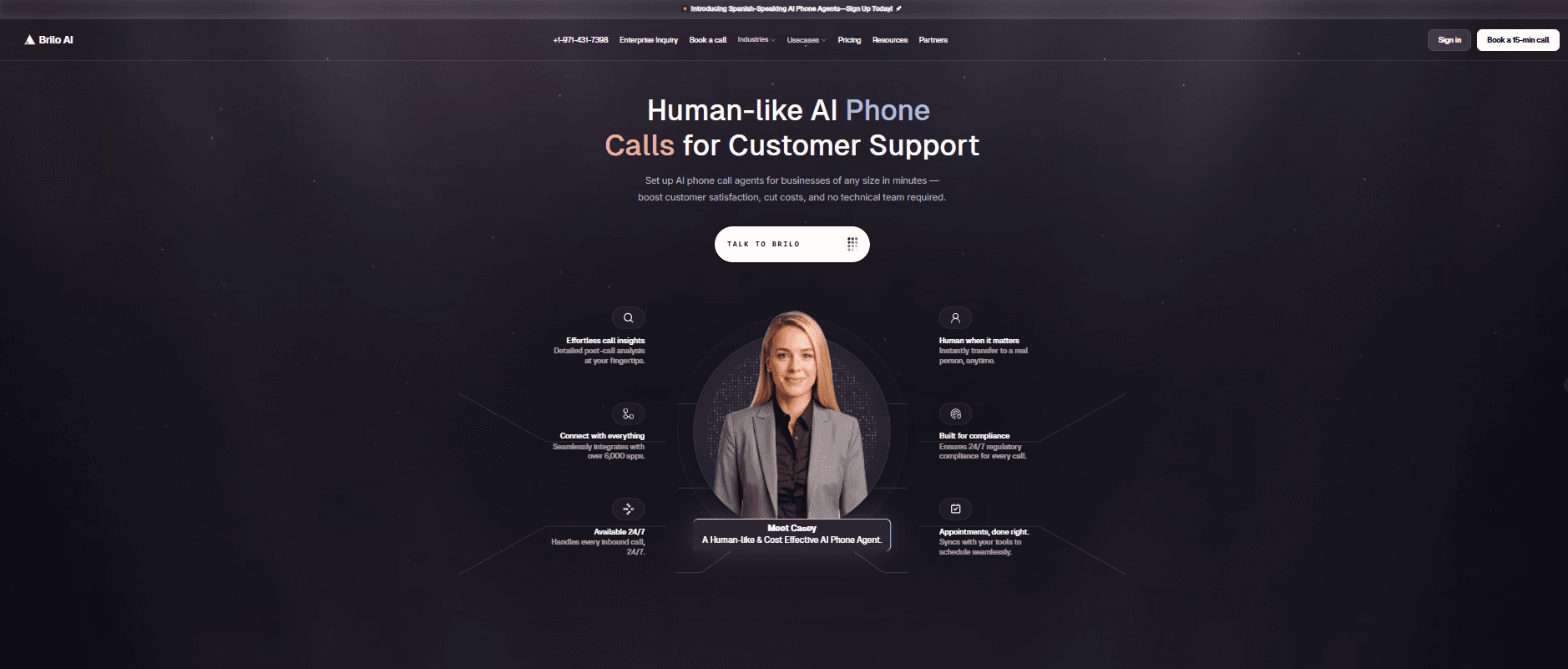
Best for: Teams running Front whose customers increasingly bypass email and call directly — and who realise that for inbound voice volume, the right answer isn't another shared inbox but an AI that handles the calls Front's email-first model wasn't designed for.
Why Brilo belongs on a Front alternatives list:
Front is a collaborative email platform — it handles shared inboxes, internal comments, assignment workflows, and increasingly multichannel messaging (SMS, chat, WhatsApp). The architectural problem is what happens with phone calls. Front does include phone integration on higher tiers, but voice is treated as one more channel that creates email-style records, not as a channel where AI can resolve queries autonomously. A customer calling about order status creates a phone log entry; the human agent still has to call back, find the answer, and respond.
Brilo.ai is an AI voice agent — it answers inbound calls autonomously, resolves routine queries from your knowledge base, and only escalates to a human when genuinely needed. For Front teams, Brilo handles the voice channel as a parallel system: routine calls (order status, account access, basic FAQs) get resolved live without ever creating a Front conversation. The ones that need human input arrive in your Front inbox with the full transcript attached, ready for collaborative response.
For teams where customer queries split between email and phone, Brilo eliminates the category of work Front's email-first architecture wasn't designed for: routine voice queries that should never become "I'll get back to you" delays. Front handles the email side; Brilo handles the voice side.
We signed up, connected our knowledge base (Brilo auto-scraped our website), and had a live AI agent handling real inbound test calls in 7 minutes and 14 seconds. No annual contract. No AI Copilot add-on. No Outlook sync issues. Calls that needed escalation reached our Front inbox with the full transcript attached.
Disclosure: one of our team is a paying Brilo customer. We stress-tested it harder as a result.
Signup → onboarded: 7 minutes, 14 seconds
Standout Features:
Native AI voice agent — answers inbound calls autonomously 24/7
Auto-trained from your website and documentation in under 5 minutes
Multilingual support across 30+ languages
Real-time escalation with full transcript attached to your shared inbox
6,000+ integrations including Front, HubSpot, Salesforce, Zendesk
Month-to-month pricing — no annual lock-in, no add-on tax
Pricing:
Free Plan: Free — 10 minutes/month, 1 AI agent, 1 workspace, community support
Starter Plan: $49/month — 160 minutes, 1 agent, $0.18/min overage
Pro Plan: $149/month — 600 minutes, 3 agents, 3 workspaces, $0.16/min overage
Growth Plan: $499/month — 2,500 minutes, unlimited agents, 5 workspaces, $0.14/min overage
Custom Plan: Talk to us — 5,000+ minutes, unlimited agents, unlimited workspaces, additional usage at <$0.14/min, white-glove onboarding
No AI Copilot add-on at $20/seat. No Smart QA at $20/seat. No AI Autopilot at $0.89/resolution. No 20% WhatsApp markup. What you see is what you pay. See full details on the Brilo pricing page.
Cons:
Not a shared inbox — pair Brilo with one of the alternatives on this list (Missive, Hiver, Help Scout) to keep collaborative email workflow running
No native email collaboration features (comments, assignments, shared drafts)
Newer platform than Front (founded 2023) — fewer reference customers in B2B email-heavy verticals like logistics and professional services
What's unique: The only platform on this list that handles the voice channel autonomously — Front handles email collaboration; Brilo handles the calls Front's email-first architecture wasn't designed for.
Try it free: brilo.ai — no credit card, no AI add-on tax, no annual lock-in. AI agent live in under 10 minutes.
2. Missive — Best Flat-Rate Collaborative Inbox
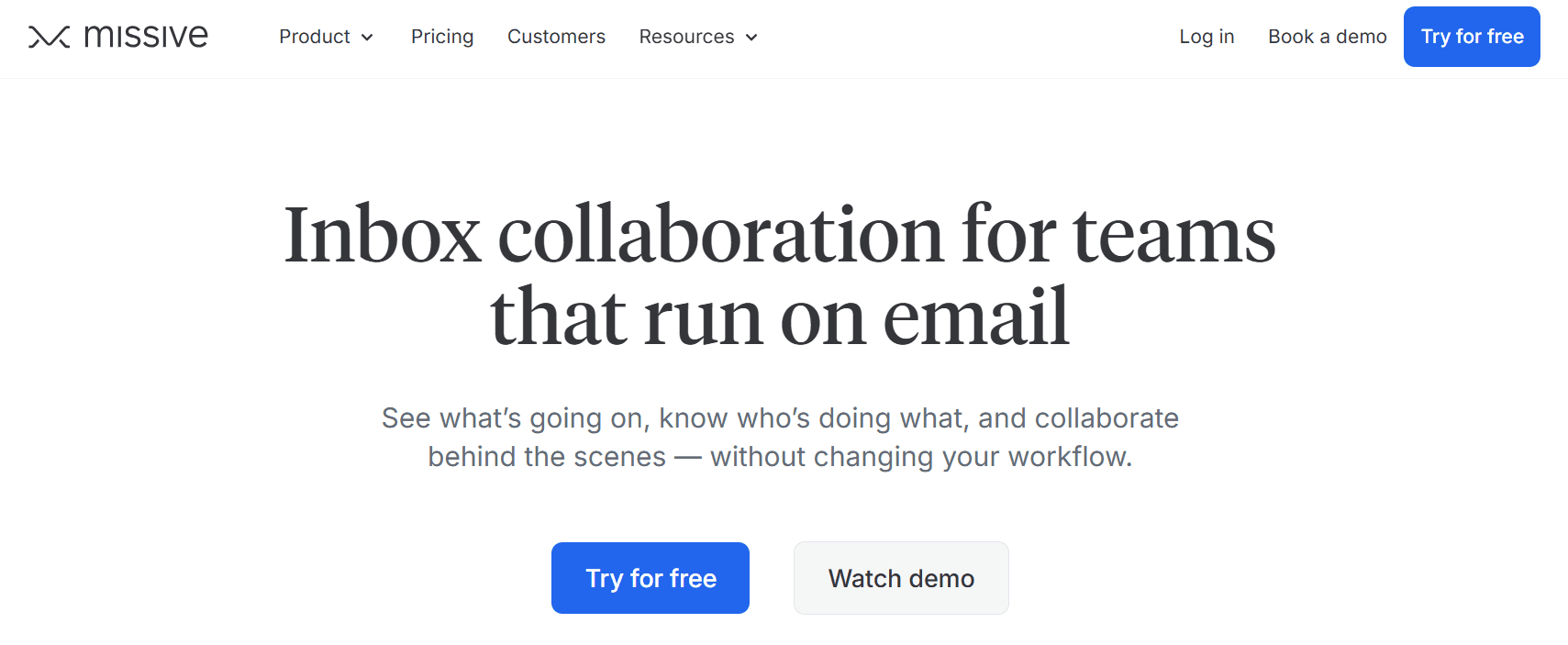
Best for: Teams of 3–15 that want Front-equivalent collaboration features at flat pricing — without the per-seat math that pushes Front's bills past $1,000/month.
Our Testing Experience:
Setup took 8 minutes. Missive is the most-cited Front alternative for teams that hit the per-seat pricing wall. The collaboration features are genuinely close to Front: real-time collaborative drafting, in-thread chat (replacing Slack context-switching), shared assignments, and channel breadth (email, SMS, WhatsApp, social) all included from the Productive plan at $24/user/month.
For a 5-agent team running Missive vs Front Professional + Copilot: Missive lands at roughly $120/month vs Front's $425. Same core capability, 70% lower cost.
Pricing: Free (3 users), Starter $14/user/month, Productive $24/user/month, Business $36/user/month.
Pros:
Cheapest credible Front alternative with comparable collaboration features
In-thread real-time chat eliminates Slack context-switching
Genuine free tier for 3 users
BYOK OpenAI integration for AI features (no markup)
Cons:
AI is bring-your-own-API-key, not productized
No native SLA engine, CSAT module, or advanced reporting
Smaller integration ecosystem than Front
What's unique: The closest collaborative feature parity with Front at a fraction of the per-seat cost — for teams where in-thread collaboration matters more than enterprise reporting, Missive wins.
3. Hiver — Best Gmail-Native Shared Inbox
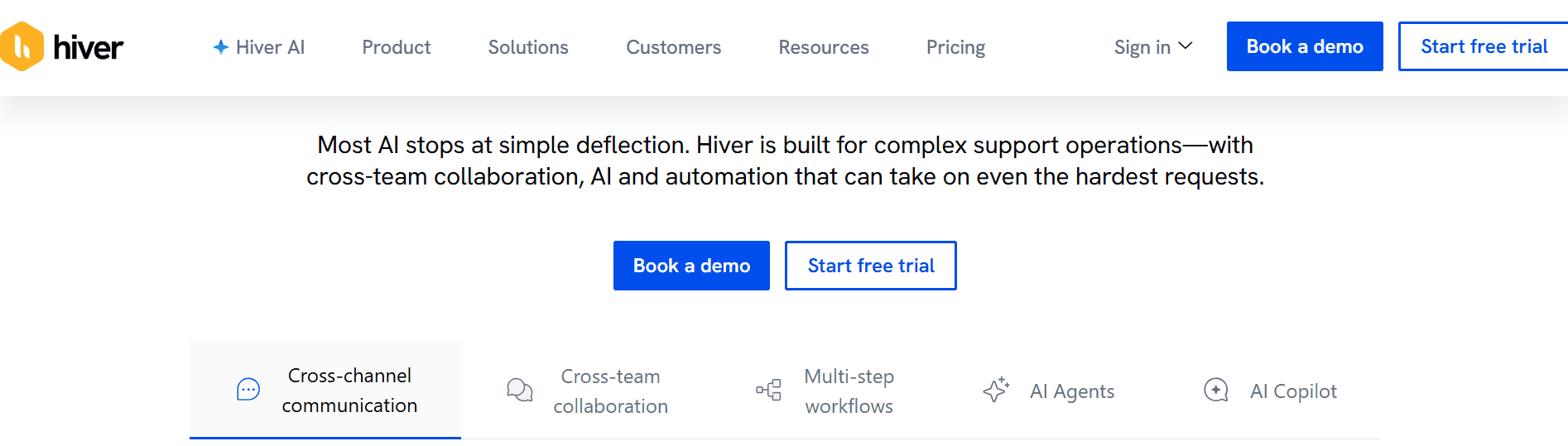
Best for: Teams already running Google Workspace that want shared inbox capabilities inside Gmail itself — no separate app, no learning curve, no migration.
Our Testing Experience:
Setup took 5 minutes — the fastest in our test. Hiver runs as a Gmail extension, so teams already living in Gmail get shared inbox features (assignment, internal notes, collision detection, automation) without leaving the interface they already know. Onboarding is genuinely minimal.
The platform includes auto-assignments, SLA tracking, AI features, and reporting from the Lite tier at $19/user/month — features that Front gates behind Professional or treats as add-ons.
Pricing: Lite $19/user/month, Pro $39/user/month, Elite $59/user/month, Enterprise custom.
Pros:
Fastest setup on this list (5 minutes inside Gmail)
Native AI included, not as an add-on
Strong SLA tracking and reporting
Zero learning curve for Google Workspace teams
Cons:
Gmail-only — no Outlook or other email client support
Less polished multichannel experience than Front
Per-user pricing scales similarly to Front Starter
What's unique: The only platform here that runs inside Gmail itself — for Google Workspace teams, Hiver eliminates the migration pain Front requires.
4. Help Scout — Best Customer Support Shared Inbox
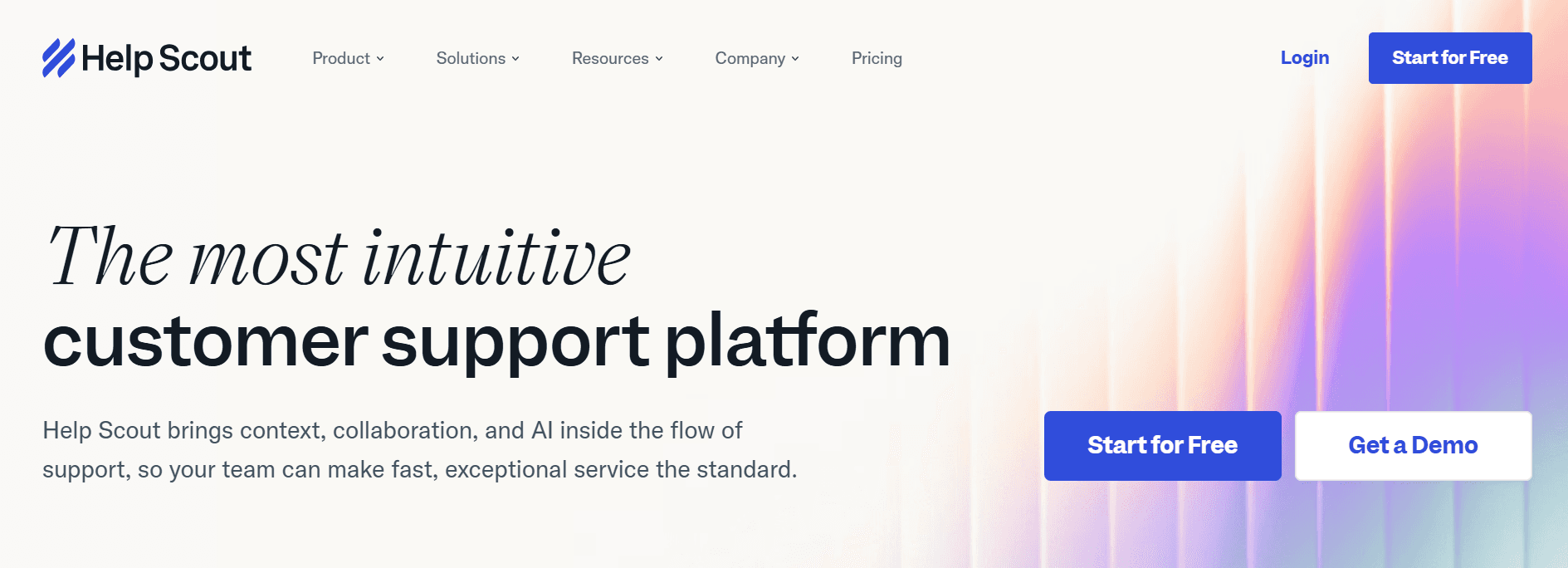
Best for: Customer support teams that want a polished shared inbox built specifically for support workflows — with per-contact pricing rather than per-agent.
Our Testing Experience:
Setup took 8 minutes. Help Scout is the customer-support-focused pick — its shared inbox model is similar to Front, but the platform was built for support specifically (knowledge base, customer profiles, satisfaction surveys are core features rather than add-ons).
The pricing model is unique on this list: $50/month flat for the Standard plan with unlimited agents and 100 contacts/month. For support teams with many agents but lower contact volume, the math beats Front's per-seat model significantly.
Pricing: Free (100 contacts/month), Standard $50/month flat, Plus $75/month flat, Pro custom.
Pros:
Per-contact pricing, not per-agent (works for many-agent, lower-volume teams)
Free tier supports unlimited agents with 100 contacts/month
Beacon AI included on paid plans
Strong customer profile and history features
Cons:
Per-contact pricing penalizes high-volume teams
Less collaborative drafting than Missive or Front
Limited multichannel beyond email
What's unique: The only platform here with per-contact rather than per-agent pricing — for teams where agent count exceeds contact volume, Help Scout wins.
5. Helpwise — Best Multichannel Inbox at SMB Pricing
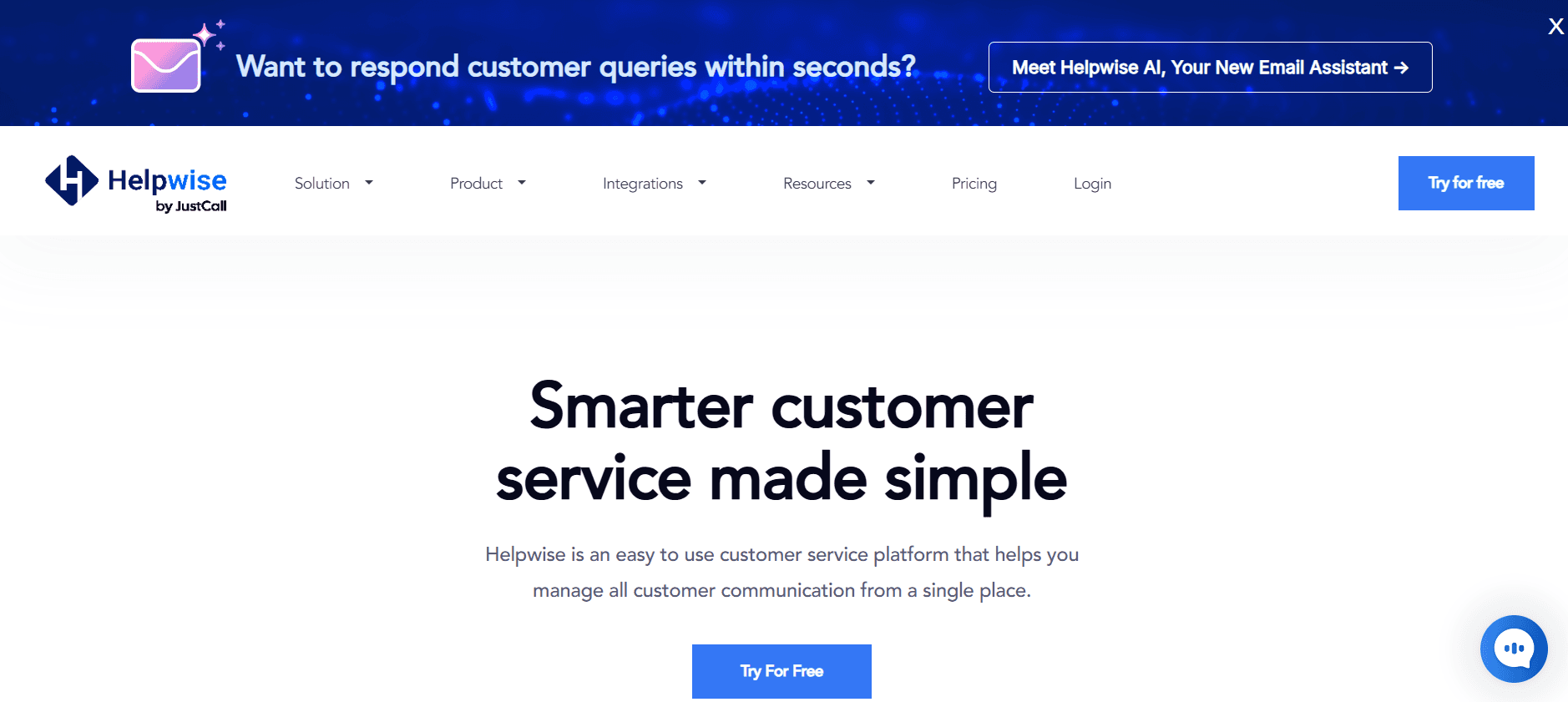
Best for: Small teams that need email, SMS, WhatsApp, and social channels in one shared inbox — at a fraction of Front Professional's $65/seat cost.
Our Testing Experience:
Setup took 9 minutes. Helpwise positions itself directly against Front's pricing — multichannel shared inbox (email, SMS, WhatsApp, Twitter, Facebook, Instagram) starting at $15/user/month on the Standard plan. The capabilities Front charges $65+/seat to access are bundled here.
The trade-offs are the ones you'd expect at this price point: smaller community, less polished UI, and reporting that's functional but not deep. For startups and small teams that need shared inbox features across multiple channels without enterprise pricing, Helpwise delivers genuine value.
Pricing: Standard $15/user/month, Premium $29/user/month, Advanced $79/user/month.
Pros:
Cheapest multichannel shared inbox on this list ($15/user/month)
Email, SMS, WhatsApp, and social included on Standard
7-day free trial with no credit card required
Clean assignment, notes, and collision detection
Cons:
Smaller community than Front or Help Scout
AI features less mature than Hiver or Help Scout
Reporting is basic on lower tiers
What's unique: The cheapest entry point on this list with full multichannel coverage — the channels Front charges $65+/seat to access cost $15/seat in Helpwise.
6. Crisp — Best Flat-Rate All-in-One Messaging
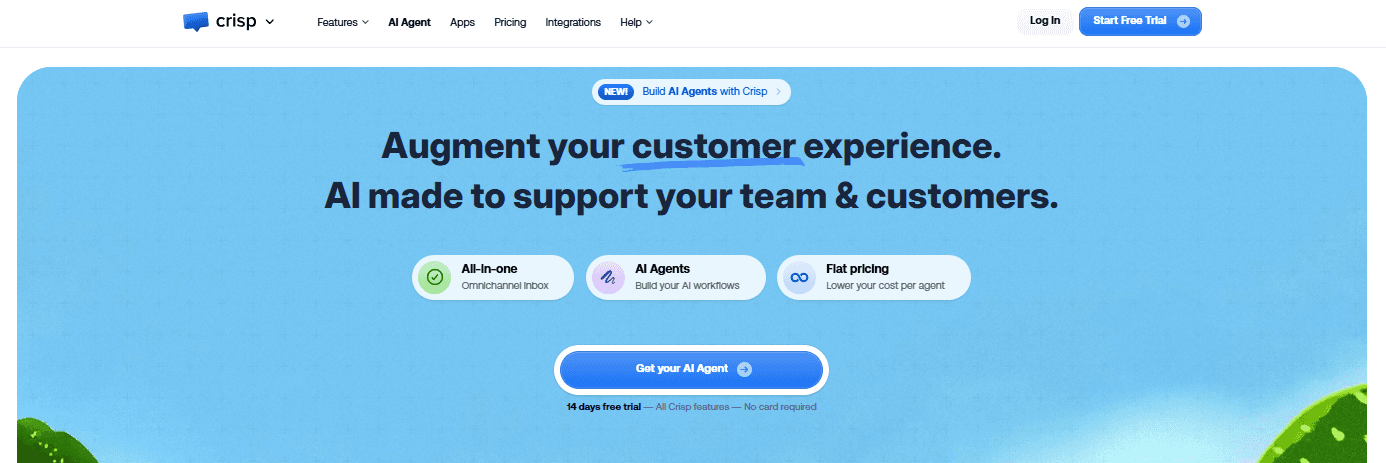
Best for: Small teams that want shared inbox + live chat + chatbot + knowledge base in one platform — with flat-fee pricing instead of per-user math.
Our Testing Experience:
Setup took 7 minutes. Crisp's pricing model is the differentiator: flat fee for the whole team rather than per-user. Mini at $25/month covers 4 seats with shared inbox, live chat, and chatbot builder. Essentials at $99/month covers 10 seats with knowledge base, MagicReply AI, and routing.
For teams of 4–10 working out of email, chat, and social, Crisp beats Front's per-seat economics significantly while bundling chat and chatbot capabilities Front doesn't include natively.
Pricing: Free (basic chat), Mini $25/month flat (4 seats), Essentials $99/month flat (10 seats), Plus $295/month flat (20 seats).
Pros:
Flat-rate team pricing eliminates per-user math
Bundles shared inbox + chat + chatbot + knowledge base
MagicReply AI included from Essentials tier
Free tier sufficient for very small teams
Cons:
Per-team pricing penalizes high-seat teams
Less polished email collaboration than Missive
Smaller integration ecosystem than Front or Hiver
What's unique: The only flat-fee pricing model on this list — for teams under 10 seats, Crisp's economics beat per-user platforms by 60%+.
7. Gmelius — Best Gmail-Native + Slack Collaboration
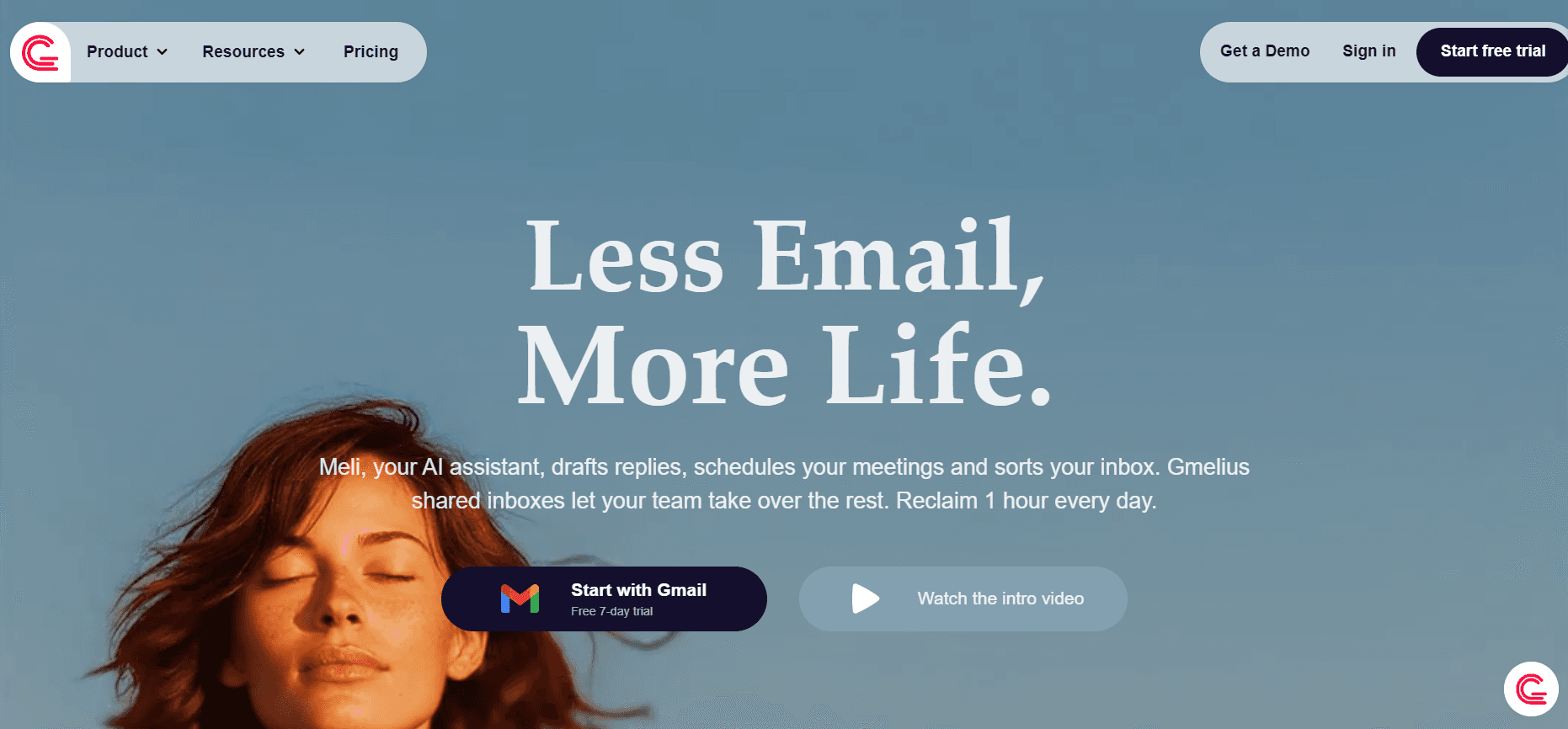
Best for: Google Workspace teams that also live in Slack — Gmelius bridges the two, syncing Gmail conversations with Slack channels automatically.
Our Testing Experience:
Setup took 6 minutes. Gmelius is positioned similarly to Hiver but with deeper Slack integration — emails can sync into Slack channels, replies sent from Slack post back to Gmail, and shared inbox notifications flow into existing Slack workflows.
The platform is genuinely useful for teams that have moved their internal collaboration to Slack but still need email as the customer-facing channel.
Pricing: Flex $15/user/month, Collaboration $24/user/month, Sales $39/user/month, Growth $49/user/month.
Pros:
Strong Slack-Gmail bidirectional sync
Shared inbox features at competitive pricing
Email scheduling and tracking included
Native LinkedIn integration for sales workflows
Cons:
Gmail-only (no Outlook support)
AI features less mature than Hiver or Help Scout
Reporting is functional but not deep
What's unique: The strongest Slack-email bridge on this list — for teams that work in Slack but communicate with customers via Gmail, Gmelius eliminates the context-switching.
8. Freshdesk — Best Full Helpdesk with Shared Inbox
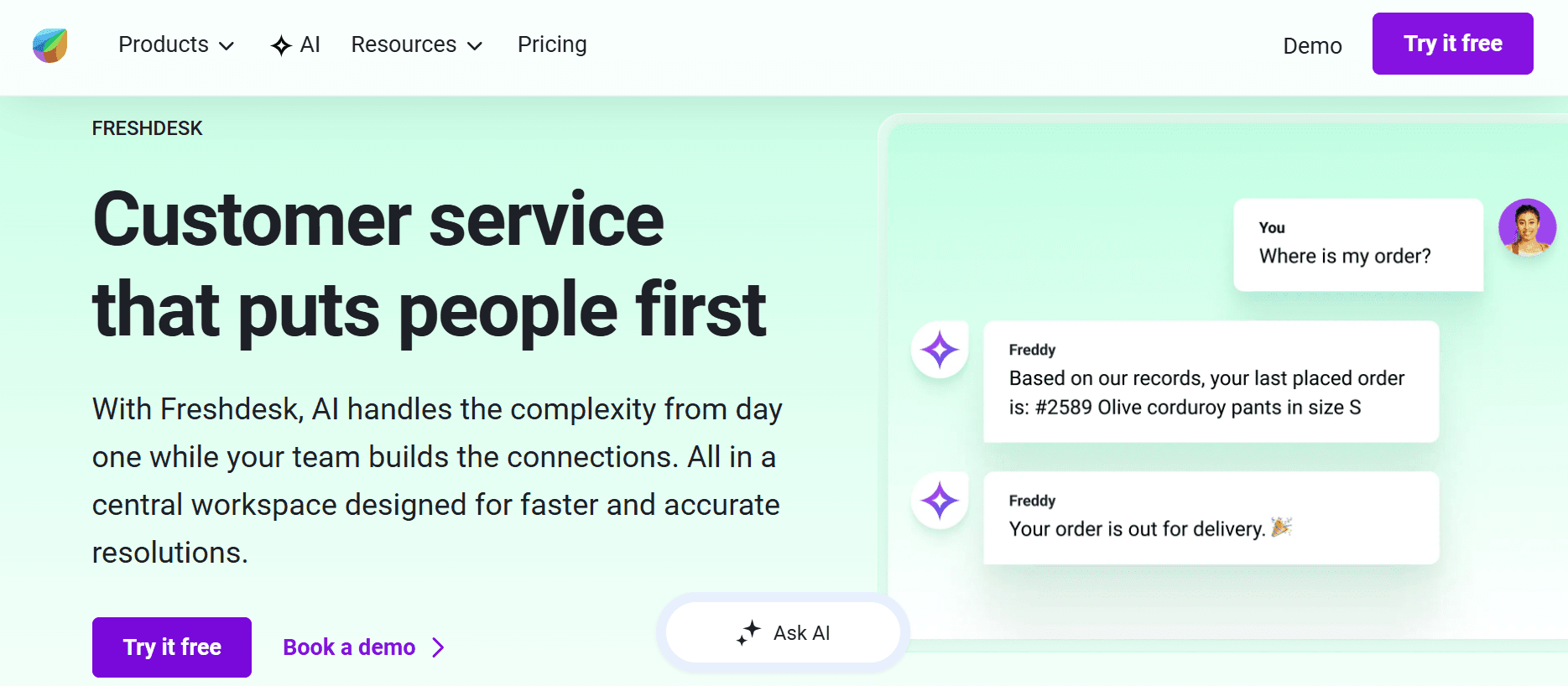
Best for: Mid-market teams ready to upgrade from a shared inbox model to a full helpdesk — with ticketing, knowledge base, and SLA management all in one platform.
Our Testing Experience:
Setup took 12 minutes. Freshdesk is the cleanest path for teams that have outgrown the "shared inbox" framing and need real helpdesk capabilities: ticket workflows, SLA management, customer satisfaction surveys, and Freddy AI for ticket deflection (66% documented rate).
The free tier supports 2 agents indefinitely with full ticketing, knowledge base, and basic automation — features that Front gates behind paid tiers.
Pricing: Free (up to 2 agents), Growth $15/agent/month, Pro $49/agent/month, Enterprise $79/agent/month.
Pros:
Most generous free tier in the cloud helpdesk category
Freddy AI included on Pro and above
Full ITIL/helpdesk functionality (incident, problem, change management)
1,000+ integrations via marketplace
Cons:
AI is a paid add-on at $29/agent/month for advanced features
Less polished email collaboration than Missive or Front
Per-agent pricing scales aggressively past 20 seats
What's unique: The most generous free tier of any helpdesk on this list — 2 agents indefinitely with real ticketing and Freddy AI on upgrades.
9. Zendesk — Best Enterprise Omnichannel with AI Depth
Best for: Enterprise teams (50+ agents) that need the deepest customer support platform on this list — with full omnichannel, native AI agents, and enterprise compliance.
Our Testing Experience:
Setup took 30+ minutes for a basic configuration. Zendesk is the enterprise pick — used by Fortune 500 companies for high-volume customer support across email, chat, SMS, social, voice, and self-service portals.
The trade-off is per-agent pricing that scales aggressively. Suite Team starts at $55/agent/month, but most enterprise teams end up on Suite Professional ($115/agent/month) or higher. AI agents are an additional $50/agent/month add-on.
Pricing: Suite Team $55/agent/month, Suite Growth $89/agent/month, Suite Professional $115/agent/month, Suite Enterprise $169/agent/month. AI agents $50/agent/month add-on.
Pros:
Deepest customer support platform on this list
Largest app marketplace (1,800+ integrations)
Native AI agents (Zendesk AI) for autonomous resolution
Strong reporting and analytics on Professional and above
Cons:
$55/agent/month entry is one of the highest on this list
AI agents are a paid add-on at $50/agent/month
2–4 week implementation typical for enterprise deployments
What's unique: The deepest customer support platform here — Front is a shared inbox; Zendesk is a full customer experience suite at enterprise scale.
10. Intercom — Best for Product-Led Chat with Fin AI
Best for: SaaS and product-led companies that need an AI agent capable of resolving complex customer queries autonomously — at the depth Front's basic AI can't match.
Our Testing Experience:
Setup took 10 minutes for the Intercom platform; Fin AI configuration took another 4 minutes. Fin is genuinely one of the strongest AI agents on the market — handles complex multi-turn conversations, resolves customer queries autonomously, and integrates tightly with Intercom's existing inbox and ticket workflow.
One important caveat: Fin AI is priced per resolution at $0.99 each, on top of Intercom's $39+/seat/month base. For high-volume teams (10,000+ resolutions/month), the math gets steep — $9,900/month in Fin charges before any seat costs.
Pricing: Essential $39/seat/month, Advanced $99/seat/month, Expert $139/seat/month. Fin AI: $0.99 per resolution on top.
Pros:
Fin AI is one of the most capable autonomous agents on the market
Native ticket and inbox integration eliminates handoff complexity
Strong reporting and conversation analytics
Mature integration ecosystem (300+ apps)
Cons:
$0.99/resolution adds up fast at scale
Base seat pricing among the highest on this list
Implementation typically requires Intercom partner expertise
What's unique: Fin AI's resolution-based pricing flips Front's add-on model — you pay only for successful resolutions, not for AI seats sitting idle.
How to Choose: Quick Decision Framework
Are customer phone calls bypassing your shared inbox entirely?
Brilo.ai answers inbound calls autonomously — qualifying customers, resolving routine queries, and routing complex cases to your Front inbox with full transcripts attached.
Hit the Front per-seat pricing wall?
Missive at $24/user/month for collaborative drafting and channel breadth. Crisp at flat $99/month for 10 seats. Helpwise at $15/user for multichannel coverage. All three undercut Front Professional ($65/seat) by 60%+.
Already running Google Workspace?
Hiver lives inside Gmail itself — no migration, no learning curve, AI included natively. Gmelius bridges Gmail with Slack for teams collaborating across both.
Need a full helpdesk, not just a shared inbox?
Freshdesk has the most generous free tier (2 agents indefinitely with full ticketing). Zendesk for enterprise depth. Both go beyond Front's shared inbox model into real ticket workflow management.
Want AI that actually resolves customer queries autonomously?
Intercom's Fin AI handles complex multi-turn resolution at $0.99/resolution. Help Scout's Beacon AI is included at base. Both go deeper than Front's basic Copilot/Autopilot.
Outlook user affected by the January 2026 sync removal?
Hiver if you're moving to Gmail. Missive supports both Outlook and Gmail with full sync. Help Scout works alongside any email client without sync dependencies.
Per-contact pricing rather than per-agent fits your team?
Help Scout at $50/month flat for unlimited agents and 100 contacts/month. For teams with many agents but lower customer volume, this is the only credible model on the list.
Frequently Asked Question
What is the best free alternative to Front?
Missive offers a genuinely free tier for 3 users with full collaborative inbox functionality. Freshdesk's free tier supports up to 2 agents indefinitely. Help Scout's free tier covers unlimited agents with 100 contacts/month. Brilo.ai's free plan offers 10 minutes/month of AI voice agent for inbound calls. Crisp also has a basic free tier for live chat.
What is the cheapest Front alternative?
Missive Starter at $14/user/month and Helpwise Standard at $15/user/month are the cheapest paid shared inboxes with multichannel support. Hiver Lite at $19/user/month adds AI features. Brilo.ai's Starter plan at $49/month is cheapest if you specifically want AI handling inbound calls rather than email collaboration.
Why does Front's actual bill come out higher than the headline price?
Front charges separately for AI Copilot ($20/seat/month), Smart QA ($20/seat/month), Smart CSAT ($10/seat/month), AI Autopilot ($0.89/resolution), and Workforce Management ($20/seat/month). A 5-agent team on Professional ($65/seat) with Copilot lands at $425/month — nearly double the base. WhatsApp also carries Meta's per-conversation fees plus a 20% markup from Front.
What happened to Front's Outlook sync in January 2026?
Front removed two-way Outlook sync in January 2026. Emails are still pulled into Front, but actions taken in Front (read, archive, delete, tag) no longer sync back to Outlook. Multiple Capterra reviewers report cancelling immediately after the change; Front has acknowledged the limitation but refused early termination on annual contracts despite the breaking change originating on Front's side.
How do I cancel Front?
Cancellation is processed through your account dashboard, but Front operates on annual contracts, so review your specific terms before cancelling. Even when Front removed Outlook 2-way sync in January 2026, the company refused early termination requests citing contract wording. Document everything and plan cancellations to coincide with renewal dates.
Does Front include AI in the base plan?
Partial. The Starter ($25/seat) and Professional ($65/seat) plans don't include AI — Copilot, Smart QA, and Smart CSAT are paid add-ons ($20+$20+$10/seat = $50/seat extra). Only Enterprise at $105/seat includes AI by default. AI Autopilot is $0.99 per resolution on every plan including Enterprise.
Can I test Front's AI before deploying it?
No. This is a documented gap — Front doesn't let you test Copilot or Autopilot on past conversations to see how the AI will perform before unleashing it on customers. It's an "all-or-nothing" deployment. Most alternatives (Hiver, Help Scout, Intercom) let you test AI on historical conversations before going live.
Is "Front" the same as "Frontapp"?
Yes — "Front," "Frontapp," and "Front App" all refer to the same shared inbox platform founded in 2013. The official name is Front; "Frontapp" is the company's older brand name still used in some support documentation.
The Bottom Line
Front built a real product around collaborative email and shared inbox workflows — undermined by per-seat pricing that escalates past $1,000/month for mid-sized teams, AI features priced as expensive add-ons, the January 2026 Outlook 2-way sync removal that has driven cancellations, and a HubSpot integration documented as unreliable.
Best alternatives by use case:
AI voice agent for inbound calls: Brilo.ai
Flat-rate collaborative inbox: Missive
Gmail-native shared inbox: Hiver
Customer support shared inbox: Help Scout
Multichannel inbox at SMB pricing: Helpwise
Flat-rate all-in-one messaging: Crisp
Gmail + Slack collaboration: Gmelius
Full helpdesk with shared inbox: Freshdesk
Enterprise omnichannel + AI depth: Zendesk
Product-led chat with Fin AI: Intercom
All Insights
Articles
The 10 Best Front Alternatives in 2026 (We Tested Each One)
We tested 10 Avaya alternatives — 200-seat AXP minimum exposed, certification-to-support documented, modern AI options compared. Find the right fit for your team in 2026.
We spent three weeks testing every major Front alternative — timing setup, running real shared inbox workflows, testing AI features, and reading through hundreds of G2, Capterra, and Reddit reviews. One member of our team uses Brilo.ai as a paying customer; we note this where relevant.
Here's what we found.
Why Are Teams Leaving Front?
Front built a real business as the modern shared inbox for collaborative customer communication — used by 9,000+ businesses with a 4.7/5 G2 rating. The shared inbox model genuinely works for teams that need clear ownership and accountability on customer threads. The challenges are everything around the product: the pricing model, the recent breaking changes, and what's missing in 2026.
Pricing scales aggressively, and AI is an unbundled add-on. Front's tiers — $25/seat (Starter, 1 channel only), $65/seat (Professional, omnichannel), $105/seat (Enterprise) — are billed annually with strict upgrade gates. AI Copilot ($20/seat/month), Smart QA ($20/seat/month), Smart CSAT ($10/seat/month), and AI Autopilot ($0.89 per resolution) are all priced separately. A 5-agent team on Professional with Copilot lands at $425/month — nearly double the base.
"Front's collaboration and shared inbox system make it a necessity in our core tech stack — but costs escalate quickly. Essential features require jumping to $65–$105/month plans." — Capterra reviewer, 11–50 employees
Outlook 2-way sync was removed in January 2026. This is the most-flagged recent complaint. Front no longer syncs read/archive/delete/tag actions back to Outlook — meaning emails handled in Front continue to sit unread in Outlook mailboxes, causing constant duplication of work. Multiple Capterra reviewers report cancelling immediately after the change; Front has acknowledged the limitation but refused early termination on annual contracts.
HubSpot integration is widely rated as unreliable. For a platform marketed at sales-and-support teams (most of which use HubSpot), the shallow CRM integration is a documented friction point. Capterra and G2 reviewers describe data sync issues that force manual entry — the exact work shared inboxes are supposed to eliminate.
No safe way to test AI before deployment. Front doesn't let you test AI Copilot or Autopilot on past conversations before flipping the switch. It's an "all-or-nothing" gamble — turn AI on and hope it performs well, or stay manual. For teams managing customer-facing communication, this risk profile is genuinely uncomfortable.
WhatsApp pricing layers Meta fees + 20% Front markup. WhatsApp is only available on Professional and Enterprise plans, with Meta's per-conversation fees plus an additional 20% administrative markup from Front. For high-volume WhatsApp teams, the markup compounds fast on top of the per-seat costs.
Our Ranking Methodology
Criteria | Weight | What we measured |
|---|---|---|
Pricing transparency & total cost | 25% | All-in cost at 5, 10, 25 seats including AI add-ons and channel fees |
AI capability | 20% | Native AI vs paid add-on, deflection accuracy, ability to test before deploying |
Channel breadth | 20% | Email, SMS, chat, WhatsApp, social — at base price vs upgrade tier |
Setup speed & UX | 20% | Time from signup to first live thread, interface clarity |
Integration depth | 15% | Native CRM, helpdesk, calendar — not just basic Zapier |
TL;DR Comparison Table
Tool | Best For | AI Capability | Starting Price | Setup Time |
|---|---|---|---|---|
Brilo.ai | AI voice agent for inbound calls | ✅ Native | $49/mo | 7 min |
Missive | Flat-rate collaborative inbox | ⚠️ BYO API key | $14/user/mo | 8 min |
Hiver | Gmail-native shared inbox | ✅ Native | $19/user/mo | 5 min |
Help Scout | Customer support shared inbox | ✅ Beacon AI | $50/mo flat | 8 min |
Helpwise | Multichannel inbox at SMB pricing | ⚠️ Limited | $15/user/mo | 9 min |
Crisp | Flat-rate all-in-one messaging | ✅ MagicReply | $25/mo flat | 7 min |
Gmelius | Gmail-native + Slack collaboration | ⚠️ Limited | $15/user/mo | 6 min |
Freshdesk | Full helpdesk with shared inbox | ⚠️ Freddy add-on | Free / $15/agent/mo | 12 min |
Zendesk | Enterprise omnichannel + AI depth | ⚠️ AI add-on | $55/agent/mo | 30+ min |
Intercom | Product-led chat with Fin AI | ⚠️ Fin $0.99/res | $39/seat/mo | 10 min |
1. Brilo.ai — Best for AI Voice Agent for Inbound Calls
Best for: Teams running Front whose customers increasingly bypass email and call directly — and who realise that for inbound voice volume, the right answer isn't another shared inbox but an AI that handles the calls Front's email-first model wasn't designed for.
Why Brilo belongs on a Front alternatives list:
Front is a collaborative email platform — it handles shared inboxes, internal comments, assignment workflows, and increasingly multichannel messaging (SMS, chat, WhatsApp). The architectural problem is what happens with phone calls. Front does include phone integration on higher tiers, but voice is treated as one more channel that creates email-style records, not as a channel where AI can resolve queries autonomously. A customer calling about order status creates a phone log entry; the human agent still has to call back, find the answer, and respond.
Brilo.ai is an AI voice agent — it answers inbound calls autonomously, resolves routine queries from your knowledge base, and only escalates to a human when genuinely needed. For Front teams, Brilo handles the voice channel as a parallel system: routine calls (order status, account access, basic FAQs) get resolved live without ever creating a Front conversation. The ones that need human input arrive in your Front inbox with the full transcript attached, ready for collaborative response.
For teams where customer queries split between email and phone, Brilo eliminates the category of work Front's email-first architecture wasn't designed for: routine voice queries that should never become "I'll get back to you" delays. Front handles the email side; Brilo handles the voice side.
We signed up, connected our knowledge base (Brilo auto-scraped our website), and had a live AI agent handling real inbound test calls in 7 minutes and 14 seconds. No annual contract. No AI Copilot add-on. No Outlook sync issues. Calls that needed escalation reached our Front inbox with the full transcript attached.
Disclosure: one of our team is a paying Brilo customer. We stress-tested it harder as a result.
Signup → onboarded: 7 minutes, 14 seconds
Standout Features:
Native AI voice agent — answers inbound calls autonomously 24/7
Auto-trained from your website and documentation in under 5 minutes
Multilingual support across 30+ languages
Real-time escalation with full transcript attached to your shared inbox
6,000+ integrations including Front, HubSpot, Salesforce, Zendesk
Month-to-month pricing — no annual lock-in, no add-on tax
Pricing:
Free Plan: Free — 10 minutes/month, 1 AI agent, 1 workspace, community support
Starter Plan: $49/month — 160 minutes, 1 agent, $0.18/min overage
Pro Plan: $149/month — 600 minutes, 3 agents, 3 workspaces, $0.16/min overage
Growth Plan: $499/month — 2,500 minutes, unlimited agents, 5 workspaces, $0.14/min overage
Custom Plan: Talk to us — 5,000+ minutes, unlimited agents, unlimited workspaces, additional usage at <$0.14/min, white-glove onboarding
No AI Copilot add-on at $20/seat. No Smart QA at $20/seat. No AI Autopilot at $0.89/resolution. No 20% WhatsApp markup. What you see is what you pay. See full details on the Brilo pricing page.
Cons:
Not a shared inbox — pair Brilo with one of the alternatives on this list (Missive, Hiver, Help Scout) to keep collaborative email workflow running
No native email collaboration features (comments, assignments, shared drafts)
Newer platform than Front (founded 2023) — fewer reference customers in B2B email-heavy verticals like logistics and professional services
What's unique: The only platform on this list that handles the voice channel autonomously — Front handles email collaboration; Brilo handles the calls Front's email-first architecture wasn't designed for.
Try it free: brilo.ai — no credit card, no AI add-on tax, no annual lock-in. AI agent live in under 10 minutes.
2. Missive — Best Flat-Rate Collaborative Inbox
Best for: Teams of 3–15 that want Front-equivalent collaboration features at flat pricing — without the per-seat math that pushes Front's bills past $1,000/month.
Our Testing Experience:
Setup took 8 minutes. Missive is the most-cited Front alternative for teams that hit the per-seat pricing wall. The collaboration features are genuinely close to Front: real-time collaborative drafting, in-thread chat (replacing Slack context-switching), shared assignments, and channel breadth (email, SMS, WhatsApp, social) all included from the Productive plan at $24/user/month.
For a 5-agent team running Missive vs Front Professional + Copilot: Missive lands at roughly $120/month vs Front's $425. Same core capability, 70% lower cost.
Pricing: Free (3 users), Starter $14/user/month, Productive $24/user/month, Business $36/user/month.
Pros:
Cheapest credible Front alternative with comparable collaboration features
In-thread real-time chat eliminates Slack context-switching
Genuine free tier for 3 users
BYOK OpenAI integration for AI features (no markup)
Cons:
AI is bring-your-own-API-key, not productized
No native SLA engine, CSAT module, or advanced reporting
Smaller integration ecosystem than Front
What's unique: The closest collaborative feature parity with Front at a fraction of the per-seat cost — for teams where in-thread collaboration matters more than enterprise reporting, Missive wins.
3. Hiver — Best Gmail-Native Shared Inbox
Best for: Teams already running Google Workspace that want shared inbox capabilities inside Gmail itself — no separate app, no learning curve, no migration.
Our Testing Experience:
Setup took 5 minutes — the fastest in our test. Hiver runs as a Gmail extension, so teams already living in Gmail get shared inbox features (assignment, internal notes, collision detection, automation) without leaving the interface they already know. Onboarding is genuinely minimal.
The platform includes auto-assignments, SLA tracking, AI features, and reporting from the Lite tier at $19/user/month — features that Front gates behind Professional or treats as add-ons.
Pricing: Lite $19/user/month, Pro $39/user/month, Elite $59/user/month, Enterprise custom.
Pros:
Fastest setup on this list (5 minutes inside Gmail)
Native AI included, not as an add-on
Strong SLA tracking and reporting
Zero learning curve for Google Workspace teams
Cons:
Gmail-only — no Outlook or other email client support
Less polished multichannel experience than Front
Per-user pricing scales similarly to Front Starter
What's unique: The only platform here that runs inside Gmail itself — for Google Workspace teams, Hiver eliminates the migration pain Front requires.
4. Help Scout — Best Customer Support Shared Inbox
Best for: Customer support teams that want a polished shared inbox built specifically for support workflows — with per-contact pricing rather than per-agent.
Our Testing Experience:
Setup took 8 minutes. Help Scout is the customer-support-focused pick — its shared inbox model is similar to Front, but the platform was built for support specifically (knowledge base, customer profiles, satisfaction surveys are core features rather than add-ons).
The pricing model is unique on this list: $50/month flat for the Standard plan with unlimited agents and 100 contacts/month. For support teams with many agents but lower contact volume, the math beats Front's per-seat model significantly.
Pricing: Free (100 contacts/month), Standard $50/month flat, Plus $75/month flat, Pro custom.
Pros:
Per-contact pricing, not per-agent (works for many-agent, lower-volume teams)
Free tier supports unlimited agents with 100 contacts/month
Beacon AI included on paid plans
Strong customer profile and history features
Cons:
Per-contact pricing penalizes high-volume teams
Less collaborative drafting than Missive or Front
Limited multichannel beyond email
What's unique: The only platform here with per-contact rather than per-agent pricing — for teams where agent count exceeds contact volume, Help Scout wins.
5. Helpwise — Best Multichannel Inbox at SMB Pricing
Best for: Small teams that need email, SMS, WhatsApp, and social channels in one shared inbox — at a fraction of Front Professional's $65/seat cost.
Our Testing Experience:
Setup took 9 minutes. Helpwise positions itself directly against Front's pricing — multichannel shared inbox (email, SMS, WhatsApp, Twitter, Facebook, Instagram) starting at $15/user/month on the Standard plan. The capabilities Front charges $65+/seat to access are bundled here.
The trade-offs are the ones you'd expect at this price point: smaller community, less polished UI, and reporting that's functional but not deep. For startups and small teams that need shared inbox features across multiple channels without enterprise pricing, Helpwise delivers genuine value.
Pricing: Standard $15/user/month, Premium $29/user/month, Advanced $79/user/month.
Pros:
Cheapest multichannel shared inbox on this list ($15/user/month)
Email, SMS, WhatsApp, and social included on Standard
7-day free trial with no credit card required
Clean assignment, notes, and collision detection
Cons:
Smaller community than Front or Help Scout
AI features less mature than Hiver or Help Scout
Reporting is basic on lower tiers
What's unique: The cheapest entry point on this list with full multichannel coverage — the channels Front charges $65+/seat to access cost $15/seat in Helpwise.
6. Crisp — Best Flat-Rate All-in-One Messaging
Best for: Small teams that want shared inbox + live chat + chatbot + knowledge base in one platform — with flat-fee pricing instead of per-user math.
Our Testing Experience:
Setup took 7 minutes. Crisp's pricing model is the differentiator: flat fee for the whole team rather than per-user. Mini at $25/month covers 4 seats with shared inbox, live chat, and chatbot builder. Essentials at $99/month covers 10 seats with knowledge base, MagicReply AI, and routing.
For teams of 4–10 working out of email, chat, and social, Crisp beats Front's per-seat economics significantly while bundling chat and chatbot capabilities Front doesn't include natively.
Pricing: Free (basic chat), Mini $25/month flat (4 seats), Essentials $99/month flat (10 seats), Plus $295/month flat (20 seats).
Pros:
Flat-rate team pricing eliminates per-user math
Bundles shared inbox + chat + chatbot + knowledge base
MagicReply AI included from Essentials tier
Free tier sufficient for very small teams
Cons:
Per-team pricing penalizes high-seat teams
Less polished email collaboration than Missive
Smaller integration ecosystem than Front or Hiver
What's unique: The only flat-fee pricing model on this list — for teams under 10 seats, Crisp's economics beat per-user platforms by 60%+.
7. Gmelius — Best Gmail-Native + Slack Collaboration
Best for: Google Workspace teams that also live in Slack — Gmelius bridges the two, syncing Gmail conversations with Slack channels automatically.
Our Testing Experience:
Setup took 6 minutes. Gmelius is positioned similarly to Hiver but with deeper Slack integration — emails can sync into Slack channels, replies sent from Slack post back to Gmail, and shared inbox notifications flow into existing Slack workflows.
The platform is genuinely useful for teams that have moved their internal collaboration to Slack but still need email as the customer-facing channel.
Pricing: Flex $15/user/month, Collaboration $24/user/month, Sales $39/user/month, Growth $49/user/month.
Pros:
Strong Slack-Gmail bidirectional sync
Shared inbox features at competitive pricing
Email scheduling and tracking included
Native LinkedIn integration for sales workflows
Cons:
Gmail-only (no Outlook support)
AI features less mature than Hiver or Help Scout
Reporting is functional but not deep
What's unique: The strongest Slack-email bridge on this list — for teams that work in Slack but communicate with customers via Gmail, Gmelius eliminates the context-switching.
8. Freshdesk — Best Full Helpdesk with Shared Inbox
Best for: Mid-market teams ready to upgrade from a shared inbox model to a full helpdesk — with ticketing, knowledge base, and SLA management all in one platform.
Our Testing Experience:
Setup took 12 minutes. Freshdesk is the cleanest path for teams that have outgrown the "shared inbox" framing and need real helpdesk capabilities: ticket workflows, SLA management, customer satisfaction surveys, and Freddy AI for ticket deflection (66% documented rate).
The free tier supports 2 agents indefinitely with full ticketing, knowledge base, and basic automation — features that Front gates behind paid tiers.
Pricing: Free (up to 2 agents), Growth $15/agent/month, Pro $49/agent/month, Enterprise $79/agent/month.
Pros:
Most generous free tier in the cloud helpdesk category
Freddy AI included on Pro and above
Full ITIL/helpdesk functionality (incident, problem, change management)
1,000+ integrations via marketplace
Cons:
AI is a paid add-on at $29/agent/month for advanced features
Less polished email collaboration than Missive or Front
Per-agent pricing scales aggressively past 20 seats
What's unique: The most generous free tier of any helpdesk on this list — 2 agents indefinitely with real ticketing and Freddy AI on upgrades.
9. Zendesk — Best Enterprise Omnichannel with AI Depth
Best for: Enterprise teams (50+ agents) that need the deepest customer support platform on this list — with full omnichannel, native AI agents, and enterprise compliance.
Our Testing Experience:
Setup took 30+ minutes for a basic configuration. Zendesk is the enterprise pick — used by Fortune 500 companies for high-volume customer support across email, chat, SMS, social, voice, and self-service portals.
The trade-off is per-agent pricing that scales aggressively. Suite Team starts at $55/agent/month, but most enterprise teams end up on Suite Professional ($115/agent/month) or higher. AI agents are an additional $50/agent/month add-on.
Pricing: Suite Team $55/agent/month, Suite Growth $89/agent/month, Suite Professional $115/agent/month, Suite Enterprise $169/agent/month. AI agents $50/agent/month add-on.
Pros:
Deepest customer support platform on this list
Largest app marketplace (1,800+ integrations)
Native AI agents (Zendesk AI) for autonomous resolution
Strong reporting and analytics on Professional and above
Cons:
$55/agent/month entry is one of the highest on this list
AI agents are a paid add-on at $50/agent/month
2–4 week implementation typical for enterprise deployments
What's unique: The deepest customer support platform here — Front is a shared inbox; Zendesk is a full customer experience suite at enterprise scale.
10. Intercom — Best for Product-Led Chat with Fin AI
Best for: SaaS and product-led companies that need an AI agent capable of resolving complex customer queries autonomously — at the depth Front's basic AI can't match.
Our Testing Experience:
Setup took 10 minutes for the Intercom platform; Fin AI configuration took another 4 minutes. Fin is genuinely one of the strongest AI agents on the market — handles complex multi-turn conversations, resolves customer queries autonomously, and integrates tightly with Intercom's existing inbox and ticket workflow.
One important caveat: Fin AI is priced per resolution at $0.99 each, on top of Intercom's $39+/seat/month base. For high-volume teams (10,000+ resolutions/month), the math gets steep — $9,900/month in Fin charges before any seat costs.
Pricing: Essential $39/seat/month, Advanced $99/seat/month, Expert $139/seat/month. Fin AI: $0.99 per resolution on top.
Pros:
Fin AI is one of the most capable autonomous agents on the market
Native ticket and inbox integration eliminates handoff complexity
Strong reporting and conversation analytics
Mature integration ecosystem (300+ apps)
Cons:
$0.99/resolution adds up fast at scale
Base seat pricing among the highest on this list
Implementation typically requires Intercom partner expertise
What's unique: Fin AI's resolution-based pricing flips Front's add-on model — you pay only for successful resolutions, not for AI seats sitting idle.
How to Choose: Quick Decision Framework
Are customer phone calls bypassing your shared inbox entirely?
Brilo.ai answers inbound calls autonomously — qualifying customers, resolving routine queries, and routing complex cases to your Front inbox with full transcripts attached.
Hit the Front per-seat pricing wall?
Missive at $24/user/month for collaborative drafting and channel breadth. Crisp at flat $99/month for 10 seats. Helpwise at $15/user for multichannel coverage. All three undercut Front Professional ($65/seat) by 60%+.
Already running Google Workspace?
Hiver lives inside Gmail itself — no migration, no learning curve, AI included natively. Gmelius bridges Gmail with Slack for teams collaborating across both.
Need a full helpdesk, not just a shared inbox?
Freshdesk has the most generous free tier (2 agents indefinitely with full ticketing). Zendesk for enterprise depth. Both go beyond Front's shared inbox model into real ticket workflow management.
Want AI that actually resolves customer queries autonomously?
Intercom's Fin AI handles complex multi-turn resolution at $0.99/resolution. Help Scout's Beacon AI is included at base. Both go deeper than Front's basic Copilot/Autopilot.
Outlook user affected by the January 2026 sync removal?
Hiver if you're moving to Gmail. Missive supports both Outlook and Gmail with full sync. Help Scout works alongside any email client without sync dependencies.
Per-contact pricing rather than per-agent fits your team?
Help Scout at $50/month flat for unlimited agents and 100 contacts/month. For teams with many agents but lower customer volume, this is the only credible model on the list.
Frequently Asked Question
What is the best free alternative to Front?
Missive offers a genuinely free tier for 3 users with full collaborative inbox functionality. Freshdesk's free tier supports up to 2 agents indefinitely. Help Scout's free tier covers unlimited agents with 100 contacts/month. Brilo.ai's free plan offers 10 minutes/month of AI voice agent for inbound calls. Crisp also has a basic free tier for live chat.
What is the cheapest Front alternative?
Missive Starter at $14/user/month and Helpwise Standard at $15/user/month are the cheapest paid shared inboxes with multichannel support. Hiver Lite at $19/user/month adds AI features. Brilo.ai's Starter plan at $49/month is cheapest if you specifically want AI handling inbound calls rather than email collaboration.
Why does Front's actual bill come out higher than the headline price?
Front charges separately for AI Copilot ($20/seat/month), Smart QA ($20/seat/month), Smart CSAT ($10/seat/month), AI Autopilot ($0.89/resolution), and Workforce Management ($20/seat/month). A 5-agent team on Professional ($65/seat) with Copilot lands at $425/month — nearly double the base. WhatsApp also carries Meta's per-conversation fees plus a 20% markup from Front.
What happened to Front's Outlook sync in January 2026?
Front removed two-way Outlook sync in January 2026. Emails are still pulled into Front, but actions taken in Front (read, archive, delete, tag) no longer sync back to Outlook. Multiple Capterra reviewers report cancelling immediately after the change; Front has acknowledged the limitation but refused early termination on annual contracts despite the breaking change originating on Front's side.
How do I cancel Front?
Cancellation is processed through your account dashboard, but Front operates on annual contracts, so review your specific terms before cancelling. Even when Front removed Outlook 2-way sync in January 2026, the company refused early termination requests citing contract wording. Document everything and plan cancellations to coincide with renewal dates.
Does Front include AI in the base plan?
Partial. The Starter ($25/seat) and Professional ($65/seat) plans don't include AI — Copilot, Smart QA, and Smart CSAT are paid add-ons ($20+$20+$10/seat = $50/seat extra). Only Enterprise at $105/seat includes AI by default. AI Autopilot is $0.99 per resolution on every plan including Enterprise.
Can I test Front's AI before deploying it?
No. This is a documented gap — Front doesn't let you test Copilot or Autopilot on past conversations to see how the AI will perform before unleashing it on customers. It's an "all-or-nothing" deployment. Most alternatives (Hiver, Help Scout, Intercom) let you test AI on historical conversations before going live.
Is "Front" the same as "Frontapp"?
Yes — "Front," "Frontapp," and "Front App" all refer to the same shared inbox platform founded in 2013. The official name is Front; "Frontapp" is the company's older brand name still used in some support documentation.
The Bottom Line
Front built a real product around collaborative email and shared inbox workflows — undermined by per-seat pricing that escalates past $1,000/month for mid-sized teams, AI features priced as expensive add-ons, the January 2026 Outlook 2-way sync removal that has driven cancellations, and a HubSpot integration documented as unreliable.
Best alternatives by use case:
AI voice agent for inbound calls: Brilo.ai
Flat-rate collaborative inbox: Missive
Gmail-native shared inbox: Hiver
Customer support shared inbox: Help Scout
Multichannel inbox at SMB pricing: Helpwise
Flat-rate all-in-one messaging: Crisp
Gmail + Slack collaboration: Gmelius
Full helpdesk with shared inbox: Freshdesk
Enterprise omnichannel + AI depth: Zendesk
Product-led chat with Fin AI: Intercom
Latest Insights
All Resources
Articles
Case Studies
Tutorials
Articles
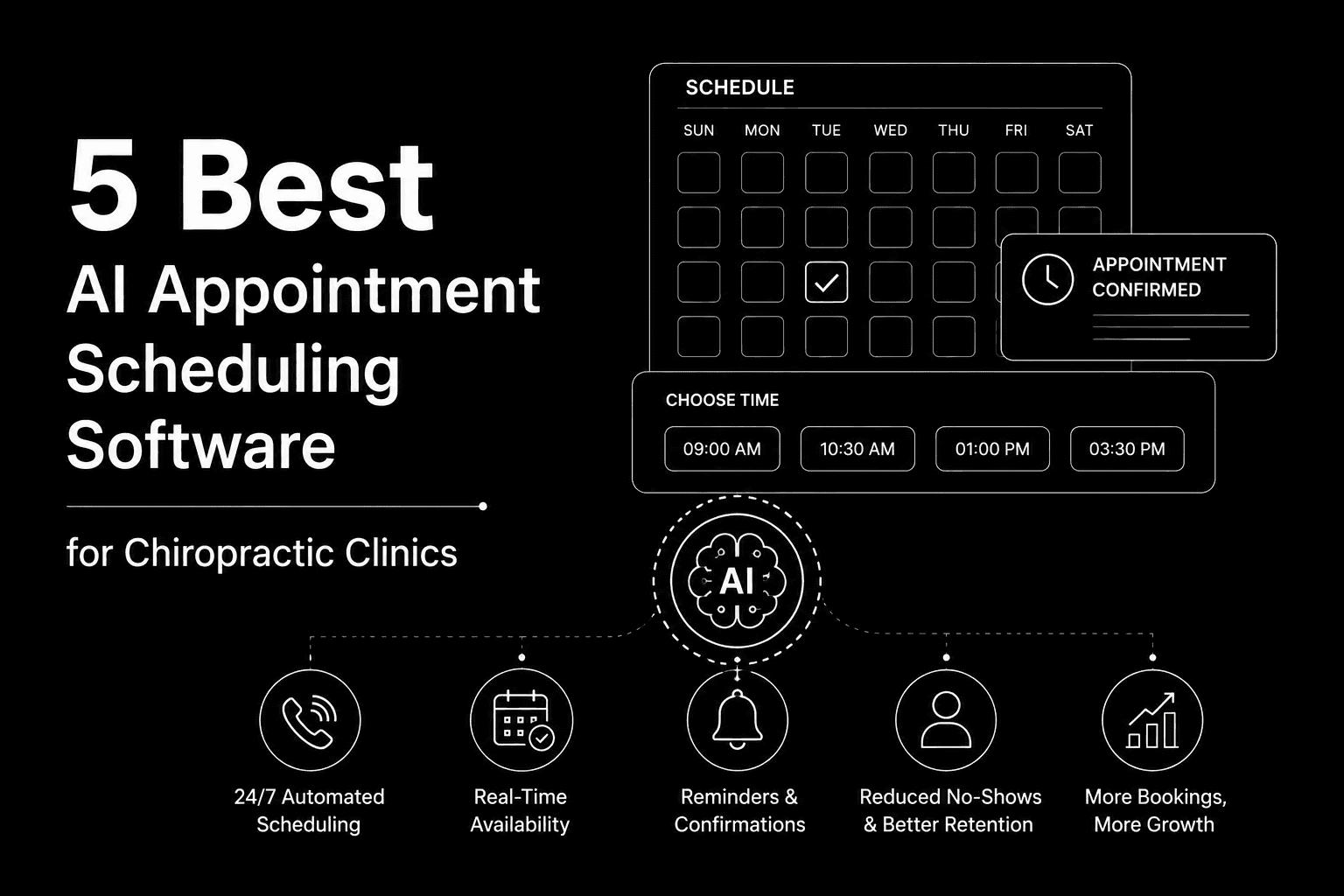
5 Best AI Appointment Scheduling Software for Chiropractic Clinics
Compare the 5 best AI appointment scheduling software for chiropractic clinics in 2026 — see which tools cut no-shows and free up your front desk.

Articles
5 Best AI Answering Services for Urgent Care Clinics
Compare the top AI answering services for urgent care clinics in 2026 — HIPAA compliance, triage accuracy, EHR integration, and real patient experience.
Load More
Latest Insights
All Resources
Articles
Case Studies
Tutorials
Articles
5 Best AI Appointment Scheduling Software for Chiropractic Clinics
Compare the 5 best AI appointment scheduling software for chiropractic clinics in 2026 — see which tools cut no-shows and free up your front desk.
Articles
5 Best AI Answering Services for Urgent Care Clinics
Compare the top AI answering services for urgent care clinics in 2026 — HIPAA compliance, triage accuracy, EHR integration, and real patient experience.
Load More

Automate your business with AI phone Agents
Automate your business with AI phone Agents
Automate your business with AI phone Agents
Automate your business with AI phone Agents
Call automation for healthcare, real estate, logistics, financial services & small businesses.
Call automation for healthcare, real estate, logistics, financial services & small businesses.

Join Discord
Connect with our community, ask questions, and stay updated on product news.

Book a Call
Schedule a quick call with our team to explore solutions for your needs.
Get started
Industries
Usecases
Integrations
Legal & Community

Join Discord
Connect with our community, ask questions, and stay updated on product news.
Book a Call
Schedule a quick call with our team to explore solutions for your needs.
Get started
Industries
Usecases
Integrations
Legal & Community
Join Discord
Connect with our community, ask questions, and stay updated on product news.
Book a Call
Schedule a quick call with our team to explore solutions for your needs.
Get started
Industries
Usecases
Integrations
Legal & Community
Join Discord
Connect with our community, ask questions, and stay updated on product news.
Book a Call
Schedule a quick call with our team to explore solutions for your needs.
Get started
Industries
Usecases
Integrations
Legal & Community